

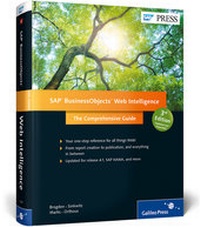
SAP BusinessObjects Web Intelligence
The Comprehensive Guide
3rd Edition
Will be published approx. on 30. October 2014
Book
Hardback
691 pages
978-1-4932-1057-2 (ISBN)
Description
Sharpen your data presentations with this comprehensive guide to SAP BusinessObjects Web Intelligence. From creating a report, to displaying data via charts, to sharing reports with others, get everything from the basics to the actionable details that inform your work. This third edition of our best-selling book on WebI includes UI and functionality changes for SAP BusinessObjects 4.1 and expanded coverage of new topics like SAP HANA and mobility. Make your reporting and analysis intelligent!Highlights Include:-Release 4.1-HTML and Java viewers-SAP HANA variable support-Report creation-Report Panel -Data filters-Drill-down-Query Panel functionality -BI Launch Pad-Enhanced BI Mobile features-Web Intelligence Rich Client
Highlights:
Release 4.1
HTML and Java viewers
SAP HANA variable support
Report creation
Report Panel
Data filters
Drill-down
Query Panel functionality
BI Launch Pad
Enhanced BI Mobile features
Web Intelligence Rich Client
More details
Other editions
New editions
Christian Ah-Soon | Jim Brogden | Dallas Marks
SAP BusinessObjects Web Intelligence
The Comprehensive Guide
Book
10/2017
4th Edition
SAP PRESS
€79.95
Article not available at the moment
Previous edition

Jim Brogden | Heather Sinkwitz | Mac Holden
SAP BusinessObjects Web Intelligence
The Comprehensive Guide
Book
10/2012
2nd Edition
SAP PRESS
€79.95
Article exhausted; check for reprint
Persons
Author
Jim Brogden is an award-winning technical author and dashboard designer, and a Senior Data Warehouse Developer for Intercontinental Exchange (ICE) in Atlanta, Georgia. He combines a master's degree in Information Technology with nearly ten years of business intelligence consulting experience and a proven track record for delivering BI solutions in a variety of industries. He's the lead author of all three official textbooks dedicated to Web Intelligence, and is an active contributor to SAP's Idea Place (http://ideas.sap.com). A happily married father of sons Jamie and Hunter, in his off time Jim proclaims himself an avid (beginner) cricket player on the ICE Storm cricket team, a passionate hacker of the golf ball, and a runner (jogger/walker) of frequent (annual) 10Ks in Atlanta.
Heather Callebaut Sinkwitz gained her expertise while working as a business intelligence consultant, specializing as a certified SAP BusinessObjects instructor and solution provider. She currently dedicates herself to building innovative Business Intelligence solutions using a variety of technologies. A data junkie, she enjoys presenting meaningful information in new and unique ways to aid customers in making informed decisions. She remains actively involved in the BI community through participation in user groups and speaking engagements, both locally in her home state of Arizona or nationally. Currently, Heather is the Analytics and Reporting Product Manager for Trax Technologies (www.traxtech.com).
Dallas Marks is a principal technical architect and trainer for EV Technologies and an SAP Certified Application Associate for SAP BusinessObjects Web Intelligence and the Business Intelligence platform. Dallas has worked with SAP BusinessObjects BI tools since 2003 and has implemented solutions for a number of industries, including retail, energy, health care, and manufacturing. He is a frequent speaker at local ASUG chapters, national ASUG, and SAPinsider conferences, and independent SAP BusinessObjects user groups. Dallas holds a master's degree in computer engineering from the University of Cincinnati. Dallas blogs about various business intelligence topics at http://www.dallasmarks.org/. You can follow him on Twitter at @dallasmarks.
Gabriel Orthous is a population health management and healthcare analytics expert, and a senior consultant to Wellcentive. Gabe has more than 15 years of business analytics managerial and software engineering experience with extensive expertise around business intelligence, financial reporting, and decision analytics. Gabe graduated from Mercer University with a master's degree in Business Administration and was inducted to the International Honor Society Beta Gamma Sigma in 2008. In addition, Gabe is chair for the Dashboarding and Visualization Special Interest Group for ASUG, co-chair for ASUG's Business Objects' Strategic SIG, and an active member of the Customer Advisory Council, as well as a renowned international speaker.
Content
Acknowledgments ... 21
Foreword ... 23
1 Introduction to SAP BusinessObjects Web Intelligence 4.1 ... 25
1.1 Features of Web Intelligence ... 26
1.2 Reading Web Intelligence Reports ... 32
1.3 Adjusting Web Intelligence Preferences ... 33
1.4 The HTML Viewer versus the Applet (Java) Viewer ... 39
1.5 Web Intelligence Reporting and Analysis Environments . 39
1.6 Report Display Modes ... 40
1.7 Summary ... 42
2 What's New in Web Intelligence 4.1? ... 45
2.1 SAP HANA Variable Support in SAP BusinessObjects BI 4.1 SP3 ... 46
2.2 Freeze Header Rows and Left Columns ... 49
2.3 Custom Grouping ... 52
2.4 Merged Dimension Improvements ... 57
2.5 Usability Improvements . 59
2.6 Customizing Color Properties ... 67
2.7 Using Excel as a Data Source in the BI Launch Pad ... 74
2.8 Charting Enhancements ... 80
2.9 Report Formatting Improvements ... 84
2.10 Summary ... 85
3 Creating New Documents and Queries ... 87
3.1 Creating a Web Intelligence 4.1 Document ... 88
3.2 The Query Panel in Web Intelligence 4.1 ... 100
3.3 Adding and Editing Queries ... 104
3.4 Creating SAP BEx Queries ... 113
3.5 Query Filters . 117
3.6 Prompted Queries ... 124
3.7 Summary ... 127
4 Creating a Report in Web Intelligence 4.1 ... 131
4.1 Adding Data to Report Elements ... 133
4.2 Sections and Breaks ... 136
4.3 Outline Navigation ... 140
4.4 Enhanced Sorting and Ranking .... 141
4.5 Conditional Formatting ... 150
4.6 Headers, Footers, and Background Images ... 154
4.7 Summary ... 157
5 The Web Intelligence 4.1 Report Panel ... 159
5.1 The Web Intelligence 4.1 Reporting Interface ... 159
5.2 Reporting Toolbars ... 162
5.3 The Side Panel ... 172
5.4 Report Panel ... 175
5.5 Report Property Categories . 178
5.6 Summary ... 186
6 Displaying Data with Tables ... 187
6.1 Using Tables ... 189
6.1.4 Freezing Header Rows and Columns ... 201
6.2 Table Types ... 204
6.3 Converting Table Formats and Types ... 207
6.4 Blank and Predefined Cells ... 209
6.5 Summary ... 211
7 Displaying Data with Charts ... 213
7.1 Adding Charts to a Report ... 214
7.2 Chart Types ... 217
7.3 Chart Properties ... 240
7.4 Zone Formatting ... 245
7.5 Summary ... 246
8 Making an Impact with Charts ... 247
8.1 Properties That Enhance the Display of Data ... 248
8.2 Drilling in Reports with Multiple Charts ... 254
8.3 Hierarchical Charting with Relational Data ... 256
8.4 Reports Functioning as Dashboards ... 257
8.5 Formatting Tips ... 259
8.6 Custom Color Enhancements ... 264
8.7 Summary ... 271
9 Report Properties, Tools, and Formatting ... 273
9.1 Formatting Report Properties ... 273
9.2 Document Summary ... 275
9.3 Report Map ... 278
9.4 Input Controls . 278
9.5 Web Services Publisher ... 282
9.6 Available Objects (Design Mode Only) ... 285
9.7 Document Structures and Filters ... 286
9.8 Data ... 287
9.9 Style Sheet Modification ... 289
9.10 Summary ... 294
10 Filtering Data in the Query Panel and Report Panel ... 295
10.1 Filtering in the Query Panel ... 295
10.2 Filtering in the Report Panel ... 304
10.3 Conditionally Hiding Report Elements ... 316
10.4 Hierarchical Navigation with SAP BW Data Sources ... 318
10.5 Summary ... 321
11 Scope of Analysis and Drill Functionality ... 323
11.1 Setting the Scope of Analysis in the Query Panel ... 324
11.2 Drill-Down Setup in the Report Panel ... 330
11.3 Query Drill Option . 340
11.4 Taking a Snapshot ... 342
11.5 User Settings for Drill Down ... 342
11.6 Summary ... 344
12 Using Formulas and Variables ... 345
12.1 Formulas and Variables ... 346
12.2 Reporting Functions and Operators ... 352
12.3 Formula Syntax ... 368
12.4 Input, Output, and Calculation Contexts ... 371
12.5 Summary ... 378
13 Extending Query Panel Functionality ... 379
13.1 Complex Filtering Options ... 380
13.2 Cascading and Optional Prompts ... 387
13.3 Editing Auto-Generated SQL Scripts ... 392
13.4 Visually Tracking Data Changes in the Report Panel ... 394
13.5 Data Preview ... 400
13.6 Additional Queries and New Data Providers ... 402
13.7 SAP HANA as a Data Source ... 406
13.8 Summary ... 409
14 Using Multiple Data Sources ... 411
14.1 Combining Multiple Queries from the Same Data Source ... 411
14.2 Combining Data from Different Universes ... 417
14.3 Data Synchronization Recommendations ... 422
14.4 Summary ... 423
15 Linking in Web Intelligence 4.1 Reports ... 425
15.1 Linking to Documents with the HTML Viewer . 426
15.2 Linking with the Applet Viewer ... 436
15.3 OpenDocument Syntax ... 443
15.4 Element Linking ... 447
15.5 Summary ... 453
16 Working in the BI Launch Pad ... 455
16.1 Navigating in BI Launch Pad .. 455
16.2 Setting BI Launch Pad Preferences ... 464
16.3 Organizing in Folders and Categories ... 467
16.4 Viewing, Printing, and Saving Objects in BI Launch Pad ... 471
16.5 Summary ... 474
17 Using Web Intelligence with SAP BusinessObjects BI Workspaces ... 475
17.1 Introducing BI Workspaces ... 475
17.2 Working with Modules ... 485
17.3 Working with Web Intelligence Report Parts ... 486
17.4 Using a BI Workspace as the Default Home Tab ... 493
17.5 Printing BI Workspaces ... 495
17.6 Content Linking ... 496
17.7 Summary ... 500
18 Interaction from a User's Perspective ... 501
18.1 Creating Shortcuts and Hyperlinks ... 501
18.2 Tracking Data Changes .... 503
18.3 Searching within the BI Launch Pad ... 509
18.4 Sorting and Filtering Content ... 514
18.5 Creating Discussions ... 514
18.6 Summary ... 517
19 Sharing a Web Intelligence Report ... 519
19.1 Copying and Pasting ... 519
19.2 Using the Send Feature in BI Launch Pad ... 523
19.3 Exporting a Web Intelligence Report ... 528
19.4 Scheduling a Web Intelligence Report ... 530
19.5 Summary ... 537
20 Report Scheduling and Distribution with Publications ... 539
20.1 Publication Roles ... 541
20.2 Creating a Publication ... 542
20.3 Mobile Publications ... 554
20.4 Summary ... 555
21 Web Intelligence Rich Client ... 557
21.1 How Web Intelligence Rich Client Is Different ... 557
21.2 Data Provider Options ... 562
21.3 Working with Web Intelligence Reports ... 563
21.4 Setting Preferences in Web Intelligence Rich Client ... 569
21.5 Summary ... 570
22 Connecting SAP BusinessObjects Live Office to Web Intelligence ... 571
22.1 Introduction to SAP BusinessObjects Live Office ... 571
22.2 Creating SAP BusinessObjects Live Office Documents with Web Intelligence Content ... 575
22.3 Setting Preferences ... 578
22.4 Summary ... 584
23 Mobile Business Intelligence ... 585
23.1 New Features in SAP BusinessObjects Mobile ... 585
23.2 Designing Reports for Mobile Viewing ... 587
23.3 Mobile-Only Analytic Types ... 600
23.4 Report Linking ... 612
23.5 Input Controls ... 614
23.6 Mobile Thumbnails ... 615
23.7 Summary ... 617
24 Universe Basics: The Information Design Tool ... 619
24.1 Universe Basics ... 620
24.2 Creating a New Universe Project ... 624
24.3 Creating Connections ... 625
24.4 Creating Data Foundations ... 627
24.5 Creating Business Layers ... 636
24.6 Creating Multisource Universes ... 641
24.7 Universe Design Best Practices ... 646
24.8 Converting an Existing Universe to a .UNX Universe ... 648
24.9 Summary ... 654
Appendices ... 655
A Converting Desktop Intelligence Reports to Web Intelligence Documents ... 657
A.1 Report Conversion Tool (RCT) ... 658
A.2 Conversion to Web Intelligence ... 658
A.3 Desktop Intelligence Compatibility Pack (DCP) ... 664
A.4 Summary ... 666
B Third-Party Vendors and SAP Partners ... 667
B.1 Antivia ... 668
B.2 APOS Systems ... 668
B.3 Centigon Solutions ... 669
B.4 EV Technologies ... 670
B.5 GB & Smith ... 671
B.6 InfoSol ... 672
B.7 LaunchWorks ... 672
B.8 Summary ... 673
C The Authors ... 675
Index ... 677