

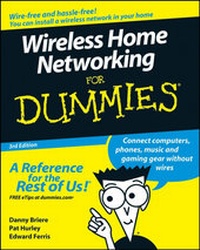
Wireless Home Networking For Dummies
3rd Edition
Published on 4. April 2008
Book
Paperback/Softback
408 pages
978-0-470-25889-7 (ISBN)
Description
Covers Wi-Fi (including 802.11n) Bluetooth, ZigBee, and more
Share stuff safely and wirelessly on Windows PCs or Mac OS X machines
Why go wireless? It's easy, convenient, inexpensive, and, with the emergence of new industry standards, better than ever! These experts know what you should look for (and look out for). They'll walk you through the pros and cons of the different standards, planning and installing your network, setting up security, and getting the most from your investment.
Discover how to:
*
Choose the right networking equipment
*
Integrate Bluetooth(r) into your network
*
Work with servers, gateways, routers, and switches
*
Protect your network from intruders
*
Understand 802.11n
Share stuff safely and wirelessly on Windows PCs or Mac OS X machines
Why go wireless? It's easy, convenient, inexpensive, and, with the emergence of new industry standards, better than ever! These experts know what you should look for (and look out for). They'll walk you through the pros and cons of the different standards, planning and installing your network, setting up security, and getting the most from your investment.
Discover how to:
*
Choose the right networking equipment
*
Integrate Bluetooth(r) into your network
*
Work with servers, gateways, routers, and switches
*
Protect your network from intruders
*
Understand 802.11n
More details
Edition
3., Auflage
Language
English
Place of publication
Chichester
United Kingdom
Publishing group
John Wiley and Sons Ltd
Target group
Professional and scholarly
Edition type
Revised edition
Illustrations
ill
Dimensions
Height: 23.6 cm
Width: 18.7 cm
Thickness: 22 mm
Weight
607 gr
ISBN-13
978-0-470-25889-7 (9780470258897)
Schweitzer Classification
Other editions
New editions
Danny Briere | Pat Hurley | Edward Ferris
Wireless Home Networking For Dummies
Book
11/2010
4th Edition
Wiley
€25.50
Shipment within 10-20 days
Previous edition

Danny Briere | Pat Hurley | Edward Ferris
Wireless Home Networking For Dummies
Book
01/2006
2nd Edition
Wiley
€22.90
Article exhausted; check for reprint
Persons
Danny Briere founded TeleChoice, Inc., a telecommunications consulting company, in 1985 and now serves as CEO of the company. Widely known throughout the telecommunications and networking industry, Danny has written more than 1,000 articles about telecommunications topics and has authored or edited eight books, including Smart Homes For Dummies, 3rd Edition, HDTV For Dummies, 2nd Edition, Windows XP Media Center Edition 2004 PC For Dummies, Wireless Network Hacks & Mods For Dummies, and Home Theater For Dummies, 2nd Edition (all published by Wiley). He is frequently quoted by leading publications on telecommunications and technology topics and can often be seen on major TV networks providing analysis on the latest communications news and breakthroughs. Danny lives in Mansfield Center, Connecticut, with his wife and four children.
Pat Hurley is director of research with TeleChoice, Inc., specializing in emerging telecommunications technologies, including all the latest access and home technologies: wireless LANs, DSL, cable modems, satellite services, and home networking services. Pat frequently consults with the leading telecommunications carriers, equipment vendors, consumer goods manufacturers, and other players in the telecommunications and consumer electronics industries. Pat is the co-author of Smart Homes For Dummies, 3rd Edition, HDTV For Dummies, 2nd Edition, Windows XP Media Center Edition 2004 PC For Dummies, Wireless Network Hacks & Mods For Dummies, and Home Theater For Dummies, 2nd Edition (all published by Wiley). He lives in San Diego, California, with his wife, beautiful daughter, and two smelly and unruly dogs.
Edward Ferris is a consultant and director of information systems with TeleChoice, Inc., specializing in information management, wired and wireless networking, and security technologies. He has extensive experience with all the latest VOIP technologies: SIP, vPBX, Hybrid PBX, QoS, and packet labeling and switching. Ed frequently consults with companies looking to tighten information security, develop scalable technology plans, and expand network and client support operations. He has written many training and technology manuals for corporate use and has created custom training materials and seminars for numerous applications and business processes. He lives in Norwood, Massachusetts, with his wife and three children.
Pat Hurley is director of research with TeleChoice, Inc., specializing in emerging telecommunications technologies, including all the latest access and home technologies: wireless LANs, DSL, cable modems, satellite services, and home networking services. Pat frequently consults with the leading telecommunications carriers, equipment vendors, consumer goods manufacturers, and other players in the telecommunications and consumer electronics industries. Pat is the co-author of Smart Homes For Dummies, 3rd Edition, HDTV For Dummies, 2nd Edition, Windows XP Media Center Edition 2004 PC For Dummies, Wireless Network Hacks & Mods For Dummies, and Home Theater For Dummies, 2nd Edition (all published by Wiley). He lives in San Diego, California, with his wife, beautiful daughter, and two smelly and unruly dogs.
Edward Ferris is a consultant and director of information systems with TeleChoice, Inc., specializing in information management, wired and wireless networking, and security technologies. He has extensive experience with all the latest VOIP technologies: SIP, vPBX, Hybrid PBX, QoS, and packet labeling and switching. Ed frequently consults with companies looking to tighten information security, develop scalable technology plans, and expand network and client support operations. He has written many training and technology manuals for corporate use and has created custom training materials and seminars for numerous applications and business processes. He lives in Norwood, Massachusetts, with his wife and three children.
Content
Introduction.
Part I: Wireless Networking Fundamentals.
Chapter 1: Introducing Wireless Home Networking.
Chapter 2: From a to n and b-yond.
Chapter 3: Bluetooth and Other Wireless Networks.
Part II: Making Plans.
Chapter 4: Planning a Wireless Home Network.
Chapter 5: Choosing Wireless Home Networking Equipment.
Part III: Installing a Wireless Network.
Chapter 6: Installing Wireless Access Points in Windows.
Chapter 7: Setting Up a Wireless Windows Network.
Chapter 8: Setting Up a Wireless Mac Network.
Chapter 9: Securing Your Wireless Home Network.
Part IV: Using a Wireless Network.
Chapter 10: Putting Your Wireless Home Network to Work.
Chapter 11: Gaming Over a Wireless Home Network.
Chapter 12: Networking Your Entertainment Center.
Chapter 13: Using Your Wireless Network for Phone Calls.
Chapter 14: Other Cool Things You Can Network.
Chapter 15: Using a Bluetooth Network.
Chapter 16: Going Wireless Away from Home.
Part V: The Part of Tens.
Chapter 17: Ten FAQs about Wireless Home Networks.
Chapter 18: Ten Ways to Troubleshoot Wireless LAN Performance.
Chapter 19: More Than Ten Devices to Connect to Your Wireless Network in the Future.
Chapter 20: Top Ten Sources for More Information.
Index.
Part I: Wireless Networking Fundamentals.
Chapter 1: Introducing Wireless Home Networking.
Chapter 2: From a to n and b-yond.
Chapter 3: Bluetooth and Other Wireless Networks.
Part II: Making Plans.
Chapter 4: Planning a Wireless Home Network.
Chapter 5: Choosing Wireless Home Networking Equipment.
Part III: Installing a Wireless Network.
Chapter 6: Installing Wireless Access Points in Windows.
Chapter 7: Setting Up a Wireless Windows Network.
Chapter 8: Setting Up a Wireless Mac Network.
Chapter 9: Securing Your Wireless Home Network.
Part IV: Using a Wireless Network.
Chapter 10: Putting Your Wireless Home Network to Work.
Chapter 11: Gaming Over a Wireless Home Network.
Chapter 12: Networking Your Entertainment Center.
Chapter 13: Using Your Wireless Network for Phone Calls.
Chapter 14: Other Cool Things You Can Network.
Chapter 15: Using a Bluetooth Network.
Chapter 16: Going Wireless Away from Home.
Part V: The Part of Tens.
Chapter 17: Ten FAQs about Wireless Home Networks.
Chapter 18: Ten Ways to Troubleshoot Wireless LAN Performance.
Chapter 19: More Than Ten Devices to Connect to Your Wireless Network in the Future.
Chapter 20: Top Ten Sources for More Information.
Index.