

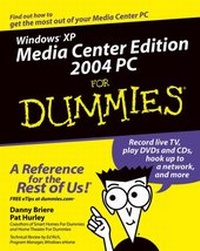
Windows XP Media Center Edition 2004 PC For Dummies
1st Edition
Published on 21. November 2003
Book
Paperback/Softback
354 pages
978-0-7645-4357-9 (ISBN)
Description
Microsoft Windows XP Media Center Edition is the new PC operating system version specially outfitted for TV, DVD, video, music, and digital photo applications. This book gets readers up to speed on its new easy-to-use interface and all the preconfigured hardware and preloaded software that allow the user to create a complete, integrated home entertainment system.
More details
Edition
1., Aufl.
Language
English
Place of publication
Foster City
United States
Publishing group
John Wiley & Sons Inc
Target group
Professional and scholarly
Illustrations
illustrations
Dimensions
Height: 23.2 cm
Width: 19.4 cm
Thickness: 20 mm
Weight
632 gr
ISBN-13
978-0-7645-4357-9 (9780764543579)
Schweitzer Classification
Other editions
Additional editions
Danny Briere | Pat Hurley
Windows XP Media Center Edition 2004 PC For Dummies
E-Book
11/2003
Wiley
€16.99
Available for download
Persons
Danny Briere founded TeleChoice, Inc., a telecommunications consulting company, in 1985 and now serves as CEO of the company. Widely known throughout the telecommunications and networking industry, Danny has written more than one thousand articles about telecommunications topics and has authored or edited nine books, including Internet Telephony For Dummies, Smart Homes For Dummies (now in its second edition), Wireless Home Networking For Dummies, and Home Theater For Dummies. He is frequently quoted by leading publications on telecommunications and technology topics and can often be seen on major TV networks providing analysis on the latest communications news and breakthroughs. Danny lives in Mansfield Center, Connecticut, with his wife and four children.
Pat Hurley is a consultant with TeleChoice, Inc., who specializes in emerging telecommunications technologies, particularly all the latest access and home technologies, including wireless LANs, DSL, cable modems, satellite services, and home-networking services. Pat frequently co nsults with the leading telecommunications carriers, equipment vendors, consumer goods manufacturers, and other players in the telecommunications and consumer electronics industries. Pat is the coauthor of Internet Telephony For Dummies, Smart Homes For Dummies, Wireless Home Networking For Dummies, and Home Theater For Dummies. He lives in San Diego, California, with his wife and two smelly dogs.
Pat Hurley is a consultant with TeleChoice, Inc., who specializes in emerging telecommunications technologies, particularly all the latest access and home technologies, including wireless LANs, DSL, cable modems, satellite services, and home-networking services. Pat frequently co nsults with the leading telecommunications carriers, equipment vendors, consumer goods manufacturers, and other players in the telecommunications and consumer electronics industries. Pat is the coauthor of Internet Telephony For Dummies, Smart Homes For Dummies, Wireless Home Networking For Dummies, and Home Theater For Dummies. He lives in San Diego, California, with his wife and two smelly dogs.
Content
Introduction.Part I: Introducing the Media Center Edition PC.Chapter 1: All about Windows XP Media Center Edition.Chapter 2: A Look Inside a Media Center PC.Chapter 3: Evaluating and Buying a Media Center PC.Part II: Integrating Your Media Center PC.Chapter 4: Cables, Connectors, and Components.Chapter 5: Hooking Up Your Media Center PC.Chapter 6: Connecting to the Internet.Chapter 7: Starting MCE for the First Time.Chapter 8: Customizing Your MCE Experience.Part III: Using XP Media Center Edition.Chapter 9: Watching TV.Chapter 10: Listening to Music.Chapter 11: Working with Photos.Chapter 12: Playing DVDs.Chapter 13: Working with Home Videos.Chapter 14: Working with Third-Party Applications.Part IV: Connecting to the Rest of Your House.Chapter 15: Building a Home Network.Chapter 16: Using a Wireless Home-Networking System.Part V: The Part of Tens.Chapter 17: Ten Cool Accessories for Your Media Center PC.Chapter 18: Ten Future Features of Media Center PCs.Chapter 19: Ten Great Places to Visit with Your Media Center PC.Appendix: Connecting Your MCE PC to Your Home-Entertainment System.Index.