

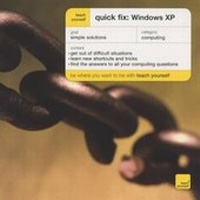
Teach Yourself Quick Fix: Windows XP
Published on 26. September 2003
Book
Paperback/Softback
256 pages
978-0-340-81087-3 (ISBN)
Description
Are you stuck at your screen with nowhere to turn
Can't find the answer to a simple question
Quick Fix will provide all the shortcuts and tricks your computer won't give you... and help you out of that tricky situation.
This innovative, pocket-sized book is an invaluable companion to Windows XP.
Its dip-in format provides instant help and advice when and where you need it, and makes it easy and quick to use.
With minimal jargon and clear, concise explanations and exercises, this book is suitable for beginners and advanced computer users alike, and for desktop and laptop use.
Can't find the answer to a simple question
Quick Fix will provide all the shortcuts and tricks your computer won't give you... and help you out of that tricky situation.
This innovative, pocket-sized book is an invaluable companion to Windows XP.
Its dip-in format provides instant help and advice when and where you need it, and makes it easy and quick to use.
With minimal jargon and clear, concise explanations and exercises, this book is suitable for beginners and advanced computer users alike, and for desktop and laptop use.
More details
Series
Edition
New edition
Language
English
Place of publication
United Kingdom
Publishing group
John Murray Press
Edition type
New edition
Illustrations
screen grabs
Dimensions
Height: 129 mm
Width: 128 mm
Thickness: 16 mm
Weight
180 gr
ISBN-13
978-0-340-81087-3 (9780340810873)
Copyright in bibliographic data and cover images is held by Nielsen Book Services Limited or by the publishers or by their respective licensors: all rights reserved.
Schweitzer Classification
Other editions
Previous edition

Mac Bride
Windows XP
Book
02/2002
TEACH YOURSELF
Unfortunately, price unknown
Article exhausted; check for reprint
Person
Mac Bride is an IT consultant and author or numerous top-selling computer books.
Content
Windows essentials: getting started; basic techniques; help. Using windows: managing windows; managing files. Customizing: the control panel; the taskbar and start menu. Managing your PC: printers; housekeeping; networking and sharing. Accessories: text and images; utilities and media.