

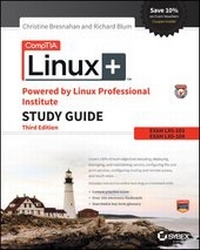
CompTIA Linux+ Powered by Linux Professional Institute Study Guide
Exam LX0-103 and Exam LX0-104
3rd Edition
Published on 5. June 2015
Book
Paperback/Softback
696 pages
978-1-119-02121-6 (ISBN)
Description
CompTIA Authorized Linux+ prep
CompTIA Linux+ Study Guide is your comprehensive study guide for the Linux+ Powered by LPI certification exams. With complete coverage of 100% of the objectives on both exam LX0-103 and exam LX0-104, this study guide provides clear, concise information on all aspects of Linux administration, with a focus on the latest version of the exam. You'll gain the insight of examples drawn from real-world scenarios, with detailed guidance and authoritative coverage of key topics, including GNU and Unix commands, system operation, system administration, system services, security, and more, from a practical perspective that easily translates into on-the-job know-how. You'll also get access to helpful study tools, including bonus practice exams, electronic flashcards, and a searchable glossary of key terms that are important to know for exam day.
Linux is viewed by many companies and organizations as an excellent, low-cost, secure alternative to expensive operating systems such as Microsoft Windows. The CompTIA Linux+ Powered by LPI exams test a candidate's understanding and familiarity with the Linux Kernel.
* Review the basic system architecture, installation, and management
* Understand commands, devices, and file systems
* Utilize shells, scripting, and data management techniques
* Navigate user interfaces, desktops, and essential system services
As the Linux server market share continue to grow, so too does the demand for qualified and certified Linux administrators. Certification holders must recertify every five years, but LPI recommends recertifying every two years to stay fully up to date with new technologies and best practices. CompTIA Linux+ Study Guide gives you the advantage of exam day confidence.
More details
Other editions
New editions
Book
07/2019
4th Edition
Sybex Inc.,U.S.
Unfortunately, price unknown
Article exhausted; check for reprint
Previous edition
Book
01/2013
2nd Edition
Wiley
€57.90
Article exhausted; check for reprint
Persons
Christine Bresnahan, CompTIA Linux+, LPIC-1, started working with computers more than 25 years ago in the IT industry as a systems administrator. Christine is an Adjunct Professor at Ivy Tech Community College where she teaches Linux certification and Python programming classes. She also writes books and produces instructional resources for the classroom. Richard Blum, CompTIA Linux+, LPIC-1, has worked in the IT industry for more than 25 years as both a systems and network administrator. He has published numerous Linux and open-source books, and is an online instructor for Linux and Web programming courses used by colleges and universities across the United States.
Content
Introduction xxi
Assessment Test xxxix
Answers to the Assessment Test xlvi
Part I Exam LX0-103 1
Chapter 1 Exploring Linux Command-Line Tools 3
Chapter 2 Managing Software 47
Chapter 3 Configuring Hardware 107
Chapter 4 Managing Files 177
Chapter 5 Booting Linux and Editing Files 233
Part II Exam LX0-104 277
Chapter 6 Configuring the X Window System, Localization, and Printing 279
Chapter 7 Administering the System 343
Chapter 8 Configuring Basic Networking 407
Chapter 9 Writing Scripts, Configuring Email, and Using Databases 453
Chapter 10 Securing Your System 523
Appendix Answers 575
Chapter 1: Exploring Linux Command-Line Tools 576
Chapter 2: Managing Software 579
Chapter 3: Configuring Hardware 583
Chapter 4: Managing Files 586
Chapter 5: Booting Linux and Editing Files 590
Chapter 6: Configuring the X Window System, Localization, and Printing 593
Chapter 7: Administering the System 597
Chapter 8: Configuring Basic Networking 601
Chapter 9: Writing Scripts, Configuring Email, and Using Databases 605
Chapter 10: Securing Your System 609
Index 613