

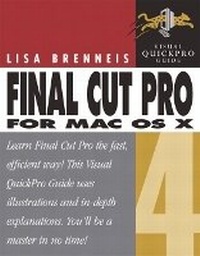
Final Cut Pro 4 for Mac OS X
Visual QuickPro Guide
Published on 16. October 2003
Book
Paperback/Softback
776 pages
978-0-321-16223-6 (ISBN)
Description
Final Cut Pro 4, a professional video-editing tool, is a major upgrade of Apple's Emmy award-winning editing software for film, high-definition video, standard-definition video, and DV. Final Cut Pro 4, introduces RT Extreme for real-time compositing and effects, powerful new interface customization tools, new high-quality 8- and 10-bit uncompressed formats, and for the first time in an editing system costing less than $100,000, full 32-bit floating point per channel video processing. Final Cut Pro 4 also includes three completely new integrated applications: LiveType for advanced titling, Soundtrack for music creation and Compressor for full-featured batch transcoding. Video that's edited with the tool can be outputted to any professional video format: TV, VCR, computer monitor, or the Web (in the form of Web streaming media). Final Cut Pro 4 for Max OS X: Visual QuickPro Guide introduces video producers to the comprehensive set of tools available in the video-editing tool. Step-by-step instructions lead readers through the basics and quickly into more advanced projects in video editing. All the important features of the application are covered in detail: the easy-to-use interface, plug-and-play capability, as well as a host of other features and tools that enhance workflow and productivity.
More details
Language
English
Place of publication
Berkeley
United States
Publishing group
Pearson Education (US)
Target group
College/higher education
Dimensions
Width: 230 mm
Thickness: 38 mm
Weight
1184 gr
ISBN-13
978-0-321-16223-6 (9780321162236)
Copyright in bibliographic data and cover images is held by Nielsen Book Services Limited or by the publishers or by their respective licensors: all rights reserved.
Schweitzer Classification
Other editions
New editions
Book
07/2004
Peachpit Press Publications
€28.51
Article exhausted; check for reprint
Person
Lisa Brenneis is the author of three previous editions of Final Cut Pro for Macintosh: Visual QuickPro Guide, the best-selling Final Cut Pro book. She has served as a teacher, author, panelist, virtual theater performer, and film production manager. Her production credits range from interactive digital media to educational films, animation to live action, documentary to poetic fantasy. Her clients have included Disney, MCA/Universal, the Getty Museum, the Library of Congress, the International Olympic Committee, and Mattel.
Content
I. BEFORE YOU BEGIN.
1. Welcome to Final Cut Pro.
2. Installing and Setting Up.
3. Projects, Sequences, and Clips.
II. INPUT.
4. Capturing Video.
5. Importing Digital Media.
III. GETTING READY TO EDIT.
6. Organizing Clips in the Browser.
7. Working with Clips in the Viewer.
IV. EDITING.
8. Basic Editing.
9. Editing in the Timeline and the Canvas.
10. Fine Cut: Trimming Edits.
11. Audio Tools and Techniques.
12. Creating Transitions.
V. ADDING TITLES AND EFFECTS.
13. Compositing and Effects Overview.
14. Motion.
15. Filters and Compositing.
16. Titles and Generators.
VI. FINISHING.
17. Real Time and Rendering.
18. Creating Final Output.
19. Managing Complex Projects.
20. Data Import and Export.
VII. APPENDIXES.
Appendix A. Online Resources.
Appendix B. Keyboard Shortcuts.
Appendix C. Customizing Final Cut Pro.
1. Welcome to Final Cut Pro.
2. Installing and Setting Up.
3. Projects, Sequences, and Clips.
II. INPUT.
4. Capturing Video.
5. Importing Digital Media.
III. GETTING READY TO EDIT.
6. Organizing Clips in the Browser.
7. Working with Clips in the Viewer.
IV. EDITING.
8. Basic Editing.
9. Editing in the Timeline and the Canvas.
10. Fine Cut: Trimming Edits.
11. Audio Tools and Techniques.
12. Creating Transitions.
V. ADDING TITLES AND EFFECTS.
13. Compositing and Effects Overview.
14. Motion.
15. Filters and Compositing.
16. Titles and Generators.
VI. FINISHING.
17. Real Time and Rendering.
18. Creating Final Output.
19. Managing Complex Projects.
20. Data Import and Export.
VII. APPENDIXES.
Appendix A. Online Resources.
Appendix B. Keyboard Shortcuts.
Appendix C. Customizing Final Cut Pro.