

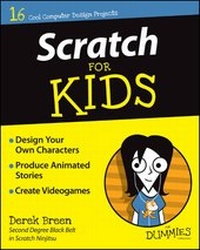
Scratch For Kids For Dummies
Published on 22. May 2015
Book
Paperback/Softback
384 pages
978-1-119-01487-4 (ISBN)
Unfortunately, price unknown
Article is exhausted; no reprint
Description
Scratch is a fast, fun, and easy way to get started in computer science
Do you want to make cool games, impressive animations, and become an all-around Scratch super star? You've come to the right place! Packed with full-color photos and easy-to-follow instructions, Scratch For Kids For Dummies makes it easy to get started--even if you've never attempted computer programming or coding. Inside, you'll find out how to design and develop your own games, create amazing animations, interact with the online Scratch community, and much more!
There's no doubting that Scratch is fun, but it also helps you learn to think creatively, reason symmetrically, and work collaboratively--essential skills for life in the 21st century. Best of all, the software is completely free and runs right in your web browser! With the help of this down-to-earth and friendly guide, you'll quickly discover how to choose from a library of characters, backgrounds, and props, draw your own options, and open another user's project, modify it, and publish it online--all with the click of a button.
* Create games, stories, and animations
* Learn programming
* Share your projects with the Scratch community
* Participate in the Scratch forums
If you're looking to make the most of MIT's Scratch software but don't quite know where to start, everything you need to try your hand at this popular multimedia programming tool is right here. So what are you waiting for?
Do you want to make cool games, impressive animations, and become an all-around Scratch super star? You've come to the right place! Packed with full-color photos and easy-to-follow instructions, Scratch For Kids For Dummies makes it easy to get started--even if you've never attempted computer programming or coding. Inside, you'll find out how to design and develop your own games, create amazing animations, interact with the online Scratch community, and much more!
There's no doubting that Scratch is fun, but it also helps you learn to think creatively, reason symmetrically, and work collaboratively--essential skills for life in the 21st century. Best of all, the software is completely free and runs right in your web browser! With the help of this down-to-earth and friendly guide, you'll quickly discover how to choose from a library of characters, backgrounds, and props, draw your own options, and open another user's project, modify it, and publish it online--all with the click of a button.
* Create games, stories, and animations
* Learn programming
* Share your projects with the Scratch community
* Participate in the Scratch forums
If you're looking to make the most of MIT's Scratch software but don't quite know where to start, everything you need to try your hand at this popular multimedia programming tool is right here. So what are you waiting for?
Reviews / Votes
"Unreservedly ecommended for kids of all ages -including grown-up ones!" (MagPi, November 2015)"Not in any way dumbed down - a brilliant guide to sprites, animations, comics, programming, and plenty of games. And really good fun." (MagPi, April 2018)
More details
Series
Edition
1. Auflage
Language
English
Place of publication
United States
Publishing group
John Wiley & Sons Inc
Target group
Primary & secondary/elementary & high school
Dimensions
Height: 23 cm
Width: 18.7 cm
Thickness: 4.5 cm
Weight
626 gr
ISBN-13
978-1-119-01487-4 (9781119014874)
Schweitzer Classification
Person
Derek Breen is a former designer for the Education Arcade at MIT and teaching fellow in the Digital Media Arts and Instructional Design program at Harvard Extension School. He currently develops game design curriculum and learning materials for i2 Camp and provides teacher training in digital design, animation, and game development for K-12 teachers throughout the country.
Content
Introduction 1
Part 1: Become a Scratch Designer 9
Chapter 1: Getting Started with Scratch 11
Chapter 2: Create Your Own Comics 35
Chapter 3: Design Scratch Animals 60
Chapter 4: Build Vector Robots 79
Chapter 5: Digital Collages 99
Part 2: Become a Scratch Animator 127
Chapter 6: Animation Essentials 129
Chapter 7: Animate Great Characters 152
Chapter 8: Location, Location, Location 176
Chapter 9: Sounds Good to Me 197
Chapter 10: Lights, Camera, ACTION! 217
Part 3: Become a Scratch Game Developer 241
Chapter 11: Design a Classic Videogame 243
Chapter 12: Super Snake 266
Chapter 13: A?]Maze?]ing Game 289
Chapter 14: Attacking the Clones 319
Chapter 15: Game Not Over! 354
Index 362
Part 1: Become a Scratch Designer 9
Chapter 1: Getting Started with Scratch 11
Chapter 2: Create Your Own Comics 35
Chapter 3: Design Scratch Animals 60
Chapter 4: Build Vector Robots 79
Chapter 5: Digital Collages 99
Part 2: Become a Scratch Animator 127
Chapter 6: Animation Essentials 129
Chapter 7: Animate Great Characters 152
Chapter 8: Location, Location, Location 176
Chapter 9: Sounds Good to Me 197
Chapter 10: Lights, Camera, ACTION! 217
Part 3: Become a Scratch Game Developer 241
Chapter 11: Design a Classic Videogame 243
Chapter 12: Super Snake 266
Chapter 13: A?]Maze?]ing Game 289
Chapter 14: Attacking the Clones 319
Chapter 15: Game Not Over! 354
Index 362