

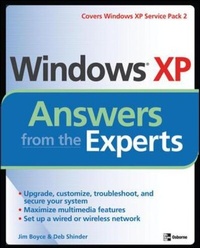
Windows XP Answers from the Experts
Published on 16. January 2005
Book
Paperback/Softback
472 pages
978-0-07-225767-0 (ISBN)
Description
Jim Boyce and Deb Shinder have answered enough XP questions through their web sites and newsletters to fill a book. So, that's what they did. Windows XP Answers from the Xperts is loaded with easy-to-adopt advice on upgrading, maintaining, and troubleshooting Windows XP. Coverage includes network setup, security, and resource sharing, remote access, customization, XP Service Pack 2, and plenty of information on applications, multimedia and communication tools. One hundred illustrations help you get the most from this powerful operating system.
More details
Language
English
Place of publication
United States
Publishing group
McGraw-Hill Education - Europe
Illustrations
250 Illustrations
Dimensions
Height: 0 mm
Width: 0 mm
Thickness: 0 mm
ISBN-13
978-0-07-225767-0 (9780072257670)
Copyright in bibliographic data and cover images is held by Nielsen Book Services Limited or by the publishers or by their respective licensors: all rights reserved.
Schweitzer Classification
Persons
McGraw-Hill authors represent the leading experts in their fields and are dedicated to improving the lives, careers, and interests of readers worldwide
McGraw-Hill authors represent the leading experts in their fields and are dedicated to improving the lives, careers, and interests of readers worldwide
McGraw-Hill authors represent the leading experts in their fields and are dedicated to improving the lives, careers, and interests of readers worldwide
Content
Part I: Upgrading, Controlling, and Troubleshooting Chapter 1: Upgrading to Windows XP Chapter 2: Controlling Startup and Shutdown Chapter 3: Keeping Your System Current Chapter 4: Windows XP Service Pack 2 Chapter 5: General Troubleshooting Part II: Customizing, Controlling, and Using Windows Chapter 6: Customizing Windows XP Chapter 7: Getting the Most from Windows XP Media Chapter 8: Using Windows XP Media Center Edition (MCE) Chapter 9: Using Windows XP Tablet PC Edition Chapter 10: Simplifying Backups Chapter 11: Automating and Scripting Windows XP Chapter 12: Windows XP Security Chapter 13: System Management Tools Part III: Working with Applications Chapter 14: Internet Explorer Tips and Tricks Chapter 15: Outlook Express Tips and TricksPart IV: Networking, Communications, and Remote Access Chapter 16: Networking Windows XP Chapter 17: Using Windows XP Remote Access Options Chapter 18: Hacking Windows XP