


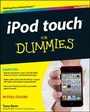
iPod touch For Dummies
3rd Edition
Published on 6. December 2011
Book
Paperback/Softback
288 pages
978-1-118-12960-9 (ISBN)
Description
The ultimate beginner guide to the iPod touch, now updated and in full-color!
Part media player, portable game console, and breakthrough Internet device, you could say that the iPod touch is one ideal gadget. With this new, full-color edition, bestselling For Dummies author Tony Bove walks you through powering up your iPod touch, personalizing it, establishing a Wi-Fi connection, and synchronizing your data. You'll also explore how to surf the web, rent movies, buy songs, send and receive e-mail, get directions, check stocks, organize photos, watch videos, keep a calendar, and much more. Plus, you'll learn about the new features of iOS 5 and how to access hundreds of thousands of apps that help you do even more with your iPod touch.
* Covers powering up your iPod touch, getting comfortable with the multitouch interface, personalizing your iPod touch, and establishing a Wi-Fi connection
* Walks you through the basics of the iTunes store so you can buy, download, and play music, TV shows, podcasts, movies, and more
* Demonstrates how to synchronize your data, work with the calendar, organize and share photos, browse the Internet, send and receive e-mail, read e-books, and get directions
* Helps you use your iPod touch to stay connected with social media sites like Facebook and Twitter
* Explains how to video chat with FaceTime, sync with iCloud, and use the new iOS 5 features
* Guides you through resetting, updating, restoring, and troubleshooting your iPod touch
Fully revised for iOS 5 and the latest iPod touch models, iPod touch For Dummies, 3rd Edition puts you totally in charge of your iPod touch!
Part media player, portable game console, and breakthrough Internet device, you could say that the iPod touch is one ideal gadget. With this new, full-color edition, bestselling For Dummies author Tony Bove walks you through powering up your iPod touch, personalizing it, establishing a Wi-Fi connection, and synchronizing your data. You'll also explore how to surf the web, rent movies, buy songs, send and receive e-mail, get directions, check stocks, organize photos, watch videos, keep a calendar, and much more. Plus, you'll learn about the new features of iOS 5 and how to access hundreds of thousands of apps that help you do even more with your iPod touch.
* Covers powering up your iPod touch, getting comfortable with the multitouch interface, personalizing your iPod touch, and establishing a Wi-Fi connection
* Walks you through the basics of the iTunes store so you can buy, download, and play music, TV shows, podcasts, movies, and more
* Demonstrates how to synchronize your data, work with the calendar, organize and share photos, browse the Internet, send and receive e-mail, read e-books, and get directions
* Helps you use your iPod touch to stay connected with social media sites like Facebook and Twitter
* Explains how to video chat with FaceTime, sync with iCloud, and use the new iOS 5 features
* Guides you through resetting, updating, restoring, and troubleshooting your iPod touch
Fully revised for iOS 5 and the latest iPod touch models, iPod touch For Dummies, 3rd Edition puts you totally in charge of your iPod touch!
More details
Edition
3. Auflage
Language
English
Place of publication
New York
United States
Target group
Professional and scholarly
Edition type
Revised edition
Illustrations
col. ill
Dimensions
Height: 23.3 cm
Width: 18.7 cm
Thickness: 1.5 cm
Weight
662 gr
ISBN-13
978-1-118-12960-9 (9781118129609)
Schweitzer Classification
Other editions
Previous edition
Tony Bove
iPod touch For Dummies
Book
11/2010
2nd Edition
Wiley
€21.90
Article exhausted; check for reprint
Person
Tony Bove has written more than two dozen computer books, including all editions of iPod & iTunes For Dummies. Tony is also a professional musician. He blogs and offers tips about iPods, iPhones, iPads, iTunes, and the iLife applications at www.tonybove.com.
Content
Introduction 1
Part I: Touching All the Basics 5
Chapter 1: Powering Your iPod touch 7
Chapter 2: Putting Your Finger On It 27
Chapter 3: Clocking, Locking, and Personalizing 47
Part II: Filling Up Your Empty Cup 63
Chapter 4: Exploring iTunes and the Online Store 65
Chapter 5: Syncing Your Content and Apps 85
Chapter 6: Syncing Your Day in the Life 105
Part III: Playing It Back with Interest 117
Chapter 7: The Songs Remain the Same 119
Chapter 8: Tapping Videos, Books, and Podcasts 137
Chapter 9: Pocketing Your Pictures 145
Part IV: Touching the Online World 163
Chapter 10: Surfin' Safari 165
Chapter 11: The Postman Always Beeps Once 179
Chapter 12: Earth, Wind, and Finance 191
Part V: Staying in Touch and Up-to-Date 207
Chapter 13: A Day in the Social Life 209
Chapter 14: Resetting, Updating, and Restoring 233
Part VI: The Part of Tens 239
Chapter 15: Ten Tangible Tips 241
Chapter 16: Ten Apps That Shook the iPod World 249
Index 253
Part I: Touching All the Basics 5
Chapter 1: Powering Your iPod touch 7
Chapter 2: Putting Your Finger On It 27
Chapter 3: Clocking, Locking, and Personalizing 47
Part II: Filling Up Your Empty Cup 63
Chapter 4: Exploring iTunes and the Online Store 65
Chapter 5: Syncing Your Content and Apps 85
Chapter 6: Syncing Your Day in the Life 105
Part III: Playing It Back with Interest 117
Chapter 7: The Songs Remain the Same 119
Chapter 8: Tapping Videos, Books, and Podcasts 137
Chapter 9: Pocketing Your Pictures 145
Part IV: Touching the Online World 163
Chapter 10: Surfin' Safari 165
Chapter 11: The Postman Always Beeps Once 179
Chapter 12: Earth, Wind, and Finance 191
Part V: Staying in Touch and Up-to-Date 207
Chapter 13: A Day in the Social Life 209
Chapter 14: Resetting, Updating, and Restoring 233
Part VI: The Part of Tens 239
Chapter 15: Ten Tangible Tips 241
Chapter 16: Ten Apps That Shook the iPod World 249
Index 253