

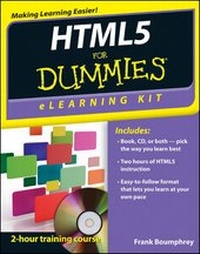
HTML5 eLearning Kit For Dummies
Published on 14. August 2012
Book
Paperback/Softback
288 pages
978-1-118-07475-6 (ISBN)
Description
Helping self-directed learners of all levels learn HTML5
If you want to develop and structure pages for the web, HTML5 is one of the tools you need. This invaluable eLearning kit steps you through learning HTML5, CSS3, and JavaScript. With this dynamic combination of a full-color printed book and a Dummies interactive eLearning course on CD, you'll find a wealth of information on HTML5. Featuring both written and animated step-by-step how-tos, practice labs, helpful videos, numerous examples, and a host of Dummies hints and tips, this package makes your learning process easier.
Follow the material sequentially or jump in and out as you wish-it's set up so you can learn at your own pace. Throughout, you will benefit from illustrations, animations, voiceover explanations, and the option of closed captioning if you find you learn better when you can read the instructions.
* Helps self-motivated learners master HTML5, CSS3, and JavaScript
* Includes an easy-to-follow, full-color book and an interactive Dummies eLearning Course that corresponds with the book on CD
* Allows you to follow the material sequentially or choose separate sections at your own time and pace
* Offers chapter summaries, practice exercises, discussions of concepts and essential terms, and much more
HTML5 eLearning Kit For Dummies helps you develop pages for the web with this dynamic tool.
NOTE: CD-ROM/DVD and other supplementary materials are not included as part of the e-book file, but are available for download after purchase.
If you want to develop and structure pages for the web, HTML5 is one of the tools you need. This invaluable eLearning kit steps you through learning HTML5, CSS3, and JavaScript. With this dynamic combination of a full-color printed book and a Dummies interactive eLearning course on CD, you'll find a wealth of information on HTML5. Featuring both written and animated step-by-step how-tos, practice labs, helpful videos, numerous examples, and a host of Dummies hints and tips, this package makes your learning process easier.
Follow the material sequentially or jump in and out as you wish-it's set up so you can learn at your own pace. Throughout, you will benefit from illustrations, animations, voiceover explanations, and the option of closed captioning if you find you learn better when you can read the instructions.
* Helps self-motivated learners master HTML5, CSS3, and JavaScript
* Includes an easy-to-follow, full-color book and an interactive Dummies eLearning Course that corresponds with the book on CD
* Allows you to follow the material sequentially or choose separate sections at your own time and pace
* Offers chapter summaries, practice exercises, discussions of concepts and essential terms, and much more
HTML5 eLearning Kit For Dummies helps you develop pages for the web with this dynamic tool.
NOTE: CD-ROM/DVD and other supplementary materials are not included as part of the e-book file, but are available for download after purchase.
More details
Other editions
New editions
John Paul Mueller
Java eLearning Kit For Dummies
Book
04/2014
Wiley
€35.90
Article is exhausted, reprint undefined
Person
Frank Boumphrey was at one time president of the HTML Writers Guild and served on several W3C working groups including the XHTML group. He was an editor of the Recommendation and the CSS, RDF, XForms, and DOM groups. He also sat on the W3C advisory committee.
Content
Introduction 1
Lesson 1: Getting Started with HTML5 7
Lesson 2: Filling the Body with Text, Links, and Multimedia 29
Lesson 3: Creating Forms 67
Lesson 4: Creating Basic CSS Rules 91
Lesson 5: Styling Page Elements with CSS3 147
Lesson 6: Adding Interactivity with Scripting 181
Lesson 7: Exploring the Canvas and Animation 215
Appendix A: About the CD 251
Index 257
Lesson 1: Getting Started with HTML5 7
Lesson 2: Filling the Body with Text, Links, and Multimedia 29
Lesson 3: Creating Forms 67
Lesson 4: Creating Basic CSS Rules 91
Lesson 5: Styling Page Elements with CSS3 147
Lesson 6: Adding Interactivity with Scripting 181
Lesson 7: Exploring the Canvas and Animation 215
Appendix A: About the CD 251
Index 257