

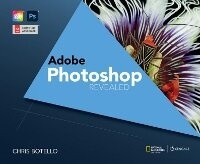
AdobeA (R) Photoshop Creative Cloud Revealed, 2nd Edition
2nd Edition
Will be published approx. on 15. December 2021
Book
Hardback
613 pages
978-0-357-63587-2 (ISBN)
Description
Adobe (R) Photoshop Creative Cloud Revealed, 2nd Edition encourages students to creatively examine topics and themes to design meaningful projects that have impact. Photoshop introductory through advanced tools are used to find creative solutions and using imagery as a stepping stone to bigger conversations. The REVEALED Series extends step-by-step software instruction to creative problem-solving for real-world impact with more projects than any other Adobe curriculum. Through our exclusive partnership with National Geographic, students create unique and meaningful projects inspired by National Geographic storytellers with a focus on how design principles create meaningful compositions, layouts, and infographics, all while meeting most recent Adobe Professional Certification requirements.
This updated series includes professional examples of photographs, infographics, and visually impactful layouts from National Geographic (R) Magazine. Students will connect concepts with real-world projects with featured interviews National Geographic Explorers, Designers and Creatives for a revered, professional perspective. Flexible for a variety of digital devices, these texts include instruction for ipad users as well as desktop/mac machines.
This updated series includes professional examples of photographs, infographics, and visually impactful layouts from National Geographic (R) Magazine. Students will connect concepts with real-world projects with featured interviews National Geographic Explorers, Designers and Creatives for a revered, professional perspective. Flexible for a variety of digital devices, these texts include instruction for ipad users as well as desktop/mac machines.
More details
Edition
2nd edition
Language
English
Place of publication
Boston, MA
United States
Publishing group
Cengage Learning, Inc
Target group
College/higher education
Illustrations
Illustrations
Dimensions
Height: 40 mm
Width: 241 mm
Thickness: 190 mm
Weight
1430 gr
ISBN-13
978-0-357-63587-2 (9780357635872)
Copyright in bibliographic data and cover images is held by Nielsen Book Services Limited or by the publishers or by their respective licensors: all rights reserved.
Schweitzer Classification
Person
Chris Botello began his career in New York City as the associate print production manager for Premiere magazine. He designed movie posters for Miramax Films and served as the art director for Microsoft's launch of sidewalk.com/boston. As a professional graphic designer, Chris worked on first-run movie and television campaigns for NBC-Universal, Warner Bros. Studios, and numerous key art ad agencies in Los Angeles. He is the author of the Revealed Series books on Adobe Illustrator and Adobe InDesign, and he is the co-author of YouTube for Dummies. Since 2010, Chris has dedicated his career to teaching and working with kids. Chris lives in Los Angeles, where he teaches computer graphics at Sierra Canyon School. He uses his own books as the text for his classes.
Content
Photoshop Table of Contents
Unit 1: Explore Fundamental Principles
1. Get Started with Photoshop
2. Paint, Select, and Move Pixels
NG Feature: Alison Wright
3. Work with Layers
4. Work with Type and Gradients
NG Unit Project: Ruben Salgado Escudero
Unit 2: Adjust and Manipulate Images and Files
5. Employ Adjustment Layers
6. Design with Essential Blending Modes and Filters
NG Feature: Gabriele Galimberti
7. Investigate Production Tricks and Techniques
8. Distort and Liquify Images
NG Unit Project: Anand Varma
Unit 3: Master Complex Constructions and Techniques
9. Create Special Effects with Type
10. Enhance and Retouch Images
NG Feature: Prasenjeet Yadav
11. Design with Multiple Images
12. Work with Shapes, Paths, and Vector Graphics
NG Unit Project: Jen Guyton
Unit 4: Unify Advanced Skills
13. Produce Graphics for the Web
14. Create Complex Special Effects
NG Feature: Nadia Shira Cohen
NG Unit Project: Robbie Shone
BONUS Online Modules (only available with MindTap)
- Ipad for Photoshop
-Adobe Certified Professional Prep Guide
Unit 1: Explore Fundamental Principles
1. Get Started with Photoshop
2. Paint, Select, and Move Pixels
NG Feature: Alison Wright
3. Work with Layers
4. Work with Type and Gradients
NG Unit Project: Ruben Salgado Escudero
Unit 2: Adjust and Manipulate Images and Files
5. Employ Adjustment Layers
6. Design with Essential Blending Modes and Filters
NG Feature: Gabriele Galimberti
7. Investigate Production Tricks and Techniques
8. Distort and Liquify Images
NG Unit Project: Anand Varma
Unit 3: Master Complex Constructions and Techniques
9. Create Special Effects with Type
10. Enhance and Retouch Images
NG Feature: Prasenjeet Yadav
11. Design with Multiple Images
12. Work with Shapes, Paths, and Vector Graphics
NG Unit Project: Jen Guyton
Unit 4: Unify Advanced Skills
13. Produce Graphics for the Web
14. Create Complex Special Effects
NG Feature: Nadia Shira Cohen
NG Unit Project: Robbie Shone
BONUS Online Modules (only available with MindTap)
- Ipad for Photoshop
-Adobe Certified Professional Prep Guide