

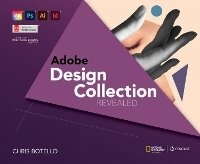
Adobe Design Collection Revealed, 2nd Student Edition
2nd Edition
Will be published approx. on 13. April 2023
Book
Hardback
978-0-357-92577-5 (ISBN)
Description
Botello's ADOBE DESIGN COLLECTION REVEALED, 2nd EDITION, provides comprehensive step-by-step instruction and in-depth explanation for three of today's most widely used design and layout programs: Adobe (R) InDesign (R) Creative Cloud (R) software, Adobe (R) Photoshop (R) Creative Cloud (R) software, and Adobe (R) Illustrator (R) Creative Cloud (R) software. Your students will gain practical experience with the software as they work through end-of-chapter learning projects and step-by-step tutorials. An integration chapter demonstrates how to move from one application to the other. Full-color illustrations and a user-friendly design combine to create a robust learning experience that reveals how to master the latest features of the popular Adobe (R) design suite.
More details
Edition
2nd Student edition
Language
English
Place of publication
Clifton Park
United States
Publishing group
Cengage Learning, Inc
Target group
College/higher education
Edition type
Student edition
Dimensions
Height: 53 mm
Width: 190 mm
Thickness: 241 mm
Weight
2268 gr
ISBN-13
978-0-357-92577-5 (9780357925775)
Copyright in bibliographic data and cover images is held by Nielsen Book Services Limited or by the publishers or by their respective licensors: all rights reserved.
Schweitzer Classification
Other editions
Previous edition
Chris Botello | Elizabeth Reding
The Design Collection Revealed Creative Cloud
Book
10/2014
Delmar Cengage Learning
€73.03
Shipment within 15-20 days
Person
Chris Botello began his career in New York City as the associate print production manager for Premiere magazine. He designed movie posters for Miramax Films and served as the art director for Microsoft's launch of sidewalk.com/boston. As a professional graphic designer, Chris worked on first-run movie and television campaigns for NBC-Universal, Warner Bros. Studios, and numerous key art ad agencies in Los Angeles. He is the author of the Revealed Series books on Adobe Illustrator and Adobe InDesign, and he is the co-author of YouTube for Dummies. Since 2010, Chris has dedicated his career to teaching and working with kids. Chris lives in Los Angeles, where he teaches computer graphics at Sierra Canyon School. He uses his own books as the text for his classes.
Content
INDESIGN.
1. Getting to Know InDesign.
2. Working with Text.
3. Setting up a Document.
4. Working with Frames.
5. Working with Color.
PHOTOSHOP.
1. Getting Started with Adobe Photoshop CC.
2. Learning Photoshop Basics.
3. Working with Layers.
4. Making Selections.
5. Incorporating Color Techniques.
6. Placing Type in an Image.
ILLUSTRATOR.
1. Getting to Know Illustrator.
2. Creating Text and Gradients.
3. Drawing and Composing an Illustration.
4. Transforming and Distorting Objects.
5. Working with Layers.
INTEGRATION.
1. Integrating Adobe Illustrator, Photoshop, and InDesign.
1. Getting to Know InDesign.
2. Working with Text.
3. Setting up a Document.
4. Working with Frames.
5. Working with Color.
PHOTOSHOP.
1. Getting Started with Adobe Photoshop CC.
2. Learning Photoshop Basics.
3. Working with Layers.
4. Making Selections.
5. Incorporating Color Techniques.
6. Placing Type in an Image.
ILLUSTRATOR.
1. Getting to Know Illustrator.
2. Creating Text and Gradients.
3. Drawing and Composing an Illustration.
4. Transforming and Distorting Objects.
5. Working with Layers.
INTEGRATION.
1. Integrating Adobe Illustrator, Photoshop, and InDesign.