

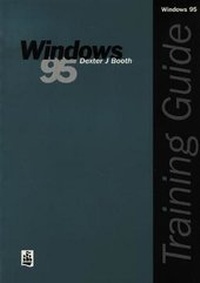
Training Guide: Windows 95
Published on 16. August 1996
Book
Paperback/Softback
144 pages
978-0-582-29776-0 (ISBN)
Description
The Training Guides series provides comprehensive guidance to using software packages. Instruction is quick and easy-to-follow and covers what the user really needs to know. Written by an expert on the programme, this Guide introduces the novice user to Windows 95 and will develop their skills enabling them to use the application at an advanced level.
More details
Language
English
Place of publication
Harlow
United Kingdom
Publishing group
Pearson Education Limited
Dimensions
Height: 246 mm
Width: 172 mm
Thickness: 8 mm
Weight
270 gr
ISBN-13
978-0-582-29776-0 (9780582297760)
Copyright in bibliographic data and cover images is held by Nielsen Book Services Limited or by the publishers or by their respective licensors: all rights reserved.
Schweitzer Classification
Content
Introduction. Getting started.
Section A: first Steps into Windows '95
1. The desktop.
2. Playing solitaire.
3. Manipulating windows.
4. Playing minesweeper.
5. Playing solitaire and minesweeper simultaneously.
6. The desktop icons.
Section B: Windows Start Options
7. Programs and accessories.
8. Using the calendar.
9. Using help.
10. Using the notepad and calculator.
12. Entering and editing text.
13. Headers and footers.
14. Using the ruler.
15. Saving and loading a documents.
16. The paint accessory.
17. Using the paint tools.
18. Creating and editing a drawing.
19. Saving and loading a drawing.
20. Copying and drawing into Wordpad.
21. Linking a drawing in Wordpad within Windows 95.
22. Other Windows accessories.
Section C: Systems Management
23. The my computer icon and the control panel.
24. Date and time settings.
25. Look and feel settings.
26. Printing and the print queue.
27. Managing programs, files and folders.
Sectiopn D: Advanced Features
28 Word processing and objects.
29. Using briefcase.
30. Sending and receiving faxes.
31. Using Multimedia.
32. Working with DOS.
Glossary.
Index.
Section A: first Steps into Windows '95
1. The desktop.
2. Playing solitaire.
3. Manipulating windows.
4. Playing minesweeper.
5. Playing solitaire and minesweeper simultaneously.
6. The desktop icons.
Section B: Windows Start Options
7. Programs and accessories.
8. Using the calendar.
9. Using help.
10. Using the notepad and calculator.
12. Entering and editing text.
13. Headers and footers.
14. Using the ruler.
15. Saving and loading a documents.
16. The paint accessory.
17. Using the paint tools.
18. Creating and editing a drawing.
19. Saving and loading a drawing.
20. Copying and drawing into Wordpad.
21. Linking a drawing in Wordpad within Windows 95.
22. Other Windows accessories.
Section C: Systems Management
23. The my computer icon and the control panel.
24. Date and time settings.
25. Look and feel settings.
26. Printing and the print queue.
27. Managing programs, files and folders.
Sectiopn D: Advanced Features
28 Word processing and objects.
29. Using briefcase.
30. Sending and receiving faxes.
31. Using Multimedia.
32. Working with DOS.
Glossary.
Index.