

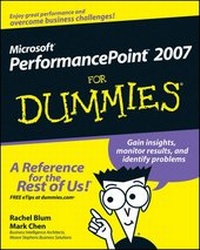
Microsoft PerformancePoint 2007 For Dummies
1st Edition
Published on 12. December 2008
Book
Paperback/Softback
408 pages
978-0-470-23966-7 (ISBN)
Description
Manage planning and budgeting and produce reports
It's easy to keep business activities in line with corporate strategies
PerformancePoint 2007 helps you plan ahead, analyze your changes, and monitor how your business is doing. Even if it's your first look at a business performance management system, you'll find this handy guide makes you look like a pro! Here's how to set goals, create plans to get you there, and produce reports to track your progress.
Discover how to:
* Develop a plan and set goals
* Exchange data with Excel
* Create key performance indicators
* Work with dashboards and scorecards
* Create customized reports
* Configure security features
It's easy to keep business activities in line with corporate strategies
PerformancePoint 2007 helps you plan ahead, analyze your changes, and monitor how your business is doing. Even if it's your first look at a business performance management system, you'll find this handy guide makes you look like a pro! Here's how to set goals, create plans to get you there, and produce reports to track your progress.
Discover how to:
* Develop a plan and set goals
* Exchange data with Excel
* Create key performance indicators
* Work with dashboards and scorecards
* Create customized reports
* Configure security features
More details
Edition
1., Auflage
Language
English
Place of publication
Chichester
United Kingdom
Publishing group
John Wiley and Sons Ltd
Target group
Professional and scholarly
Illustrations
Illustrations
Dimensions
Height: 23.6 cm
Width: 18.7 cm
Thickness: 2.2 cm
Weight
598 gr
ISBN-13
978-0-470-23966-7 (9780470239667)
Schweitzer Classification
Persons
Rachel Blum and Mark Chen are Principal Business Intelligence Architects with Moore Stephens Business Solutions. They're experts in designing and deploying BI solutions in the financial services industry.
Content
Introduction.
Part I: Planning and Reporting.
Chapter 1: Understanding PerformancePoint 2007.
Chapter 2: Knowing What PPS Components You Need.
Chapter 3: Determining Your Goals by Planning the Plan.
Part II: Applying Your Goals.
Chapter 4: Setting Your Goals by Creating the Plan.
Chapter 5: Bringing the Pieces Together: Building a Model.
Chapter 6: Shoring Up Your Model with Security and Process.
Chapter 7: Crafting Forms and Reports with Excel.
Part III: Building Your Business Reports.
Chapter 8: Getting Started with PPS Monitoring & Analytics.
Chapter 9: Making the Connection to Your Business Data.
Chapter 10: Picturing Your Business Performance with Indicator.
Chapter 11: Showing Your Company's Most Important Measures: Key Performance Indicators (KPIs).
Chapter 12: Scoring Your Business Performance: Assembling Your KPIs with a Scorecard.
Chapter 13: Unleashing Business Knowledge: Displaying and Charting Your Data with Reports.
Part IV: Viewing and Analyzing Your Business Reports.
Chapter 14: Monitoring Your Business at a Glance with Dashboards.
Chapter 15: Discovering Your Business Performance with Dashboards.
Chapter 16: Analyzing Your Business Reports.
Chapter 17: Organizing, Formatting, and Presenting Your Business Reports.
Part V: The Part of Tens.
Chapter 18: Ten Great References.
Chapter 19: Ten Tips, Tricks, and Pitfalls.
Appendix: Installing a Sample Data Source.
Index.
Part I: Planning and Reporting.
Chapter 1: Understanding PerformancePoint 2007.
Chapter 2: Knowing What PPS Components You Need.
Chapter 3: Determining Your Goals by Planning the Plan.
Part II: Applying Your Goals.
Chapter 4: Setting Your Goals by Creating the Plan.
Chapter 5: Bringing the Pieces Together: Building a Model.
Chapter 6: Shoring Up Your Model with Security and Process.
Chapter 7: Crafting Forms and Reports with Excel.
Part III: Building Your Business Reports.
Chapter 8: Getting Started with PPS Monitoring & Analytics.
Chapter 9: Making the Connection to Your Business Data.
Chapter 10: Picturing Your Business Performance with Indicator.
Chapter 11: Showing Your Company's Most Important Measures: Key Performance Indicators (KPIs).
Chapter 12: Scoring Your Business Performance: Assembling Your KPIs with a Scorecard.
Chapter 13: Unleashing Business Knowledge: Displaying and Charting Your Data with Reports.
Part IV: Viewing and Analyzing Your Business Reports.
Chapter 14: Monitoring Your Business at a Glance with Dashboards.
Chapter 15: Discovering Your Business Performance with Dashboards.
Chapter 16: Analyzing Your Business Reports.
Chapter 17: Organizing, Formatting, and Presenting Your Business Reports.
Part V: The Part of Tens.
Chapter 18: Ten Great References.
Chapter 19: Ten Tips, Tricks, and Pitfalls.
Appendix: Installing a Sample Data Source.
Index.