

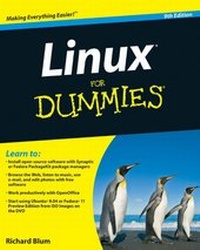
Linux For Dummies
9th Edition
Published on 7. August 2009
Book
Paperback/Softback
456 pages
978-0-470-46701-5 (ISBN)
Description
One of the fastest ways to learn Linux is with this perennial favorite
Eight previous top-selling editions of Linux For Dummies can't be wrong. If you've been wanting to migrate to Linux, this book is the best way to get there. Written in easy-to-follow, everyday terms, Linux For Dummies 9th Edition gets you started by concentrating on two distributions of Linux that beginners love: the Ubuntu LiveCD distribution and the gOS Linux distribution, which comes pre-installed on Everex computers. The book also covers the full Fedora distribution.
* Linux is an open-source operating system and a low-cost or free alternative to Microsoft Windows; of numerous distributions of Linux, this book covers Ubuntu Linux, Fedora Core Linux, and gOS Linux, and includes them on the DVD.
* Install new open source software via Synaptic or RPM package managers
* Use free software to browse the Web, listen to music, read e-mail, edit photos, and even run Windows in a virtualized environment
* Get acquainted with the Linux command line
If you want to get a solid foundation in Linux, this popular, accessible book is for you.
Note: CD-ROM/DVD and other supplementary materials are not included as part of eBook file.
More details
Edition
9. Auflage
Language
English
Place of publication
Chichester
United Kingdom
Publishing group
John Wiley and Sons Ltd
Target group
Professional and scholarly
Edition type
Revised edition
Dimensions
Height: 23.4 cm
Width: 18.7 cm
Thickness: 2.6 cm
Weight
680 gr
ISBN-13
978-0-470-46701-5 (9780470467015)
Schweitzer Classification
Other editions
Previous edition
Dee-Ann LeBlanc | Richard Blum
Linux For Dummies
Book
08/2007
8th Edition
Wiley
€24.90
Article exhausted; check for reprint
Person
Richard Blum has been both a systems and network administrator over the past 20 years. He has administered UNIX, Linux, Novell, and Microsoft servers, and has helped design and maintain a 3,500-user network. Richard is an expert in working with and programming Linux.
Content
Introduction.
Part I: Getting Your Feet Wet.
Chapter 1: Getting Acquainted with Linux.
Chapter 2: Prepping Your Computer for Linux.
Chapter 3: Installing Linux.
Chapter 4: Examining the GNOME Desktop.
Chapter 5: Examining the KDE Desktop.
Part II: Getting Up to Speed with Linux.
Chapter 6: Getting to Know the Linux Filesystem.
Chapter 7: Using the Filesystem.
Chapter 8: Connecting to the Internet.
Part III: Getting Things Done.
Chapter 9: Using the Internet.
Chapter 10: E-Mailing the World.
Chapter 11: Putting the X in Text.
Chapter 12: Word Processing and More with OpenOffi ce.org.
Chapter 13: Messing with Audio.
Chapter 14: Messing with Video and Graphics.
Chapter 15: Playing with Google Gadgets.
Part IV: Junior Administrator Boot Camp.
Chapter 16: Adding Software to Linux.
Chapter 17: Working without the GUI.
Chapter 18: Basic System Administration.
Chapter 19: A Secure Linux Box Is a Happy Linux Box.
Chapter 20: The Virtual World.
Part V: The Part of Tens.
Chapter 21: Ten Steps to Setting Up a Samba Server.
Chapter 22: Ten Troubleshooting Tips.
Part VI: Appendixes.
Appendix A: Common Linux Commands.
Appendix B: About the DVD.
Index.