

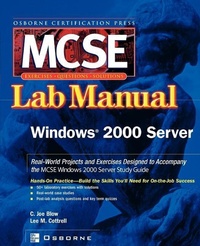
MCSE Windows 2000 Server Lab Manual (Exam 70-215)
Published on 21. February 2002
Book
Paperback/Softback
392 pages
978-0-07-222301-9 (ISBN)
Description
For both classroom learning and self-paced learning, this Manual provides step-by-step lab scenarios to assist those studying for MCSE exam 70-215. Labs challenge students to solve problems based on realistic case studies, while clear, measurable lab objectives map to certification objectives. There are materials lists and lab set-up instructions, and step-by-step lab scenarios that require students to think critically. Hint and warning icons aid students through potentially confusing situations and cross-reference icons link to the Study Guide. The post-lab observation questions measures students' understanding of their lab results and the key term quiz helps to build vocabulary. The back of the book carries solutions that explain not only what happened, but why.
More details
Series
Language
English
Place of publication
New York
United States
Publishing group
McGraw-Hill Education - Europe
Target group
College/higher education
Professional and scholarly
Product notice
Paperback (trade)
Illustrations
1
Dimensions
Height: 233 mm
Width: 192 mm
Thickness: 22 mm
Weight
644 gr
ISBN-13
978-0-07-222301-9 (9780072223019)
Copyright in bibliographic data and cover images is held by Nielsen Book Services Limited or by the publishers or by their respective licensors: all rights reserved.
Schweitzer Classification
Person
Joe Blow (Portsmouth, VA) teaches at ECPI College of Technology in North Carolina and is Microsoft and Cisco certified. He's also an experienced instructional designer who wrote Osborne's MCSE Windows 2000 Accelerated Instructor's Pack.
Content
Ch. 1: Introduction to Installing, Configuring, and Administering Microsoft Windows 2000 Server Ch. 2: Attended Installation of Windows 2000 Server Ch. 3: Unattended Installation of Windows 2000 Server Ch. 4: Upgrading from Windows NT Ch. 5: Network Services Ch. 6: Installing, Configuring, and Troubleshooting Access to Resources Ch. 7: Configuring and Troubleshooting Hardware Devices and Drivers Ch. 8: Managing, Monitoring, and Optimizing System Performance, Reliability, and Availability Ch. 9: Systems Recovery and Protection Ch. 10: Managing, Configuring, and Troubleshooting Storage Use Ch. 11: Configuring and Troubleshooting Windows 2000 Network Connections Ch. 12: User Security with Encryption, Policies, and Profile. Ch. 13: Implementing, Monitoring, and Troubleshooting Security Ch. 14: Terminal Services and Internet Information Services