

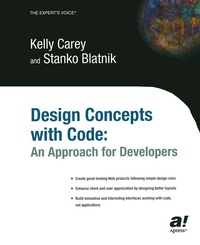
Design Concepts with Code
An Approach for Developers
Published on 18. November 2003
Book
Paperback/Softback
XVII, 384 pages
978-1-59059-111-6 (ISBN)
Description
* Simple, clear, strong ideas and illustrations of basic design
principles.
* First book to bring design to code and code to design.
* The code is XHTML, XML, SVG, XSLT, XSL-FO, CSS, and scripting
languages, all current and direct fit for the target audience.
* Longer shelf-life than typical like books, readers can incorporate
the design ideas for years.
* This approach really works, readers who implement see significant
results.
* Projects offer interesting code readers can implement in their own
products.
More details
Edition
First Edition
Language
English
Place of publication
Berkeley
United States
Target group
Professional and scholarly
Professional/practitioner
Product notice
Paperback (trade)
Unsewn / adhesive bound
Illustrations
166 s/w Abbildungen, 1308 farbige Abbildungen
XVII, 384 p. 1474 illus., 1308 illus. in color.
Dimensions
Height: 230 mm
Width: 180 mm
Thickness: 20 mm
Weight
848 gr
ISBN-13
978-1-59059-111-6 (9781590591116)
DOI
10.1007/978-1-4302-0790-0
Schweitzer Classification
Other editions
Additional editions
E-Book
01/2008
APress
€35.30
Available for download
Persons
Stanko Blatnik teaches online courses for the University of Sarajevo, Bosnia-Herzegovina on XML technologies, SVG, and process control. He also directs a nonprofit institute in Velenje, Slovenia: the Institute for Symbolic Analysis and Development of Information Technologies. In addition, Stanko writes about topics such as Balkan and European beaurocracy, patents and new technologies, and the hydrogen economy for journals in Slovenia. A physicist by trade, Stanko spent 15 years teaching and administering at the University of Tuzla, in Tuzla, Bosnia-Herzegovina.
Content
1 Introducing Interface Design.- 2 Introducing Design Principles.- 3 Project 1: Building an Open-Source Portal.- 4 Implementing Design Elements: Line, Type, and Shape.- 5 Implementing Design Elements: Texture, Space, Size, Value, and Layout.- 6 Project 2: Building an Online Resource Center.- 7 Working with Content and Typography.- 8 Using Color.- 9 Project 3: Building a Webzine.- 10 Exploring Site Issues and Accessibility.