

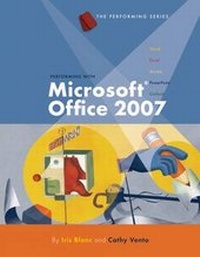
Performing with Microsoft (R) Office 2007: Introductory
Published on 19. December 2007
Book
Hardback
1184 pages
978-1-4239-0420-5 (ISBN)
Description
The Performing Series takes students to a higher level of learning through applied and project-based activities that go beyond the mechanics of the software.
Reviews / Votes
Introduction to Computers Performance Basics Lesson 1: Exploring Microsoft Office 2007 Lesson 2: Working with Files Lesson 3: Working with the Web Performing with Word Lesson 1: Word Basics Lesson 2: Correspondence Lesson 3: Lists, Meeting Documents, Schedules, and Forms Lesson 4: Sales and Marketing Documents Lesson 5: Reports and Long Documents Lesson 6: Integration/Word and the Web Performing with Excel Lesson 1: Excel Basics Lesson 2: Business Forms Lesson 3: Accounting Records Lesson 4: Data Analysis Lesson 5: Financial Reports Lesson 6: Charts, Graphics, and Integration Performing with Access Lesson 1: Access Basics Lesson 2: Access Tables and Datasheets Lesson 3: Access Forms Lesson 4: Getting Information Lesson 5: Access Reports Lesson 6: Integration Performing with PowerPoint Lesson 1: PowerPoint Basics Lesson 2: Creating Informative Presentations Lesson 3: Creating Sales and Marketing Presentations Lesson 4: Creating Persuasive Presentations Lesson 5: Collaborating On and Delivering Presentations Lesson 6: Integration/PowerPoint and the Web Exploring Outlook Lesson 1: Outlook Basics Appendix A: File Management Appendix B: Using a Pointing Device Appendix C: The Ribbon Appendix D: Selection Techniques Appendix E: Portfolio Basics Appendix F: Proofreader's Marks Appendix G: Task Reference Final ProjectMore details
Edition
New edition
Language
English
Place of publication
Boston, MA
United States
Publishing group
Cengage Learning, Inc
Edition type
New edition
ISBN-13
978-1-4239-0420-5 (9781423904205)
Copyright in bibliographic data and cover images is held by Nielsen Book Services Limited or by the publishers or by their respective licensors: all rights reserved.
Schweitzer Classification
Persons
Iris Blanc is currently the Director of Virtual Enterprises, International, a New York City Department of Education program. Ms. Blanc has taught business education and computer applications at the high school and college levels for over thirty years. She was formerly the assistant principal/department chair of Business Education at Tottenville High School, a New York City public high school. Ms. Blanc conducts seminars, workshops, and short courses in applied learning strategies and methods of teaching and integrating technology at conferences nationwide. Cathy Vento is currently working as a consultant for the New York City Department of Education as a staff developer for the district. She was formerly the assistant principal/department chair of Business Education at Susan Wagner High School, a New York City public high school. Ms. Vento has taught business education, accounting, and computer applications at the high school level and has presented seminars, workshops, and mini-courses at conferences, colleges, and business schools nationwide.
Content
Introduction to Computers Performance Basics Lesson 1: Exploring Microsoft Office 2007 Lesson 2: Working with Files Lesson 3: Working with the Web Performing with Word Lesson 1: Word Basics Lesson 2: Correspondence Lesson 3: Lists, Meeting Documents, Schedules, and Forms Lesson 4: Sales and Marketing Documents Lesson 5: Reports and Long Documents Lesson 6: Integration/Word and the Web Performing with Excel Lesson 1: Excel Basics Lesson 2: Business Forms Lesson 3: Accounting Records Lesson 4: Data Analysis Lesson 5: Financial Reports Lesson 6: Charts, Graphics, and Integration Performing with Access Lesson 1: Access Basics Lesson 2: Access Tables and Datasheets Lesson 3: Access Forms Lesson 4: Getting Information Lesson 5: Access Reports Lesson 6: Integration Performing with PowerPoint Lesson 1: PowerPoint Basics Lesson 2: Creating Informative Presentations Lesson 3: Creating Sales and Marketing Presentations Lesson 4: Creating Persuasive Presentations Lesson 5: Collaborating On and Delivering Presentations Lesson 6: Integration/PowerPoint and the Web Exploring Outlook Lesson 1: Outlook Basics Appendix A: File Management Appendix B: Using a Pointing Device Appendix C: The Ribbon Appendix D: Selection Techniques Appendix E: Portfolio Basics Appendix F: Proofreader's Marks Appendix G: Task Reference Final Project