

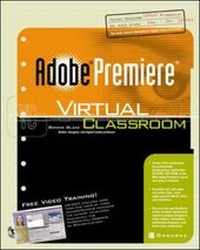
Adobe(R) Premiere(R) Virtual Classroom
Published on 16. November 2001
Book
Paperback/Softback
304 pages
978-0-07-219315-2 (ISBN)
Description
Text and multimedia combine to create the ultimate learning experience in this Virtual Classroom release. With it, you'll learn to use Adobe's versatile video editing application to retrieve and capture video to your computer, enhance the digitized video, and prepare it for its final destination--CD, DVD, television, VHS, or the Web. Just pop in the CD-ROM, and follow along as your own on-screen guru explains and demonstrates the techniques discussed in the text.
More details
Language
English
Place of publication
United States
Publishing group
McGraw-Hill Education - Europe
Target group
Professional and scholarly
Illustrations
illustrations
Dimensions
Height: 252 mm
Width: 198 mm
Thickness: 22 mm
Weight
984 gr
ISBN-13
978-0-07-219315-2 (9780072193152)
Copyright in bibliographic data and cover images is held by Nielsen Book Services Limited or by the publishers or by their respective licensors: all rights reserved.
Schweitzer Classification
Person
Bonnie Blake (New Jersey) has been an adjunct assistant professor of Computer Graphics for the College of New Rochelle and has taught at Parsons School of Design. She is currently an adjunct assistant professor of Digital Media at Ramapo College in New Jersey. In addition, she develops and teaches Web and multimedia course content for corporations and training organizations. She is an award-winning designer, specializing in Web design and multimedia. Blake is the author of How to Do Everything with Flash 5.
Content
Chapter 1: The Premiere Process Chapter 2: Navigating Through the Premiere Workspace Chapter 3: The Project Settings Dialog Box Chapter 4: Edit in the Monitor Window Chapter 5: Editing in the Timeline Chapter 6: Capturing Video in Premiere Chapter 7: Using Transitions in Your Premiere Movie Chapter 8: Creating Titles in Premiere Chapter 9: Superimpose in Premiere with Transparency Settings Chapter 10: Creating Video Effects in Premiere Chapter 11: Working with Audio in Premiere Chapter 12: Preparing Your Video for Output Appendix A: Premiere Guide to Shortcut Keys Appendix B: Premiere Virtual Classroom Web Resource Guide for Premiere and Digital Video Appendix C: Premiere System Requirements