

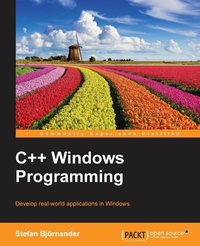
C++ Windows Programming
Develop real-world applications in Windows.
Published on 12. September 2016
Book
Paperback/Softback
588 pages
978-1-78646-422-4 (ISBN)
Description
Develop real-world applications in Windows.
Key Features
[*] Create diverse applications featuring the versatility of Small Windows C++ library
[*] Learn about object-oriented programming in Windows and how to develop a large object-oriented class library in C++
[*] Understand how to tackle application-specific problems along with acquiring a deep understanding of the workings of Windows architecture
Book DescriptionIt is critical that modern developers have the right tools to build practical, user-friendly, and efficient applications in order to compete in today's market. Through hands-on guidance, this book illustrates and demonstrates C++ best practices and the Small Windows object-oriented class library to ease your development of interactive Windows applications.
Begin with a focus on high level application development using Small Windows. Learn how to build four real-world applications which focus on the general problems faced when developing graphical applications. Get essential troubleshooting guidance on drawing, spreadsheet, and word processing applications. Finally finish up with a deep dive into the workings of the Small Windows class library, which will give you all the insights you need to build your own object-oriented class library in C++.
What you will learn
[*] Develop advanced real-world applications in Windows
[*] Design and implement a graphical object-oriented class library in C++
[*] Get to grips with the workings of the integral aspects of the Win32 API, such as mouse input, drawing, cut-and-paste, file handling, and drop files
[*] Identify general problems when developing graphical applications as well as specific problems regarding drawing, spreadsheet, and word processing applications
[*] Implement classes, functions, and macros of the object-oriented class library developed in the book and how we implement its functionality by calling functions and macros in the Win32 API
Who this book is forThis book is for application developers who want a head-first approach into Windows programming. It will teach you how to develop an object-oriented class library in C++ and enhanced applications in Windows. Basic knowledge of C++ and the object-oriented framework is assumed to get the most out of this book.
Key Features
[*] Create diverse applications featuring the versatility of Small Windows C++ library
[*] Learn about object-oriented programming in Windows and how to develop a large object-oriented class library in C++
[*] Understand how to tackle application-specific problems along with acquiring a deep understanding of the workings of Windows architecture
Book DescriptionIt is critical that modern developers have the right tools to build practical, user-friendly, and efficient applications in order to compete in today's market. Through hands-on guidance, this book illustrates and demonstrates C++ best practices and the Small Windows object-oriented class library to ease your development of interactive Windows applications.
Begin with a focus on high level application development using Small Windows. Learn how to build four real-world applications which focus on the general problems faced when developing graphical applications. Get essential troubleshooting guidance on drawing, spreadsheet, and word processing applications. Finally finish up with a deep dive into the workings of the Small Windows class library, which will give you all the insights you need to build your own object-oriented class library in C++.
What you will learn
[*] Develop advanced real-world applications in Windows
[*] Design and implement a graphical object-oriented class library in C++
[*] Get to grips with the workings of the integral aspects of the Win32 API, such as mouse input, drawing, cut-and-paste, file handling, and drop files
[*] Identify general problems when developing graphical applications as well as specific problems regarding drawing, spreadsheet, and word processing applications
[*] Implement classes, functions, and macros of the object-oriented class library developed in the book and how we implement its functionality by calling functions and macros in the Win32 API
Who this book is forThis book is for application developers who want a head-first approach into Windows programming. It will teach you how to develop an object-oriented class library in C++ and enhanced applications in Windows. Basic knowledge of C++ and the object-oriented framework is assumed to get the most out of this book.
More details
Language
English
Place of publication
Birmingham
United Kingdom
Target group
Professional and scholarly
US School Grade: College Graduate Student
Dimensions
Height: 235 mm
Width: 191 mm
Thickness: 32 mm
Weight
1082 gr
ISBN-13
978-1-78646-422-4 (9781786464224)
Copyright in bibliographic data and cover images is held by Nielsen Book Services Limited or by the publishers or by their respective licensors: all rights reserved.
Schweitzer Classification
Other editions
Additional editions
E-Book
01/2025
Packt Publishing
from
€41.99
Available for download
Person
Stefan Bjoernander is the author of the books Microsoft Windows C++ and C++ Windows Programming. He holds a Master of Engineering and a Licentiate in Computer Science. He has worked as a software developer and as a teacher in computer science and mathematics for many years.
Content
Table of Contents
Introduction
Hello Small World!
Building a Tetris Application
Working with shapes and figures
The Figure Hierarchy
Building a Word Processor
Keyboard Input and Character Calculation
Building a Spread-Sheet Application
Formula Interpretation
The Framework
The Document
The Auxiliary Classes
The Registry, Clipboard, Standard Dialogs, and Print Preview
Dialogs, Controls and Page Setup
Appendix
Introduction
Hello Small World!
Building a Tetris Application
Working with shapes and figures
The Figure Hierarchy
Building a Word Processor
Keyboard Input and Character Calculation
Building a Spread-Sheet Application
Formula Interpretation
The Framework
The Document
The Auxiliary Classes
The Registry, Clipboard, Standard Dialogs, and Print Preview
Dialogs, Controls and Page Setup
Appendix