

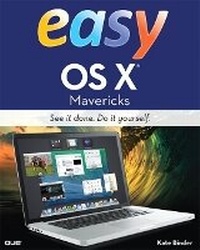
Easy OS X Mavericks
Published on 9. January 2014
Book
Paperback/Softback
312 pages
978-0-7897-5217-8 (ISBN)
Description
Easy Mac OS X is the perfect companion for everyone who's bought a new Macintosh with the new OS X pre-installed, every Mac user who's upgrading to the newest version of OS X, and for the many new Mac users who've just switched from Windows. This full-color, utterly simple, step-by-step book has been carefully crafted to provide instant access to the tasks beginner-to-intermediate users need to master. Like all books in the Easy series, it's designed to teach visually; readers never have to work their way through lengthy text explanations. Here's just some of what readers will learn how to do:
Get on the Internet and make the most of the Mac's great web and communication tools
Install and use applications, printers, and scanners
Use OS X powerful iLife media tools
Customize their Macs
Create home networks and share their Macs with multiple users
Organize their files, folders, disks - and their lives
Keep their Macs running reliably
Use the Cloud, Notification Center, Reminders, Gate Keeper, Messages, Notes and much more.
Get on the Internet and make the most of the Mac's great web and communication tools
Install and use applications, printers, and scanners
Use OS X powerful iLife media tools
Customize their Macs
Create home networks and share their Macs with multiple users
Organize their files, folders, disks - and their lives
Keep their Macs running reliably
Use the Cloud, Notification Center, Reminders, Gate Keeper, Messages, Notes and much more.
More details
Person
Kate Binder is a longtime Mac lover and graphics expert who works from her home in New Hampshire. She has written articles on graphics, publishing, and photography for magazines including Publish, PEI, and Desktop Publishers Journal. Kate is also the author of several books, including The Complete Idiot's Guide to Mac OS X, and coauthor of books including Sams Teach Yourself Adobe Photoshop CS4 in 24 Hours, Microsoft Offi ce: Mac v.X Inside Out, SVG for Designers, and Get Creative: The Digital Photo Idea Book. To those interested in a successful career as a computer book writer, Kate recommends acquiring several retired racing greyhounds (fi nd out more at www.adopt-a-greyhound.org)-she finds her own pack of greyhounds extraordinarily inspirational.
Content
Chapter 1 Getting Started
Chapter 2 Working with Disks, Folders, and Files
Chapter 3 Installing and Using Applications
Chapter 4 Setting System Preferences
Chapter 5 Customizing Your Mac
Chapter 6 Organizing Your Life
Chapter 7 Printing, Faxing, and Scanning
Chapter 8 Keeping in Touch
Chapter 9 Living Online
Chapter 10 Getting an iLife
Chapter 11 Sharing Your Mac with Multiple Users
Chapter 12 Creating a Home Network
Chapter 13 Maintaining Your Mac
Glossary
Index
Chapter 2 Working with Disks, Folders, and Files
Chapter 3 Installing and Using Applications
Chapter 4 Setting System Preferences
Chapter 5 Customizing Your Mac
Chapter 6 Organizing Your Life
Chapter 7 Printing, Faxing, and Scanning
Chapter 8 Keeping in Touch
Chapter 9 Living Online
Chapter 10 Getting an iLife
Chapter 11 Sharing Your Mac with Multiple Users
Chapter 12 Creating a Home Network
Chapter 13 Maintaining Your Mac
Glossary
Index