

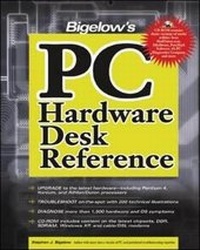
Bigelow's PC Hardware Desk Reference
2nd Edition
Published on 24. December 2002
Book
Hardback
1632 pages
978-0-07-222525-9 (ISBN)
Description
Get the answers you need from the source himself! Experienced electronics engineer and PC guru Stephen Bigelow has written a comprehensive guide that gets to the nitty-gritty of inside-the-box technician's issues. So, get briefed and get to work!
More details
Edition
2nd Revised edition
Language
English
Place of publication
New York
United States
Publishing group
McGraw-Hill Education - Europe
Target group
Professional and scholarly
Edition type
Revised edition
Illustrations
500 Illustrations
Dimensions
Height: 231 mm
Width: 185 mm
Thickness: 60 mm
Weight
2073 gr
ISBN-13
978-0-07-222525-9 (9780072225259)
Copyright in bibliographic data and cover images is held by Nielsen Book Services Limited or by the publishers or by their respective licensors: all rights reserved.
Schweitzer Classification
Person
Stephen J. Bigelow (Leicester, MA) is the founder and President of Dynamic Learning Systems, a technical research and writing firm specializing in PC and peripheral service. An experienced electronics engineer, he is the author of several best-selling computer books including Troubleshooting, Maintaining and Repairing PCs, now in its fourth edition and is the editor of The PC Tolbox Newsletter.
Content
Ch. 1: An inside look at desktops and towers Ch. 2: An inside look at monitors Ch. 3: An inside look operating systems and the boot process Ch. 4: Arranging the pre-service checkout Ch. 5: Backup guide Ch. 6: Batteries Ch. 7: BIOS Ch. 8: Busses Ch. 9: CD-ROM, CD-R, and CD-RW drives Ch. 10: Chipsets Ch. 11: CMOS Ch. 12: Conflict troubleshooting Ch. 13: CPU identification and troubleshooting Ch. 14: Data recovery techniques Ch. 15: Drive adapters and RAID basics Ch. 16: DVD drives Ch. 17: Enhancing system performance Ch. 18: Error codes Ch. 19: Fans and cooling devices Ch. 20: Floppy drives Ch. 21: Hard drives Ch. 22: Joysticks and game ports Ch. 23: Keyboards Ch. 24: Memory troubleshooting Ch. 25: Mice and trackballs Ch. 26: Modems and fax cards Ch. 27: Monitor troubleshooting Ch. 28: Motherboard troubleshooting Ch. 29: Parallel port troubleshooting Ch. 30: Plug-and-Play configuration and troubleshooting Ch. 31: Power protection Ch. 32: Power supplies and power management Ch. 33: Removable media drives Ch. 34: SCSI systems and troubleshooting Ch. 35: Serial and infrared port troubleshooting Ch. 36: Sound cards Ch. 37: Video adapters and accelerators Ch. 38: Video capture cards Ch. 39: USB troubleshooting Ch. 40: Windows 9x/XP issues Appendices Appendix A: Using the companion disc Appendix B: PC99 standards for the PC Appendix C: PC standards chart Appendix D: Index of filename extensions Appendix E: ASCII chart Appendix F: Windows 98/XP shortcut keys Appendix G: PC-related FAQs and newsgroups Appendix H: Preparing for A+ Appendix I: The DLS Technician's Certificate 4 exam