

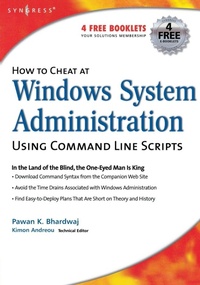
How to Cheat at Windows System Administration Using Command Line Scripts
Published on 9. October 2006
Book
Paperback/Softback
400 pages
978-1-59749-105-1 (ISBN)
Description
How to Cheat at Windows Systems Administrators using Command Line Scripts teaches system administrators hundreds of powerful, time-saving tips for automating daily system administration tasks using Windows command line scripts.
With every new version of Windows, Microsoft is trying to ease the administration jobs by adding more and more layers of graphical user interface (GUI) or configuration wizards (dialog boxes). While these 'wizards' are interactive and make the administrator's job easier, they are not always the most convenient and efficient way to accomplish the everyday administration tasks. These wizards are time consuming and, at times, may seem a bit confusing. The purpose of the book is to teach administrators how to use command-line scripts to complete everyday administration jobs, solve recurring network problems and at the same time improve their efficiency.
With every new version of Windows, Microsoft is trying to ease the administration jobs by adding more and more layers of graphical user interface (GUI) or configuration wizards (dialog boxes). While these 'wizards' are interactive and make the administrator's job easier, they are not always the most convenient and efficient way to accomplish the everyday administration tasks. These wizards are time consuming and, at times, may seem a bit confusing. The purpose of the book is to teach administrators how to use command-line scripts to complete everyday administration jobs, solve recurring network problems and at the same time improve their efficiency.
More details
Series
Language
English
Place of publication
Rockland, MA
United States
Target group
Professional and scholarly
Product notice
Paperback (trade)
Dimensions
Height: 227 mm
Width: 180 mm
Thickness: 33 mm
Weight
667 gr
ISBN-13
978-1-59749-105-1 (9781597491051)
Copyright in bibliographic data and cover images is held by Nielsen Book Services Limited or by the publishers or by their respective licensors: all rights reserved.
Schweitzer Classification
Person
Content
PART I: GETTING STARTED WITH COMMAND-LINE
1. Basics of Windows Command Shell
2. Using Batch Files
3. Performing Scheduled Tasks
PART II: BASIC WINDOWS ADMINISTRATION
4. Basic Disk Management
5. Administering Partitions and Volumes
PART III: WORKING WITH ACTIVE DIRECTORY
6. Administering Active Directory
7. Administering User and Group Accounts
8. Administering Computers & Domains
PART IV: WINDOWS NETWORKING
9. Administering TCP/IP Networking
10. Administering Network Services
11. Managing and Monitoring Security PART V: MANAGING WINDOWS SYSTEMS
12. Administering System Services
13. Managing Event Logs
14. Monitoring System Performance Appendix Windows Command Line Quick Reference. Commands from the Support Tools.
1. Basics of Windows Command Shell
2. Using Batch Files
3. Performing Scheduled Tasks
PART II: BASIC WINDOWS ADMINISTRATION
4. Basic Disk Management
5. Administering Partitions and Volumes
PART III: WORKING WITH ACTIVE DIRECTORY
6. Administering Active Directory
7. Administering User and Group Accounts
8. Administering Computers & Domains
PART IV: WINDOWS NETWORKING
9. Administering TCP/IP Networking
10. Administering Network Services
11. Managing and Monitoring Security PART V: MANAGING WINDOWS SYSTEMS
12. Administering System Services
13. Managing Event Logs
14. Monitoring System Performance Appendix Windows Command Line Quick Reference. Commands from the Support Tools.