

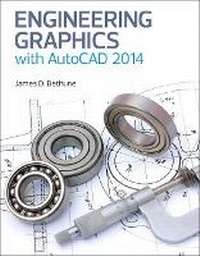
Engineering Graphics with AutoCAD 2014
Published on 23. April 2019
Book
Paperback/Softback
864 pages
978-0-13-314488-8 (ISBN)
Description
Engineering Graphics with AutoCAD 2014 teaches technical drawing using AutoCAD 2014 as its drawing instrument, complying with ANSI standards. Taking a step-by-step approach, it encourages students to work at their own pace and uses sample problems and illustrations to guide them through the powerful features of this drawing program. Nearly 150 exercise problems provide instructors with a variety of assignment material and students with an opportunity to develop their creativity and problem-solving capabilities.
More details
Language
English
Place of publication
Berkeley
United States
Publishing group
Pearson Education (US)
Target group
Professional and scholarly
College/higher education
Dimensions
Height: 280 mm
Width: 216 mm
Thickness: 32 mm
Weight
1681 gr
ISBN-13
978-0-13-314488-8 (9780133144888)
Schweitzer Classification
Other editions
New editions
James Bethune
Engineering Graphics with AutoCAD 2015
Book
11/2014
Peachpit Press Publications
€110.17
Article exhausted; check for reprint
Previous edition
James D. Bethune
Engineering Graphics with AutoCAD 2013
Book
09/2012
Peachpit Press Publications
€115.12
Article exhausted; check for reprint
Person
James D. Bethune is the author of several top textbooks on Engineering Graphics and Computer Aided-Design. He has a doctor's degree in education from Boston University where he was also on staff as an Associate Professor and was awarded the College of Engineering Professor of the Year.
Content
1. Getting Started.
2. Fundamentals of 2-D Construction.
3. More Advanced Commands.
4. Sketching.
5. Orthographic Views.
6. Sectional Views.
7. Auxiliary Views.
8. Dimensioning.
9. Tolerancing.
10. Geometric Tolerances.
11. Threads and Fasteners.
12. Working Drawings.
13. Gears, Bearings, and Cams.
14. Fundamentals of 3-D Drawing.
15. Modeling.
16. Projects.
2. Fundamentals of 2-D Construction.
3. More Advanced Commands.
4. Sketching.
5. Orthographic Views.
6. Sectional Views.
7. Auxiliary Views.
8. Dimensioning.
9. Tolerancing.
10. Geometric Tolerances.
11. Threads and Fasteners.
12. Working Drawings.
13. Gears, Bearings, and Cams.
14. Fundamentals of 3-D Drawing.
15. Modeling.
16. Projects.