

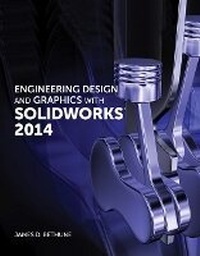
Engineering Design and Graphics with SolidWorks 2014
Published on 14. August 2014
Book
Paperback/Softback
768 pages
978-0-321-99399-1 (ISBN)
Description
Engineering Design and Graphics with SolidWorks 2014 shows students how to use SolidWorks to create engineering drawings and designs. The book focuses on the creation of engineering drawings, including dimensions and tolerances and the use of standard parts and tools. Each chapter contains step-by-step sample problems that show students how to apply the concepts presented in the chapter.
Effective pedagogy throughout the texthelps students learn and retain concepts:
Objectives: Each chapter begins with objectives and an introduction to the material.
Summaries: Each chapter concludes with a summary and exercise problems.
Numerous illustrations: The multitude of illustrations, accompanied by explanatory captions, present a visual approach to learning. Students see in the text what they see on the screen with the addition of explanatory text.
Practical application: The text provides hundreds of exercise projects of varying difficulty (far more than any other computer graphics text). These exercises reinforce each chapter's content and help students learn by doing.
Flexibility: With the hundreds of problems presented in the book, instructors can assign different problems within the same class and from year to year without repeating problems for students.
Meets standards: The text teaches ANSI standards for dimensions and tolerances. This helps students understand how their designs are defined for production and the importance of proper tolerancing.
Step-by-step approach: In presenting the fundamentals of engineering drawing using SolidWorks, the text uses a step-by-step approach that allows students to work and learn at their own pace.
Effective pedagogy throughout the texthelps students learn and retain concepts:
Objectives: Each chapter begins with objectives and an introduction to the material.
Summaries: Each chapter concludes with a summary and exercise problems.
Numerous illustrations: The multitude of illustrations, accompanied by explanatory captions, present a visual approach to learning. Students see in the text what they see on the screen with the addition of explanatory text.
Practical application: The text provides hundreds of exercise projects of varying difficulty (far more than any other computer graphics text). These exercises reinforce each chapter's content and help students learn by doing.
Flexibility: With the hundreds of problems presented in the book, instructors can assign different problems within the same class and from year to year without repeating problems for students.
Meets standards: The text teaches ANSI standards for dimensions and tolerances. This helps students understand how their designs are defined for production and the importance of proper tolerancing.
Step-by-step approach: In presenting the fundamentals of engineering drawing using SolidWorks, the text uses a step-by-step approach that allows students to work and learn at their own pace.
More details
Other editions
New editions
James Bethune
Engineering Design and Graphics with SolidWorks 2016
Book
10/2016
Peachpit Press Publications
€108.00
Article exhausted; check for reprint
Previous edition
James D. Bethune
Engineering Design Graphics with Solidworks 2011
Book
07/2011
Peachpit Press Publications
€111.41
Article exhausted; check for reprint
Person
James D. Bethune (East Greenwich, RI) is the author of several top textbooks on Engineering Graphics and Computer Aided-Design. He has a doctor's degree in education from Boston University where he was also on staff as an Associate Professor and was awarded the College of Engineering Professor of the Year.
Content
1. Getting Started 2. Sketch Entities and Tools 3. Features 4. Orthographic Views 5. Assemblies 6. Threads and Fasteners 7. Dimensioning 8. Tolerancing 9. Bearings and Fit Tolerances 10. Gears 11. Belts and Pulleys 12. Cams 13. Projects