

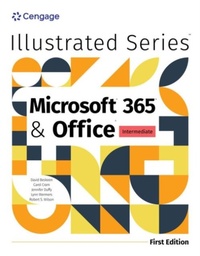
Illustrated MicrosoftA (R) 365A (R) & OfficeA (R) Intermediate, First Edition
Published on 16. December 2024
Book
Paperback/Softback
496 pages
978-0-357-88261-0 (ISBN)
Description
Including the latest Microsoft 365 features and enhanced support for Mac users in introductory level modules, Beskeen/Cram/Wermers/Wilson's ILLUSTRATED MICROSOFT (R) 365 (R) & OFFICE (R) INTERMEDIATE, FIRST EDITION, helps you master the nuances of Microsoft (R) Office. A concise, student-friendly two-page layout allows you to work through an entire task without turning the page. Each module begins with a brief overview of the principles covered while large, full-color screen images illustrate what you see on your computer. Module Learning Objectives are mapped to Microsoft Office Specialist (MOS) certification objectives, and module scenarios are based on data from market insights, helping you sharpen the critical skills you need for real-world success. In addition, MindTap and SAM (Skills Assessment Manager) digital resources help maximize your study time and results.
More details
Language
English
Place of publication
Boston, MA
United States
Publishing group
Cengage Learning, Inc
Target group
College/higher education
Dimensions
Height: 25 mm
Width: 215 mm
Thickness: 276 mm
Weight
1090 gr
ISBN-13
978-0-357-88261-0 (9780357882610)
Copyright in bibliographic data and cover images is held by Nielsen Book Services Limited or by the publishers or by their respective licensors: all rights reserved.
Schweitzer Classification
Other editions
Previous edition
David Beskeen | Carol Cram | Jennifer Duffy
Illustrated SeriesA (R) Collection, MicrosoftA (R) 365A (R) & OfficeA (R) 2021 Intermediate
Book
09/2022
2nd Edition
Course Technology Inc
€80.46
Shipment within 15-20 days
Persons
David W. Beskeen has authored or co-authored over 65 successful computer books since 1992, including more than 40 educational titles for Course Technology and Cengage. He has guided readers in mastering PowerPoint (R), Word, Excel, Internet Explorer, Outlook, Windows (R), LiveMotion and other leading proprietary software packages. An expert in applied technology, Beskeen has extensive teaching and consulting experience in today's computer technology. NA Lynn Wermers is a professor in the computer science department at North Shore Community College in Massachusetts, where she teaches IT, data management, data analysis and web development courses. She also teaches part time in the math department for the College of Professional Studies at Northeastern University. Wermers has authored numerous leading books focusing on Excel for Cengage.
Content
Word 4. Formatting Tables and Documents.
Word 5. Working with Styles, Themes, and Building Blocks.
Word 6. Merging Word Documents.
Word 7. Illustrating Documents with Graphics.
Excel 5. Working with Tables.
Excel 6. Managing Workbook Data.
Excel 7. Working with Images and Integrating with Other Programs.
Excel 8. Analyzing Data with PivotTables.
Integration 4: Integrating Word and Excel.
Access 5: Improving Tables and Creating Advanced Queries.
Access 6: Creating Forms.
Access 7: Creating Reports.
Access 8: Importing and Exporting Data.
Integration 5: Integrating Word, Excel, and Access.
PowerPoint 4: Formatting Slide Masters and Background.
PowerPoint 5: Working with Advanced Tools.
PowerPoint 6: Enhancing Charts and Tables.
PowerPoint 7: Inserting Graphics, Media, and Objects.
Integration 6: Integrating Word, Excel, Access, and PowerPoint.
Index.
Word 5. Working with Styles, Themes, and Building Blocks.
Word 6. Merging Word Documents.
Word 7. Illustrating Documents with Graphics.
Excel 5. Working with Tables.
Excel 6. Managing Workbook Data.
Excel 7. Working with Images and Integrating with Other Programs.
Excel 8. Analyzing Data with PivotTables.
Integration 4: Integrating Word and Excel.
Access 5: Improving Tables and Creating Advanced Queries.
Access 6: Creating Forms.
Access 7: Creating Reports.
Access 8: Importing and Exporting Data.
Integration 5: Integrating Word, Excel, and Access.
PowerPoint 4: Formatting Slide Masters and Background.
PowerPoint 5: Working with Advanced Tools.
PowerPoint 6: Enhancing Charts and Tables.
PowerPoint 7: Inserting Graphics, Media, and Objects.
Integration 6: Integrating Word, Excel, Access, and PowerPoint.
Index.