

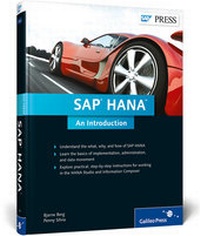
SAP HANA
SAP's In-Memory Technology
1st Edition
Published on 30. October 2012
Book
Hardback
426 pages
978-1-59229-434-3 (ISBN)
Description
With any new product, it's not always easy to get straightforward information. Is SAP HANA a database or an appliance? Can you use it with non-SAP BI tools? How do you build views and replicate data? In this book, get the information you need with advice and instruction from SAP HANA experts who have demonstrable knowledge, practical experience, and no agenda. Here's your chance: Separate the hype from the facts, and the roadmap from the reality.
1. Scenarios and Business Strategies
Learn what SAP HANA is and the flavors it comes in. Then learn how to build a business strategy with advice about skills requirements, budgeting, and how it all fits in with your existing landscape.
2. Planning an Installation
Know the information you need to plan an SAP HANA installation: sizing, hardware and software requirements, and migration considerations.
3. Data Modeling with Information Composer and Studio
Dive deep into the main SAP HANA tools, with step-by-step directions and hundreds of screenshots that will have you building views, hierarchies, and more.
4. Data Provisioning
Master data provisioning with specific instructions on trigger-based replication, ETL-based replication, log-based replication, and the Direct Extraction Connection.
5. Administration
Take a look into the SAP HANA Administration Console and understand the most important administrative tasks in an SAP HANA system.
Highlights:
* SAP HANA scenarios and use cases
* BWA vs. SAP HANA
* Hardware and software requirements
* Sizing
* SAP HANA-optimized InfoProviders
* SAP BusinessObjects BI 4.0
* Information Composer
* SAP HANA Studio
* SAP Data Services
* SAP System Landscape Transformation
* Sybase Replication Server
* DXC
* SAP HANA Administration Console
1. Scenarios and Business Strategies
Learn what SAP HANA is and the flavors it comes in. Then learn how to build a business strategy with advice about skills requirements, budgeting, and how it all fits in with your existing landscape.
2. Planning an Installation
Know the information you need to plan an SAP HANA installation: sizing, hardware and software requirements, and migration considerations.
3. Data Modeling with Information Composer and Studio
Dive deep into the main SAP HANA tools, with step-by-step directions and hundreds of screenshots that will have you building views, hierarchies, and more.
4. Data Provisioning
Master data provisioning with specific instructions on trigger-based replication, ETL-based replication, log-based replication, and the Direct Extraction Connection.
5. Administration
Take a look into the SAP HANA Administration Console and understand the most important administrative tasks in an SAP HANA system.
Highlights:
* SAP HANA scenarios and use cases
* BWA vs. SAP HANA
* Hardware and software requirements
* Sizing
* SAP HANA-optimized InfoProviders
* SAP BusinessObjects BI 4.0
* Information Composer
* SAP HANA Studio
* SAP Data Services
* SAP System Landscape Transformation
* Sybase Replication Server
* DXC
* SAP HANA Administration Console
More details
Other editions
New editions
Book
05/2013
2nd Edition
SAP Press
€69.95
Article exhausted; check for reprint
Persons
Bjarne Berg has extensive experience in implementing in-memory solutions for SAP analytics in Europe and in the USA. In addition to his SAP HANA work at ComeritLabs, he has also collaborated with IBM at the Research Triangle Park in North Carolina with testing, development, and benchmarking SAP HANA for BW solutions. In the past, he has implemented in-memory systems for Fortune 500 companies, and has managed over 50 SAP NetWeaver performance tuning engagements for large organizations. He is a frequent speaker at SAP conferences and also teaches at the SAP University Alliance.
As part of the IBM Global Leadership Team for SAP Data and Analytics, Penny Silvia has extensive experience in implementing advanced and in-memory analytic solutions for SAP customers. She works closely with clients to help them understand and develop SAP HANA roadmaps, strategies, and implementation plans, as well as identifying data and analytic needs that can benefit from an in-memory solution. She is a frequent speaker at SAP conferences and is on the Advisory Board for multiple SAP publications.
As part of the IBM Global Leadership Team for SAP Data and Analytics, Penny Silvia has extensive experience in implementing advanced and in-memory analytic solutions for SAP customers. She works closely with clients to help them understand and develop SAP HANA roadmaps, strategies, and implementation plans, as well as identifying data and analytic needs that can benefit from an in-memory solution. She is a frequent speaker at SAP conferences and is on the Advisory Board for multiple SAP publications.
Content
Foreword. 15
Preface. 17
Acknowledgments. 19
PART I What, Why, and When. 21
1. In-Memory Computing, Big Data, and SAP HANA. 23
1.1. Introduction to In-Memory Computing and Big Data. 23
1.2. Introduction to SAP HANA. 30
1.3. Getting Started with SAP HANA. 42
1.4. Summary. 46
2. SAP HANA Versions. 47
2.1. SAP HANA Standalone Version. 47
2.2. SAP HANA for SAP NetWeaver BW. 57
2.3. Summary. 66
3. SAP HANA Use Cases. 67
3.1. Do Something New. 68
3.2. Do Something Faster. 71
3.3. Which SAP HANA Version Is Right for You?. 74
3.4. Summary. 78
4. SAP HANA and Your Business Strategy. 79
4.1. Identifying Transformational Opportunities. 81
4.2. Understanding Your Needs. 84
4.3. Working with Existing Solutions: SAP HANA versus SAP NetWeaver BWA. 90
4.4. Writing a Business Case, Budgeting, and Staffing for SAP HANA. 98
4.5. Frequently Asked Questions about SAP HANA. 111
4.6. Summary. 115
PART II How. 117
5. Planning an SAP HANA Installation. 119
5.1. In-Memory Computing Engine (IMCE). 119
5.2. Sizing Your System. 120
5.3. Software and Technical Requirements. 129
5.4. Row versus Column Indexes and the Persistency Layer. 133
5.5. Hardware Options. 138
5.6. Special Considerations for Planning an SAP HANA for BW Installation. 140
5.7. Summary. 146
6. SAP HANA and the SAP BusinessObjects BI Platform. 147
6.1. Overview of the SAP BusinessObjects Tools. 147
6.2. Connecting SAP BusinessObjects BI Tools to SAP HANA. 155
6.3. Going Mobile with SAP HANA and SAP BusinessObjects. 170
6.4. Summary. 171
7. Data Modeling with Information Composer. 173
7.1. Getting Started with Information Composer. 175
7.2. Uploading Data to SAP HANA. 180
7.3. Composing Information Views. 191
7.4. Viewing Uploaded Data and Composed Information Views. 203
7.5. Summary. 205
8. Data Modeling with SAP HANA Studio. 207
8.1. SAP HANA Studio Overview and Terminology. 207
8.2. Getting Started with SAP HANA Information Modeler. 212
8.3. Building Attribute Views. 221
8.4. Building Analytic Views. 237
8.5. Building Calculation Views Using the Graphical Method. 249
8.6. SQL and SQLScript. 260
8.7. Summary. 272
9. Advanced Concepts in SAP HANA Studio. 275
9.1. Derived Attribute Views. 275
9.2. Calculated Attributes. 281
9.3. Restricted and Calculated Measures. 284
9.4. Filter and Variable Operations. 290
9.5. Currency Conversion. 304
9.6. Hierarchies. 309
9.7. Personalizing Studio. 317
9.8. Summary. 323
10. Data Provisioning. 325
10.1. Choosing a Data Provisioning Method. 326
10.2. Trigger-Based Replication: SAP Landscape Transformation. 338
10.3. ETL-Based Replication: SAP Data Services. 349
10.4. Log-Based Replication: Sybase Replication Server and Load Controller. 358
10.5. Direct Extractor Connection. 361
10.6. Summary. 371
11. SAP HANA Administration. 373
11.1. Main Administration Tasks. 374
11.2. SAP HANA System Monitoring. 381
11.3. Updates. 392
11.4. Security and License Keys. 393
11.5. Failover and High Availability. 403
11.6. Summary. 404
Appendices. 405
A. SAP HANA Rapid Deployment Solutions. 407
B. Pre-Configured Data Modeling Content for SAP HANA. 411
C. The Authors. 419
Index. 421
Preface. 17
Acknowledgments. 19
PART I What, Why, and When. 21
1. In-Memory Computing, Big Data, and SAP HANA. 23
1.1. Introduction to In-Memory Computing and Big Data. 23
1.2. Introduction to SAP HANA. 30
1.3. Getting Started with SAP HANA. 42
1.4. Summary. 46
2. SAP HANA Versions. 47
2.1. SAP HANA Standalone Version. 47
2.2. SAP HANA for SAP NetWeaver BW. 57
2.3. Summary. 66
3. SAP HANA Use Cases. 67
3.1. Do Something New. 68
3.2. Do Something Faster. 71
3.3. Which SAP HANA Version Is Right for You?. 74
3.4. Summary. 78
4. SAP HANA and Your Business Strategy. 79
4.1. Identifying Transformational Opportunities. 81
4.2. Understanding Your Needs. 84
4.3. Working with Existing Solutions: SAP HANA versus SAP NetWeaver BWA. 90
4.4. Writing a Business Case, Budgeting, and Staffing for SAP HANA. 98
4.5. Frequently Asked Questions about SAP HANA. 111
4.6. Summary. 115
PART II How. 117
5. Planning an SAP HANA Installation. 119
5.1. In-Memory Computing Engine (IMCE). 119
5.2. Sizing Your System. 120
5.3. Software and Technical Requirements. 129
5.4. Row versus Column Indexes and the Persistency Layer. 133
5.5. Hardware Options. 138
5.6. Special Considerations for Planning an SAP HANA for BW Installation. 140
5.7. Summary. 146
6. SAP HANA and the SAP BusinessObjects BI Platform. 147
6.1. Overview of the SAP BusinessObjects Tools. 147
6.2. Connecting SAP BusinessObjects BI Tools to SAP HANA. 155
6.3. Going Mobile with SAP HANA and SAP BusinessObjects. 170
6.4. Summary. 171
7. Data Modeling with Information Composer. 173
7.1. Getting Started with Information Composer. 175
7.2. Uploading Data to SAP HANA. 180
7.3. Composing Information Views. 191
7.4. Viewing Uploaded Data and Composed Information Views. 203
7.5. Summary. 205
8. Data Modeling with SAP HANA Studio. 207
8.1. SAP HANA Studio Overview and Terminology. 207
8.2. Getting Started with SAP HANA Information Modeler. 212
8.3. Building Attribute Views. 221
8.4. Building Analytic Views. 237
8.5. Building Calculation Views Using the Graphical Method. 249
8.6. SQL and SQLScript. 260
8.7. Summary. 272
9. Advanced Concepts in SAP HANA Studio. 275
9.1. Derived Attribute Views. 275
9.2. Calculated Attributes. 281
9.3. Restricted and Calculated Measures. 284
9.4. Filter and Variable Operations. 290
9.5. Currency Conversion. 304
9.6. Hierarchies. 309
9.7. Personalizing Studio. 317
9.8. Summary. 323
10. Data Provisioning. 325
10.1. Choosing a Data Provisioning Method. 326
10.2. Trigger-Based Replication: SAP Landscape Transformation. 338
10.3. ETL-Based Replication: SAP Data Services. 349
10.4. Log-Based Replication: Sybase Replication Server and Load Controller. 358
10.5. Direct Extractor Connection. 361
10.6. Summary. 371
11. SAP HANA Administration. 373
11.1. Main Administration Tasks. 374
11.2. SAP HANA System Monitoring. 381
11.3. Updates. 392
11.4. Security and License Keys. 393
11.5. Failover and High Availability. 403
11.6. Summary. 404
Appendices. 405
A. SAP HANA Rapid Deployment Solutions. 407
B. Pre-Configured Data Modeling Content for SAP HANA. 411
C. The Authors. 419
Index. 421