

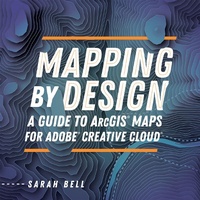
Mapping by Design
A Guide to ArcGIS Maps for Adobe Creative Cloud
Published on 17. February 2022
Book
Paperback/Softback
225 pages
978-1-58948-604-1 (ISBN)
Description
Create visual and geospatial stories that blend map science and map design.
To make aesthetically pleasing, informative maps, mapmakers and graphic designers have historically used time-consuming tasks and workflows as part of the job. But what if you could get to the aesthetic design of your mapping projects much sooner with access to accurate, detailed map layers and powerful mapping tools that could enhance your story? Enter ArcGIS (R) Maps for Adobe (R) Creative Cloud (R), the mapping extension that connects Adobe (R) Illustrator (R) to the power of ArcGIS, Esri's geospatial software.
Mapping by Design: A Guide to ArcGIS Maps for Adobe Creative Cloud is the guidebook for making effective maps using Maps for Adobe Creative Cloud. Learn how to create compelling visual stories with maps following comprehensive tutorials designed to navigate readers through common mapmaking workflows.
Key topics include:
Learning the user interface components of Maps for Adobe Creative Cloud
Creating maps following common workflows
Performing custom geo-analyses
Using automated custom symbology and map elements
Integrating Maps for Adobe Creative Cloud into your ArcGIS Pro cartographic workflows
By connecting Illustrator to ArcGIS Online, this extension gives designers the power to create maps by providing easy access to authoritative digital maps and map layers. In Maps for Adobe Creative Cloud, this seamless connection means that you can add these digital map layers, perform many map enhancements and geo-analytical functions, and then download your maps as well-organized, ready-to-design files in Illustrator. Further, Maps for Adobe Creative Cloud allows ArcGIS Pro users to open their maps and layouts in Illustrator and continue adding and analyzing map data and layers.
Whether you are a creative seeking to make beautiful maps with a familiar graphic design application or a GIS Professional who wants to learn the ArcGIS Pro-to-Illustrator integration workflow, Mapping by Design serves as a practical guide for all mapmakers.
To make aesthetically pleasing, informative maps, mapmakers and graphic designers have historically used time-consuming tasks and workflows as part of the job. But what if you could get to the aesthetic design of your mapping projects much sooner with access to accurate, detailed map layers and powerful mapping tools that could enhance your story? Enter ArcGIS (R) Maps for Adobe (R) Creative Cloud (R), the mapping extension that connects Adobe (R) Illustrator (R) to the power of ArcGIS, Esri's geospatial software.
Mapping by Design: A Guide to ArcGIS Maps for Adobe Creative Cloud is the guidebook for making effective maps using Maps for Adobe Creative Cloud. Learn how to create compelling visual stories with maps following comprehensive tutorials designed to navigate readers through common mapmaking workflows.
Key topics include:
Learning the user interface components of Maps for Adobe Creative Cloud
Creating maps following common workflows
Performing custom geo-analyses
Using automated custom symbology and map elements
Integrating Maps for Adobe Creative Cloud into your ArcGIS Pro cartographic workflows
By connecting Illustrator to ArcGIS Online, this extension gives designers the power to create maps by providing easy access to authoritative digital maps and map layers. In Maps for Adobe Creative Cloud, this seamless connection means that you can add these digital map layers, perform many map enhancements and geo-analytical functions, and then download your maps as well-organized, ready-to-design files in Illustrator. Further, Maps for Adobe Creative Cloud allows ArcGIS Pro users to open their maps and layouts in Illustrator and continue adding and analyzing map data and layers.
Whether you are a creative seeking to make beautiful maps with a familiar graphic design application or a GIS Professional who wants to learn the ArcGIS Pro-to-Illustrator integration workflow, Mapping by Design serves as a practical guide for all mapmakers.
More details
Language
English
Place of publication
Redlands
United States
Publishing group
ESRI Press
Target group
Professional and scholarly
Product notice
Paperback (trade)
Illustrations
Illustrations
Dimensions
Height: 227 mm
Width: 225 mm
Thickness: 11 mm
Weight
440 gr
ISBN-13
978-1-58948-604-1 (9781589486041)
Copyright in bibliographic data and cover images is held by Nielsen Book Services Limited or by the publishers or by their respective licensors: all rights reserved.
Schweitzer Classification
Other editions
Additional editions

E-Book
09/2021
1st Edition
Esri Press
from
€143.99
Available for download
Person
Award-winning cartographer Sarah Bell has been a professional mapmaker for more than a decade. She began at Esri in 2013 as a cartographer and datavisualization designer, and she is currently the lead product engineer for ArcGIS Maps for Adobe Creative Cloud.
Sarah's career began with the National Park Service in 2008 when she mapped climbing stories of Mount Rainier while completing her post-baccalaureate certificate in GIS at the University of Wisconsin-Madison. Prior to joining Esri, Sarah was a cartographer in Bellingham, WA, and also worked at Western Washington University's Resilience Institute while earning her M.S. in geography.
Sarah enjoys combining her two passions of cartography and rock climbing by hand-drawing maps of the mountainous landscapes in which she climbs. She also frequently publishes tutorials on mapmaking. You can connect with her on Twitter and Instagram @sarahbellmaps, and by visiting her website, http://www.sarahbellmaps.com. Sarah lives in the Pacific Northwest with her partner, Joseph Ferrare, and old puppy, Jasper.
Sarah's career began with the National Park Service in 2008 when she mapped climbing stories of Mount Rainier while completing her post-baccalaureate certificate in GIS at the University of Wisconsin-Madison. Prior to joining Esri, Sarah was a cartographer in Bellingham, WA, and also worked at Western Washington University's Resilience Institute while earning her M.S. in geography.
Sarah enjoys combining her two passions of cartography and rock climbing by hand-drawing maps of the mountainous landscapes in which she climbs. She also frequently publishes tutorials on mapmaking. You can connect with her on Twitter and Instagram @sarahbellmaps, and by visiting her website, http://www.sarahbellmaps.com. Sarah lives in the Pacific Northwest with her partner, Joseph Ferrare, and old puppy, Jasper.
Content
Preface
Chapter 1: Welcome to ArcGIS Maps for Adobe Creative Cloud
Chapter 2: Exploring the Maps for Adobe User Interface
Chapter 3: The Advantage of Synced Maps
Chapter 4: Managing Map Content with Maps for Adobe
Chapter 5: Advanced Mapmaking with Maps for Adobe
Chapter 6: Customizing Maps with the Processes Panel
Chapter 7: The ArcGIS Pro-to-Adobe Illustrator Workflow
Chapter 1: Welcome to ArcGIS Maps for Adobe Creative Cloud
Chapter 2: Exploring the Maps for Adobe User Interface
Chapter 3: The Advantage of Synced Maps
Chapter 4: Managing Map Content with Maps for Adobe
Chapter 5: Advanced Mapmaking with Maps for Adobe
Chapter 6: Customizing Maps with the Processes Panel
Chapter 7: The ArcGIS Pro-to-Adobe Illustrator Workflow