

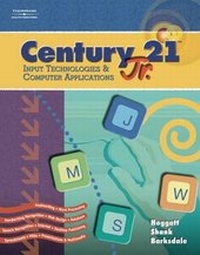
Century 21 Jr., Input Technologies and Computer Applications
Published on 5. May 2005
Book
Hardback
640 pages
978-0-538-44265-7 (ISBN)
Description
CENTURY 21 JR. INPUT TECHNOLOGIES AND COMPUTER APPLICATIONS is a new text by Hoggatt, Shank, and Barksdale for grades 6-8. This text is targeted for an introductory course in middle school that teaches computer basics, the Internet, keyboarding, handwriting recognition, speech recognition, Tablet PCs, Personal Digital Assistants (PDAs), Microsoft OneNote, word processing, spreadsheets, presentations, database, programming, and Web pages. The Instructional Design provides step-by-step guidance for student learning, with activities labeled as Learn, Practice, and Apply. Units are divided into chapters which are then divided into daily lessons. The projects within the text are generic for different versions of Microsoft Office for Windows (XP and 2003). Screen illustrations will be shown from Office 2003, thus providing maximum flexibility. Special end-of-chapter activities cover Career, Business, and Academic topics. For example, the About Business feature covers activities about entrepreneurship, economics, ethics, and workplace trends and issues. The Career and Life Skills Success Builder feature covers activities about careers, leadership, and teamwork.
The Academic Success Builder covers a math review, communication and reading review, and youth organizations.
The Academic Success Builder covers a math review, communication and reading review, and youth organizations.
Reviews / Votes
UNIT 1. DIGITAL COMMUNICATION TOOLS. a) Chapter 1 Computer Basics (Lessons 1-4). b) Chapter 2 Finding and Managing Information (Lessons 5-9). c) Chapter 3 Computers in Society (Lessons 10-14). UNIT 2. KEYBOARDING. a) Chapter 4 Letter Keys (Lessons 15-34). b) Chapter 5 Number and Symbol Keys (Lessons 35-55). UNIT 3. ALTERNATIVE INPUT TECHNOLOGIES. a) Chapter 6 Handwriting Tools and OneNote (Lessons 56-63). b) Chapter 7 Digital Imaging, Scanning, and Photography (Lessons 64-66). c) Chapter 8 Speech Recognition Tools (Lessons 67-77). d) Chapter 9 Planning with PDAs (Lessons 78-83). UNIT 4. WORD PROCESSING, DESKTOP PUBLISHING, AND DOCUMENT FORMATTING. a) Chapter 10 Word Processing and Reports (Lessons 84-89). b) Chapter 11 Word Processing, Messaging, and Correspondence (Lessons 90-94). c) Chapter 12 Word Processing and Tables (Lessons 95-98). d) Chapter 13 Desktop Publishing (Lessons 99-102). UNIT 5. COMPUTER APPLICATIONS. a) Chapter 14 Presentations with Graphics and Multimedia (Lessons 103-108). b) Chapter 15 Worksheets (Lessons 109-114). c) Chapter 16 Database (Lessons 115-120). d) Chapter 17 Creating and Linking Web Pages (Lessons 121-125). Appendices. Glossary. Index.More details
Language
English
Place of publication
Mason, OH
United States
Publishing group
Cengage Learning, Inc
Target group
Professional and scholarly
Dimensions
Height: 279 mm
Width: 213 mm
Thickness: 22 mm
Weight
1498 gr
ISBN-13
978-0-538-44265-7 (9780538442657)
Copyright in bibliographic data and cover images is held by Nielsen Book Services Limited or by the publishers or by their respective licensors: all rights reserved.
Schweitzer Classification
Persons
Karl Barksdale is currently an instructor at the Utah County Academy of Sciences and is a former instructor at Farrer Middle school in Provo, UT. He has recently been a consultant for Google. Formerly a Development Manager for the Training and Certification team at WordPerfect Corporation, he obtained a master's degree in curriculum from the University of Utah and applied his degree as the Secondary Curriculum Coordinator for Provo School District. Later he returned to education as a Business Education instructor. Since that time he has authored more than 50 business and computer education textbooks for South-Western Educational Publishing, Course Technology, Speaking Solutions, and other publishers. Dr. Jack P. Hoggatt is Department Chair for the Department of Business Communications at the University of Wisconsin-Eau Claire. He has taught courses in Business Writing, Advanced Business Communications, and the communication component of the university's Master in Business Administration (MBA) program. Dr. Hoggatt has held offices in professional organizations and has been received the Outstanding Post-Secondary Business Educator Award in Wisconsin. He has served as an advisor to local and state business organizations. Dr. Jon Shank is a Professor of Education at Robert Morris University in Moon Township, Pennsylvania. His contributions to the text include units on advanced correspondence, report formatting, spreadsheets, Web searching and design, desktop publishing, business plans, communication skills, and emerging technologies.
Content
UNIT 1. DIGITAL COMMUNICATION TOOLS. a) Chapter 1 Computer Basics (Lessons 1-4). b) Chapter 2 Finding and Managing Information (Lessons 5-9). c) Chapter 3 Computers in Society (Lessons 10-14). UNIT 2. KEYBOARDING. a) Chapter 4 Letter Keys (Lessons 15-34). b) Chapter 5 Number and Symbol Keys (Lessons 35-55). UNIT 3. ALTERNATIVE INPUT TECHNOLOGIES. a) Chapter 6 Handwriting Tools and OneNote (Lessons 56-63). b) Chapter 7 Digital Imaging, Scanning, and Photography (Lessons 64-66). c) Chapter 8 Speech Recognition Tools (Lessons 67-77). d) Chapter 9 Planning with PDAs (Lessons 78-83). UNIT 4. WORD PROCESSING, DESKTOP PUBLISHING, AND DOCUMENT FORMATTING. a) Chapter 10 Word Processing and Reports (Lessons 84-89). b) Chapter 11 Word Processing, Messaging, and Correspondence (Lessons 90-94). c) Chapter 12 Word Processing and Tables (Lessons 95-98). d) Chapter 13 Desktop Publishing (Lessons 99-102). UNIT 5. COMPUTER APPLICATIONS. a) Chapter 14 Presentations with Graphics and Multimedia (Lessons 103-108). b) Chapter 15 Worksheets (Lessons 109-114). c) Chapter 16 Database (Lessons 115-120). d) Chapter 17 Creating and Linking Web Pages (Lessons 121-125). Appendices. Glossary. Index.