

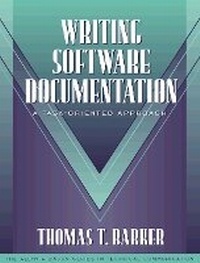
Writing Software Documentation
A Task-Oriented Approach (Part of the Allyn & Bacon Series in Technical Communication)
Published on 28. November 1997
Book
Paperback/Softback
484 pages
978-0-205-19576-3 (ISBN)
Description
Part of the new Allyn & Bacon series in technical communication, Writing Software Documentation features a step-by-step strategy to writing and describing procedures. This task-oriented book is designed to support both college students taking a course and professionals working in the field. Teaching apparatus includes complete programs for students to work on and a full set of project tracking forms, as well as a broad range of examples including Windows-style pages and screens and award-winning examples from STC competitions.
More details
Language
English
Place of publication
United States
Publishing group
Pearson Education (US)
Target group
Professional and scholarly
Dimensions
Height: 235 mm
Width: 178 mm
Thickness: 25 mm
Weight
848 gr
ISBN-13
978-0-205-19576-3 (9780205195763)
Copyright in bibliographic data and cover images is held by Nielsen Book Services Limited or by the publishers or by their respective licensors: all rights reserved.
Schweitzer Classification
Other editions
New editions
Thomas T. Barker
Writing Software Documentation
A Task-Oriented Approach (Part of the Allyn & Bacon Series in Technical Communication)
Book
02/2003
2nd Edition
Pearson
€128.11
Article is exhausted; no reprint
Content
Each chapter contains "How to Read this Chapter," "Examples," "Guidelines," "Discussion," "Glossary," "Task Analysis Checklist," and "Practice/Problem Solving" sections.
1.Understanding Task Orientation.
Emphasize Problem-Solving.
Provide Task-Oriented Organization.
Orient Pages Semantically.
Facilitate Information Tasks.
Use Multi-Document Support.
Design for Users.
Facilitate Communication Tasks.
Encourage User Communities.
Support Cognitive Processing.
The Goal of Software Documentation.
A Definition of Task Orientation.
The Theory behind Task Orientation.
2.Analyzing Your Users.
Choose Users Carefully.
Anticipate Transfer of Learning: Studying Non-Computer Mediated Tasks.
Mock-Up Hard-to-Contact Users.
Write User Scenarios.
Plan Interviews Carefully.
Involve Users in All Phases of the Project.
Identify Document Goals.
Tie the User Analysis to Documentation Features.
The Importance of a Thorough User Analysis?
What Does Use Mean?
Things You Want to Know about Users.
Tasks the User Will Perform with the Program.
The User's Informational Needs.
The User's Work Motivations.
Range of Computer Experience: Novice, Experienced, Expert.
Extent of Knowledge of Subject Matter of the Program.
The Workplace Environment: User Communities.
Users' Learning Preferences.
Usage Pattern: Regular, Casual, Intermittent.
3.Constructing a Task List.
Determine the Right Level of Detail.
Categorize the Program Tasks.
Link the Program Tasks with Menu Features.
Write Steps as Actions.
Break Up Long Tasks into Subtasks.
Don't List Options as Steps.
Test Your Task List.
The Task List as Part of the Overall Process.
How to Get Task Information from Programmers.
Program Tasks and Document Forms.
Relating the Program Task List to the Overall Project.
4.Planning and Writing Your Documents.
Create a Task List.
Work Backwards from the Delivery Date.
Assign People to Tasks.
Work in the Drop-Dead Mode.
Make the Documentation Plan Persuasive.
The Documentation Process.
Considerations for Planning Online Help Systems.
Organizing Your Writing Team.
The Documentation Plan.
Reviewing the Documentation Plan.
An Outline for a Documentation Plan.
5.Getting Useful Reviews.
Review Throughout the Documentation Process.
Write the Review Plan.
Review the Document Objectives from the Documentation Plan.
Determine the Type of Review Needed.
Write a Cover Letter with Questions for the Reviewers.
Establish a Review Schedule.
Prepare Feedback Materials for Reviewers.
See Reviewers as Partners.
Handle Conflict Diplomatically.
Reviewing Defined.
The Purpose of Reviews.
Do a User Walkthrough.
6.Conducting Usability Tests.
Follow a 10-Step Test Plan.
Tie Testing in with Document Objectives.
Do Some Pilot Testing.
Make the Test Objective.
What Is Testing?
The Importance of User Testing as Part of User-Driven Design.
The Advantages of Field Testing.
Methods of Field Testing that Emphasize Task Issues.
How to Interpret Test Data.
7.Editing and Fine Tuning.
Know Your User.
Take a Constructive Attitude.
Don't Edit Your Own on Your Own.
Use Editing Forms.
Edit Strategically.
Develop an Editor's Reading Skills.
Consult Standard Style Guides.
Don't Confuse Editing Tasks with Other Tasks.
Writing versus Editing.
Editing in Desktop Publishing Environments.
Problems with Editing Manuals and Online Systems.
How Do You Know What's Correct?
Editing and Task Orientation.
8.Designing for Task Orientation.
Follow a Problem-Solving Process.
Meet user Task Needs.
Try Out Ideas on Users.
Examine Existing Documentation.
Review the User Analysis.
Acknowledge Production Constraints.
Design the Documentation as a System.
The Design Problem.
Solutions to the Design Problem for Printed Documentation.
Solutions to the Design Problem for Online Documentation.
9.Laying Out Pages and Screens.
Create Page Grids.
Draw Thumbnail Sketches.
Define Styles for Pages and Screens.
Set Up Pages and Styles in Your Word Processor.
Online Help Can Repeat Printed Information.
The Goals of Page and Screen Layout.
Designing Communication Spaces.
How to Look at Pages and Screens.
A Gallery of Page and Screen Designs.
Common Page Designs.
The Elements of Page Design.
Common Screen Designs.
The Elements of Screen Design.
Designing Type.
Helping People Recognize Words.
Design Advice.
The Idea of Body Text.
Non-Body Text.
10.Getting the Language.
Focus on Actions Rather Than Functions.
Use the Active Voice.
Keep Writing Simple.
Build Parallel Structures.
Use Operational Overviews.
How Do We Process Language?
Performance-Oriented Language.
How Do We Remember and Learn?
Style Problems in Software Documentation.
11.Using Graphics Effectively.
Answer Users' Questions.
Make it Visible.
Keep Graphic Styles Consistent.
Don't Over-do Graphics.
Label Consistently.
Use Typographic Techniques.
Size the Image Correctly.
Functions of Graphics.
Types of Graphics in Software Manuals and Online Help.
Elements of Graphics.
12.Writing to Teach -- Tutorials.
Identify Skills You Need to Teach.
State Objectives as Real-World Performance.
Choose the Right Type of Tutorial.
Present Skills in a Logical, Cumulative Structure.
Offer Highly Specific Instructions.
Give Practice and Feedback at Each Skill Level.
Test Your Tutorial.
Designing Tutorials.
The Elaborative Approach.
The Minimalist Approach.
13.Writing to Guide -- Procedures.
Determine How Much Information Your User Needs.
Choose the Appropriate Instructional Format.
Follow a Rhythm of Exposition.
Test All Procedures for Accuracy.
What Constitutes a Procedure?
How Does a Procedure Work?
14.Writing to Support -- Reference.
Choose the Right Form of Reference.
Decide What to Include.
Establish a Pattern.
Organize the Reference Section.
Show How to Use the Reference Information.
The Psychology of the Reference User.
The Psychology of a Reference Entry.
15.Designing Indexes.
Decide on the Indexing Methodology.
Decide What to Index.
Identify the Level of Detail.
Decide on Phrasing and Format.
Build and Proofread.
Why an Index?
Online Index Versus Print Index Versus Keywords.
Endnotes.
Index.
1.Understanding Task Orientation.
Emphasize Problem-Solving.
Provide Task-Oriented Organization.
Orient Pages Semantically.
Facilitate Information Tasks.
Use Multi-Document Support.
Design for Users.
Facilitate Communication Tasks.
Encourage User Communities.
Support Cognitive Processing.
The Goal of Software Documentation.
A Definition of Task Orientation.
The Theory behind Task Orientation.
2.Analyzing Your Users.
Choose Users Carefully.
Anticipate Transfer of Learning: Studying Non-Computer Mediated Tasks.
Mock-Up Hard-to-Contact Users.
Write User Scenarios.
Plan Interviews Carefully.
Involve Users in All Phases of the Project.
Identify Document Goals.
Tie the User Analysis to Documentation Features.
The Importance of a Thorough User Analysis?
What Does Use Mean?
Things You Want to Know about Users.
Tasks the User Will Perform with the Program.
The User's Informational Needs.
The User's Work Motivations.
Range of Computer Experience: Novice, Experienced, Expert.
Extent of Knowledge of Subject Matter of the Program.
The Workplace Environment: User Communities.
Users' Learning Preferences.
Usage Pattern: Regular, Casual, Intermittent.
3.Constructing a Task List.
Determine the Right Level of Detail.
Categorize the Program Tasks.
Link the Program Tasks with Menu Features.
Write Steps as Actions.
Break Up Long Tasks into Subtasks.
Don't List Options as Steps.
Test Your Task List.
The Task List as Part of the Overall Process.
How to Get Task Information from Programmers.
Program Tasks and Document Forms.
Relating the Program Task List to the Overall Project.
4.Planning and Writing Your Documents.
Create a Task List.
Work Backwards from the Delivery Date.
Assign People to Tasks.
Work in the Drop-Dead Mode.
Make the Documentation Plan Persuasive.
The Documentation Process.
Considerations for Planning Online Help Systems.
Organizing Your Writing Team.
The Documentation Plan.
Reviewing the Documentation Plan.
An Outline for a Documentation Plan.
5.Getting Useful Reviews.
Review Throughout the Documentation Process.
Write the Review Plan.
Review the Document Objectives from the Documentation Plan.
Determine the Type of Review Needed.
Write a Cover Letter with Questions for the Reviewers.
Establish a Review Schedule.
Prepare Feedback Materials for Reviewers.
See Reviewers as Partners.
Handle Conflict Diplomatically.
Reviewing Defined.
The Purpose of Reviews.
Do a User Walkthrough.
6.Conducting Usability Tests.
Follow a 10-Step Test Plan.
Tie Testing in with Document Objectives.
Do Some Pilot Testing.
Make the Test Objective.
What Is Testing?
The Importance of User Testing as Part of User-Driven Design.
The Advantages of Field Testing.
Methods of Field Testing that Emphasize Task Issues.
How to Interpret Test Data.
7.Editing and Fine Tuning.
Know Your User.
Take a Constructive Attitude.
Don't Edit Your Own on Your Own.
Use Editing Forms.
Edit Strategically.
Develop an Editor's Reading Skills.
Consult Standard Style Guides.
Don't Confuse Editing Tasks with Other Tasks.
Writing versus Editing.
Editing in Desktop Publishing Environments.
Problems with Editing Manuals and Online Systems.
How Do You Know What's Correct?
Editing and Task Orientation.
8.Designing for Task Orientation.
Follow a Problem-Solving Process.
Meet user Task Needs.
Try Out Ideas on Users.
Examine Existing Documentation.
Review the User Analysis.
Acknowledge Production Constraints.
Design the Documentation as a System.
The Design Problem.
Solutions to the Design Problem for Printed Documentation.
Solutions to the Design Problem for Online Documentation.
9.Laying Out Pages and Screens.
Create Page Grids.
Draw Thumbnail Sketches.
Define Styles for Pages and Screens.
Set Up Pages and Styles in Your Word Processor.
Online Help Can Repeat Printed Information.
The Goals of Page and Screen Layout.
Designing Communication Spaces.
How to Look at Pages and Screens.
A Gallery of Page and Screen Designs.
Common Page Designs.
The Elements of Page Design.
Common Screen Designs.
The Elements of Screen Design.
Designing Type.
Helping People Recognize Words.
Design Advice.
The Idea of Body Text.
Non-Body Text.
10.Getting the Language.
Focus on Actions Rather Than Functions.
Use the Active Voice.
Keep Writing Simple.
Build Parallel Structures.
Use Operational Overviews.
How Do We Process Language?
Performance-Oriented Language.
How Do We Remember and Learn?
Style Problems in Software Documentation.
11.Using Graphics Effectively.
Answer Users' Questions.
Make it Visible.
Keep Graphic Styles Consistent.
Don't Over-do Graphics.
Label Consistently.
Use Typographic Techniques.
Size the Image Correctly.
Functions of Graphics.
Types of Graphics in Software Manuals and Online Help.
Elements of Graphics.
12.Writing to Teach -- Tutorials.
Identify Skills You Need to Teach.
State Objectives as Real-World Performance.
Choose the Right Type of Tutorial.
Present Skills in a Logical, Cumulative Structure.
Offer Highly Specific Instructions.
Give Practice and Feedback at Each Skill Level.
Test Your Tutorial.
Designing Tutorials.
The Elaborative Approach.
The Minimalist Approach.
13.Writing to Guide -- Procedures.
Determine How Much Information Your User Needs.
Choose the Appropriate Instructional Format.
Follow a Rhythm of Exposition.
Test All Procedures for Accuracy.
What Constitutes a Procedure?
How Does a Procedure Work?
14.Writing to Support -- Reference.
Choose the Right Form of Reference.
Decide What to Include.
Establish a Pattern.
Organize the Reference Section.
Show How to Use the Reference Information.
The Psychology of the Reference User.
The Psychology of a Reference Entry.
15.Designing Indexes.
Decide on the Indexing Methodology.
Decide What to Index.
Identify the Level of Detail.
Decide on Phrasing and Format.
Build and Proofread.
Why an Index?
Online Index Versus Print Index Versus Keywords.
Endnotes.
Index.