

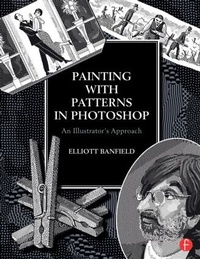
Painting with Patterns in Photoshop
An Illustrator's Approach
Published on 15. October 2015
Book
Paperback/Softback
160 pages
978-0-415-82385-2 (ISBN)
Description
Elliott Banfield uses Photoshop to digitally create stunning, ink-and-pen-like drawings reminiscent of engravings that were once possible to produce only through the use of non-digital materials like charcoal. This was a messy process and resulting images were hard to recreate and reproduce in bulk (i.e. for publication). Elliott's personally developed methods will appeal to those who want to create the old-timey aesthetic of ink-and-pen engravings in a much tidier, more easily repoduced digital method. The book will be accompanied by downloadable versions of all of the tools and shortcuts that Elliott has developed using Photoshop.
More details
Language
English
Place of publication
London
United Kingdom
Publishing group
Taylor & Francis Ltd
Target group
Professional and scholarly
Professional and Professional Practice & Development
Dimensions
Height: 280 mm
Width: 210 mm
ISBN-13
978-0-415-82385-2 (9780415823852)
Copyright in bibliographic data and cover images is held by Nielsen Book Services Limited or by the publishers or by their respective licensors: all rights reserved.
Schweitzer Classification
Person
Elliot Banfield is a highly respected illustrator whose work has been published in the New York Times and the Wall Street Journal. For the past ten years he has been the designer, art director, and staff illustrator for the Claremont Review of Books. Life, Liberty, and the Pursuit of Happiness: Ten Years of the Claremont Review of Books, a book containing samples of his work, has been recently been published by Rowman and Littlefield. See more of his work at www.elliottbanfield.com and at http://www.youtube.com/watch?v=msq39dfbUeY.
Content
Introduction: The importance of the Black/White mode for illustrators and designers
Chapter One: A Selection of Illustrative Samples from the Author's Portfolio
Chapter Two: Pattern Stamp Tools Developed by the Author, and How to Select Them
2.1. The new way vs. the old way of image-making in black and white
2.2 New digital tools (Download digital tools, or get them from a CD)
2.3 An overview of 10 pattern types developed by the author, illustrated by 10 plates
Chapter Three: Using Patterns Like Colors
3.1 Setting up a new document for painting with patterns in Photoshop
3.2. Using Photoshop Layers
a. Outlines on the top layer
b. Painting on Layers below
Chapter Four: Some Useful Actions
4.1 Photoshop Actions that lighten/darken sections of the canvas
4.2 Photoshop Actions that outline lines, a useful supplement to patterns
Chapter Five: Historical Notes
5.1 A brief history of Engraving: some notable artists
5.2 The rise of photo engraving, and the rise of pen-and-ink
5.3 Some notable contemporary artists and what we can learn from them
5.4 The survival of the graphic arts traditions
Appendix: Instructions for creating patterns / The Xcode software environment
Chapter One: A Selection of Illustrative Samples from the Author's Portfolio
Chapter Two: Pattern Stamp Tools Developed by the Author, and How to Select Them
2.1. The new way vs. the old way of image-making in black and white
2.2 New digital tools (Download digital tools, or get them from a CD)
2.3 An overview of 10 pattern types developed by the author, illustrated by 10 plates
Chapter Three: Using Patterns Like Colors
3.1 Setting up a new document for painting with patterns in Photoshop
3.2. Using Photoshop Layers
a. Outlines on the top layer
b. Painting on Layers below
Chapter Four: Some Useful Actions
4.1 Photoshop Actions that lighten/darken sections of the canvas
4.2 Photoshop Actions that outline lines, a useful supplement to patterns
Chapter Five: Historical Notes
5.1 A brief history of Engraving: some notable artists
5.2 The rise of photo engraving, and the rise of pen-and-ink
5.3 Some notable contemporary artists and what we can learn from them
5.4 The survival of the graphic arts traditions
Appendix: Instructions for creating patterns / The Xcode software environment