

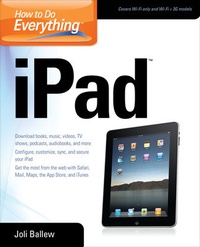
How to Do Everything iPad
Published on 16. August 2010
Book
Paperback/Softback
332 pages
978-0-07-174869-8 (ISBN)
Description
Publisher's Note: Products purchased from Third Party sellers are not guaranteed by the publisher for quality, authenticity, or access to any online entitlements included with the product.
Tap into every feature of your iPad!Get the most out of the revolutionary iPad with help from this easy-to-follow guide. Covering both the Wi-Fi only and Wi-Fi + 3G models, How to Do Everything: iPad shows you how to quickly master the basics, such as customizing your iPad, using the Multi-Touch screen, accessing the Internet through wireless and cellular connections, syncing, and backing up your data. Learn to use Mail, Safari, iBooks, iTunes, Maps, the App Store, and much more. View photos and video, create a slideshow, watch movies, use GPS, and play games. If you're looking for a book as cutting-edge and streamlined as the iPad itself, you found it!
Configure, register, customize, sync, and back up your iPad
Select a data plan for your iPad 3G
Connect to Wi-Fi networks, access the web, and surf with Safari
Set up Mail and integrate with various email accounts
Install iBooks and download and read books
Download and run cool apps from the App Store
View, manage, and share photos and videos
Set up iTunes, sync music and media from your computer, download songs, and create playlists
Rent, purchase, download, and watch movies and TV shows
Manage your contacts and schedule and keep notes
Navigate with GPS and Maps
Discover, download, and play awesome games
Take advantage of the iPad's built-in accessibility features, including VoiceOver and Zoom
Tap into every feature of your iPad!Get the most out of the revolutionary iPad with help from this easy-to-follow guide. Covering both the Wi-Fi only and Wi-Fi + 3G models, How to Do Everything: iPad shows you how to quickly master the basics, such as customizing your iPad, using the Multi-Touch screen, accessing the Internet through wireless and cellular connections, syncing, and backing up your data. Learn to use Mail, Safari, iBooks, iTunes, Maps, the App Store, and much more. View photos and video, create a slideshow, watch movies, use GPS, and play games. If you're looking for a book as cutting-edge and streamlined as the iPad itself, you found it!
Configure, register, customize, sync, and back up your iPad
Select a data plan for your iPad 3G
Connect to Wi-Fi networks, access the web, and surf with Safari
Set up Mail and integrate with various email accounts
Install iBooks and download and read books
Download and run cool apps from the App Store
View, manage, and share photos and videos
Set up iTunes, sync music and media from your computer, download songs, and create playlists
Rent, purchase, download, and watch movies and TV shows
Manage your contacts and schedule and keep notes
Navigate with GPS and Maps
Discover, download, and play awesome games
Take advantage of the iPad's built-in accessibility features, including VoiceOver and Zoom
More details
Series
Language
English
Place of publication
New York
United States
Publishing group
McGraw-Hill Education - Europe
Target group
Professional and scholarly
Illustrations
125 Illustrations
Dimensions
Height: 234 mm
Width: 188 mm
Thickness: 18 mm
Weight
557 gr
ISBN-13
978-0-07-174869-8 (9780071748698)
Copyright in bibliographic data and cover images is held by Nielsen Book Services Limited or by the publishers or by their respective licensors: all rights reserved.
Schweitzer Classification
Person
McGraw-Hill authors represent the leading experts in their fields and are dedicated to improving the lives, careers, and interests of readers worldwide
Content
Part I. Introduction to the iPad; Chapter 1. Get Started with your iPad; Chapter 2. Learn iPad Basics; Part II. Internet and Email ; Chapter 3. Browse the Web with Safari; Chapter 4. Communicate with Mail; Part III. News and Entertainment ; Chapter 5. Go Digital with iBooks; Chapter 6. Read Newspapers, Blogs, Newsgroups, and Commentary; Chapter 7. Play Games; Chapter 8. Use your iPod; Chapter 9. Shopping with iTunes; Part IV. Photos and Video; Chapter 10. View, Manage, and Share Photos!; Chapter 11. View, Manage and Share Video; Part V. Manage Productivity ; Chapter 12. Learn to Use the iWork app suite ;Chapter 13. Manage Contacts; Chapter 14. Manage your Schedule; Chapter 15.Get There with Maps; Chapter 16. Take Notes ;Part VI. Tweaks, Tips, and Tricks ; Chapter 17. Accessibility Options; Chapter 18. Stay Secure; Appendix A. Adjust Setting for Your iPadAppendix B. Top Ten Must Have Apps