

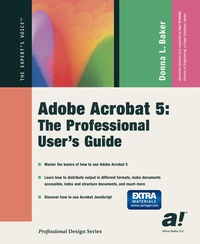
Adobe Acrobat 5
The Professional User's Guide
Published on 9. April 2002
Book
Paperback/Softback
XIX, 576 pages
978-1-59059-023-2 (ISBN)
Description
Adobe Acrobat 5 is the best way to share documents online. Anyone anywhere can open a document across a broad range of hardware and software and it will look exactly as intended - with layout, fonts, links, and images intact. Professional graphics designers will welcome this practical guide to Acrobat 5 because it tells why and when to use processes, as well as how. Includes projects, tutorials and demos.
More details
Edition
First Edition
Language
English
Place of publication
Berkeley
United States
Publishing group
Springer-Verlag Berlin and Heidelberg GmbH & Co. KG
Target group
Professional and scholarly
Professional/practitioner
Illustrations
731 s/w Abbildungen
XIX, 576 p. 731 illus. With online files/update.
Dimensions
Height: 235 mm
Width: 191 mm
Thickness: 32 mm
Weight
1068 gr
ISBN-13
978-1-59059-023-2 (9781590590232)
DOI
10.1007/978-1-4302-1100-6
Schweitzer Classification
Person
strongDonna L. Baker/strong is an information developer and graphic designer. She is also contributing editor for the online magazine, iWindoWatch.com/i, and is the author of emCoursebuilder for Dreamweaver F/X and Design /em(2002)em,/em iHow to Use Adobe After Effects 5.0 & 5.5/i (2002), and emAdobe Premiere 6.5 Complete Course/em (2003). Throughout her career, she has been involved in software, teaching, and knowledge management in different forms, from being a technical writer for a software company to working as a college curriculum developer and instructor. Find out more about Donna and what's new and interesting in her world by visiting her home page, http://www.donnabaker.ca.
Content
1 Welcome to Acrobat 5.- 2 How Acrobat Works.- 3 Creating PDF Files.- 4 Making Your Documents Secure.- 5 Collaborating on Document Creation and Modification.- 6 Repurposing Content.- 7 Planning and Preparing for Output.- 8 Making Documents Accessible to Everyone.- 9 Indexing and Structuring Documents.- 10 Creating Forms with Acrobat.- 11 Print It!.- 12 Using Advanced Acrobat Activities.- 13 All About E-Books.- 14 Collaborating over Networks.- 15 Putting It All Together.- 16 More on JavaScript.- Appendix A References and Further Information.- Adobe Sites.- Information Sites.- Organizations.- Appendix B Acrobat Plug-ins.- Adobe Plug-ins Included with Acrobat.- Third-Party Plug-ins Included with Acrobat.- Other Plug-ins Used in This Book.- Readers.- Appendix C Adobe Certified Expert Exam Criteria.- Exam Criteria.