

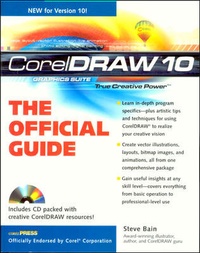
CorelDRAW (TM) 10: The Official Guide
Published on 16. January 2001
Book
Paperback/Softback
912 pages
978-0-07-213014-0 (ISBN)
Description
Including a 16 page full color insert, this helpful guide contains not only technical information on using the software, but also instruction and learning techniques not found in other books.
More details
Series
Language
English
Place of publication
United States
Publishing group
McGraw-Hill Education - Europe
Target group
College/higher education
Professional and scholarly
Illustrations
400 illustrations
Dimensions
Height: 231 mm
Width: 185 mm
Thickness: 59 mm
Weight
1837 gr
ISBN-13
978-0-07-213014-0 (9780072130140)
Copyright in bibliographic data and cover images is held by Nielsen Book Services Limited or by the publishers or by their respective licensors: all rights reserved.
Schweitzer Classification
Other editions
New editions
Steve Bain
CorelDRAW(R) 11: The Official Guide
Book
08/2002
2nd Edition
McGraw-Hill Professional
€45.79
Article is exhausted; no reprint
Person
Steve Bain is an award-winning illustrator and graphic designer, magazine and trade journal writer, and software instructor. Hes taught computer software courses and has spoken at numerous conferences in both the US and Europe. His experience stems from more than 20 years in the graphic design industry and hes been a CorelDRAW user from early versions of the program. He has authored three editions of the CorelDRAW Official Guide. Steve has also published more than a thousand articles on illustration, layout, design, Web and publishing techniques. His work has appeared in numerous publications, including Corels Designer.com web site, The CorelDRAW Journal, Corel Magazine, Corel User Magazine, Digital Publisher, The Design Authority, Inside Illustrator, Inside Photoshop, Inside PageMaker, and Inside QuarkXPress.
Content
Part I: CorelDRAW 10 Quick Start Guide. Chapter 1: Installing CorelDRAW and Finding Help by Anthony Celeste. Chapter 2: What's New in CorelDRAW 10? Chapter 3: A Primer on Using CorelDRAW 10's Interface. Chapter 4: Opening and Saving Files. Part II: Getting Started with CorelDRAW 10. Chapter 5: Controling Documents and Pages. Chapter 6: Measuring and Drawing Helpers. Chapter 7: Zooming and Viewing. Chapter 8: Essential Object Commands. Part III: Working with Object Tools. Chapter 9: Basic Shape Creation. Chapter 10: Drawing with Line Tools. Chapter 11: Cutting, Shaping, and Reshaping Objects. Chapter 12: Managing and Arranging Objects. Chapter 13: Object Organization Resources. Part IV: Organizing Objects and Applying Effects. Chapter 14: Envelope and Distortion Effects. Chapter 15: The Power of Blends and Contours. Chapter 16: Applying Lens and Transparency Effects. Chapter 17: Creating Depth with Shadows. Chapter 18: Drawing and PowerClips. Chapter 19: Creating Depth with Perspective Effects. Chapter 20: Extruding Vector Objects. Chapter 21: Applying Bitmap Extrude to Objects. Chapter 22: Manipulating 3D Models. Part VI: Working with Digital Images. Chapter 23: Applying Drop Shadows. Chapter 24: Applying Bitmap Filter Effects by Anthony Celeste. Part VII: Beyond the Basics. Chapter 25: Understanding the Hood of the Print Engine by Michael Cervantes. Chapter 26: Import and Export Filters by Anthony Celeste. Chapter 27: CroelDRAW 10's Web Resources: Introducing Corel R.A.V.E by Anthony Celeste. Chapter 28: Take Control Through Customization. Chapter 29: Adventures with Scripts and VBA by Nick Wilkinson. Part VIII: Appendix: What's on the CorelDRAW 10 Official guide CD-ROM?