


iPad For Dummies
5th Edition
Published on 5. November 2012
Book
Paperback/Softback
384 pages
978-1-118-49823-1 (ISBN)
Description
Brilliant, full-color guide to all things iPad - updated for iOS 6!
Apple's amazing iPad continues to get better and better, and iOS 6 brings even more incredible features to the incredible iPad. If you want to get the very most out of your iPad, this is the book for you. Mac experts and veteran For Dummies authors Edward Baig and Bob "Dr. Mac" LeVitus guide you through the iPad basics before moving on to the latest features including Siri, Passbook, Facebook integration, a brand new Maps app, and enhancements to your favorite features like FaceTime, Safari, Mail, Photos, and so much more.
* Covers the iPad with Retina Display, iPad 2, and iOS 6
* Gets you up to speed on the multitouch interface, setting up your e-mail account, getting connected, filling your iPad with amazing apps and cool content, and more
* Shows you how to do tons of stuff, including how to order around your Siri virtual personal assistant, make video calls with FaceTime, unveil the iPod in your iPad, curl up with a good iBook, and get organized with Reminders
* Includes tips on protecting your information, troubleshooting, connecting wirelessly, adding contacts, and using your iPad as a personal hotspot
From the bread-and-butter basics to the very coolest of features, iPad For Dummies, 5th Edition will make you wonder how you ever lived without your iPad.
Apple's amazing iPad continues to get better and better, and iOS 6 brings even more incredible features to the incredible iPad. If you want to get the very most out of your iPad, this is the book for you. Mac experts and veteran For Dummies authors Edward Baig and Bob "Dr. Mac" LeVitus guide you through the iPad basics before moving on to the latest features including Siri, Passbook, Facebook integration, a brand new Maps app, and enhancements to your favorite features like FaceTime, Safari, Mail, Photos, and so much more.
* Covers the iPad with Retina Display, iPad 2, and iOS 6
* Gets you up to speed on the multitouch interface, setting up your e-mail account, getting connected, filling your iPad with amazing apps and cool content, and more
* Shows you how to do tons of stuff, including how to order around your Siri virtual personal assistant, make video calls with FaceTime, unveil the iPod in your iPad, curl up with a good iBook, and get organized with Reminders
* Includes tips on protecting your information, troubleshooting, connecting wirelessly, adding contacts, and using your iPad as a personal hotspot
From the bread-and-butter basics to the very coolest of features, iPad For Dummies, 5th Edition will make you wonder how you ever lived without your iPad.
More details
Other editions
New editions
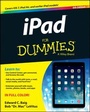
Edward C. Baig | Bob LeVitus
iPad For Dummies
Book
12/2013
6th Edition
Wiley
€23.90
Article exhausted; check for reprint
Persons
Edward C. Baig is the Personal Tech columnist for USA TODAY as well as the author of Macs For Dummies, 11th Edition. Bob "Dr. Mac" LeVitus pens the popular "Dr. Mac" column for the Houston Chronicle and is the author of OS X Mountain Lion For Dummies.
Content
Introduction 1
Part I: Getting to Know Your iPad 5
Chapter 1: Unveiling the iPad 7
Chapter 2: iPad Basic Training 23
Chapter 3: The Kitchen Sync: Getting Stuff to and from Your iPad 43
Part II: The Internet iPad 71
Chapter 4: Going on a Mobile Safari 73
Chapter 5: The E-Mail Must Get Through 91
Chapter 6: Maps Are Where It Is 119
Part III: The Multimedia iPad 131
Chapter 7: Get in Tune(s): Audio on Your iPad 133
Chapter 8: iPad Video: Seeing Is Believing 147
Chapter 9: You Oughta Be in Pictures165
Chapter 10: Curling Up with a Good iBook 185
Part IV: The iPad at Work 201
Chapter 11: Apply Here (To Find Out about iPad Apps) 203
Chapter 12: People, Places, and Appointments 221
Chapter 13: Indispensible iPad Utilities 233
Chapter 14: Taking the iPad Siri-ously 247
Part V: The Undiscovered iPad 255
Chapter 15: Setting You Straight on Settings 257
Chapter 16: When Good iPads Go Bad 281
Chapter 17: Accessorizing Your iPad 293
Part VI: The Part of Tens 309
Chapter 18: Ten Appetizing (And Free) Apps 311
Chapter 19: Ten Apps Worth Paying For 321
Chapter 20: Ten Hints, Tips, and Shortcuts 331
Index 345
Part I: Getting to Know Your iPad 5
Chapter 1: Unveiling the iPad 7
Chapter 2: iPad Basic Training 23
Chapter 3: The Kitchen Sync: Getting Stuff to and from Your iPad 43
Part II: The Internet iPad 71
Chapter 4: Going on a Mobile Safari 73
Chapter 5: The E-Mail Must Get Through 91
Chapter 6: Maps Are Where It Is 119
Part III: The Multimedia iPad 131
Chapter 7: Get in Tune(s): Audio on Your iPad 133
Chapter 8: iPad Video: Seeing Is Believing 147
Chapter 9: You Oughta Be in Pictures165
Chapter 10: Curling Up with a Good iBook 185
Part IV: The iPad at Work 201
Chapter 11: Apply Here (To Find Out about iPad Apps) 203
Chapter 12: People, Places, and Appointments 221
Chapter 13: Indispensible iPad Utilities 233
Chapter 14: Taking the iPad Siri-ously 247
Part V: The Undiscovered iPad 255
Chapter 15: Setting You Straight on Settings 257
Chapter 16: When Good iPads Go Bad 281
Chapter 17: Accessorizing Your iPad 293
Part VI: The Part of Tens 309
Chapter 18: Ten Appetizing (And Free) Apps 311
Chapter 19: Ten Apps Worth Paying For 321
Chapter 20: Ten Hints, Tips, and Shortcuts 331
Index 345