

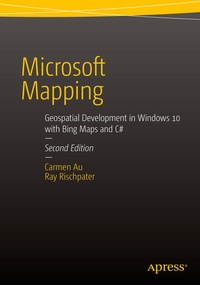
Microsoft Mapping Second Edition
Geospatial Development in Windows 10 with Bing Maps and C#
2nd Edition
Published on 20. October 2015
Book
Paperback/Softback
XX, 170 pages
978-1-4842-1444-2 (ISBN)
Description
This 200 page revised edition of Microsoft Mapping includes the latest details about SQL Server 2014 and the new 3D and Streetside-capable map control for Windows 10 applications. It contains updated chapters on Microsoft Azure and Power Map for Excel plus a new chapter on Bing Maps for Universal Windows. The book tells a story, from beginning to end, of planning and deploying a single geospatial application built using Microsoft technologies from end-to-end.Readers are expected to have basic familiarity with the fundamentals of developing for Microsoft platforms (some understanding of basic SQL, C#, .NET, and WCF); as readers work through the book they will build on their existing skills so that they will be able to deploy geospatial applications for social networking, data collection, enterprise management, or other purposes.Microsoft Mapping Second Edition provides:The only full book for developers who want to create location-aware apps using the Windows 10 platformFully working code samples that show the concepts in use with ASP.NET 4.5 and Windows 10.Complete solutions to the common problems of geospatial development: visualization, hosting and localization of services are all explained.Demonstrates how the Bing Maps API can be connected to the Azure Cloud in order to provide a stand-alone mapping bolt-on with little additional up-front cost and great reliability.Unique coverage of how the Bing Maps API can be implanted within Windows and Windows Phone applications for Windows 10 applications to provide a robust service tailored to the capabilities of each device.Coverage of the new Windows 10 Bing Maps control, which supports viewing Streetside and aerial data.
More details
Edition
Second Edition
Language
English
Place of publication
Berkeley
United States
Publishing group
Springer-Verlag Berlin and Heidelberg GmbH & Co. KG
Target group
Professional and scholarly
Professional/practitioner
Edition type
Revised edition
Illustrations
90 s/w Abbildungen
XX, 170 p. 90 illus.
Dimensions
Height: 254 mm
Width: 178 mm
Thickness: 11 mm
Weight
373 gr
ISBN-13
978-1-4842-1444-2 (9781484214442)
DOI
10.1007/978-1-4842-1443-5
Schweitzer Classification
Other editions
Additional editions
Carmen Au | Ray Rischpater
Microsoft Mapping Second Edition
Geospatial Development in Windows 10 with Bing Maps and C#
E-Book
10/2015
2nd Edition
APress
€46.00
Available for download
Persons
Carmen Au is a Scientist at Microsoft and works on building 3D maps. Before joining Microsoft, she worked in a research lab developing visual navigation mobile device applications. Her work in map navigation has been published in various academic conferences and journals, and has been patented and featured in New Scientist magazine and on the CBS News website. Carmen received her B.Eng, M.Eng, and Ph.D. in Computer Engineering at McGill University, her doctoral work in Computer Vision and Augmented Reality.
Ray Rischpater is a senior software engineering manager at Microsoft and an author with over twenty years of experience writing about and developing software for mobile and Internet platforms. During this time, he's participated in the development of Internet technologies and custom applications for Microsoft Windows, Java ME, Qualcomm BREW, Apple iPhone, Google Android, Palm OS, Apple Newton, and Magic Cap. Presently, he's employed as a senior scientist at Microsoft building 3D maps.
Ray Rischpater is a senior software engineering manager at Microsoft and an author with over twenty years of experience writing about and developing software for mobile and Internet platforms. During this time, he's participated in the development of Internet technologies and custom applications for Microsoft Windows, Java ME, Qualcomm BREW, Apple iPhone, Google Android, Palm OS, Apple Newton, and Magic Cap. Presently, he's employed as a senior scientist at Microsoft building 3D maps.
Content
1: Getting Started with Microsoft and Mapping.-2: Painless Hosting with Azure.-3: Hosting WCF Services on Azure.-4: Geospatial with Azure SQL Database.-5: Map Visualization with Bing Maps for the Web.-6: Doing More with Bing Maps for the Web.-7: Bing Maps for WPF.-8: Bing Maps for Universal Windows Apps.-9: Doing More with the Bing Maps for Universal Windows Apps.-10: Power Map For Excel