

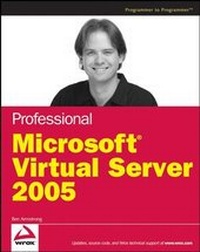
Professional Microsoft Virtual Server 2005
1st Edition
Published on 17. April 2007
Book
Paperback/Softback
592 pages
978-0-470-10917-5 (ISBN)
Description
Get ready to tap into the full potential of your system and dramatically improve your development and testing environment. From installation and configuration to clustering and performance enhancements, this book shows you how to get the most out of Microsoft Virtual Server. Written by a key member of the Virtual Server product team, it focuses on maintaining and developing Virtual Server environments so that you can get up and running quickly.
Some of the critical features you'll learn how to take advantage of include integrated backup support, offline virtual hard disk manipulation, and the Virtual Server COM Interface. You'll also discover how to get the best performance out of your virtual machines while creating a secure system. And you'll find expert tips and techniques on how to use Virtual Server for general development and debugging of applications.
What you will learn from this book
* All about the new features of Virtual Server 2005 R2 SP1
*
Steps for creating a virtual machine library for rapid and flexible deployment
*
How to build applications that control and interact with Virtual Server using Visual Basic.NET, C#, and ASP.NET
*
Ways to perform a P2V migration using Microsoft tools
*
Methods for clustering and configuring virtual machines
*
How to automate virtual machine operations using VBScript and PowerShell
Who this book is for
This book is for system administrators who want to implement solutions with Virtual Server as well as developers who are trying to build end-to-end solutions with Virtual Server.
Wrox Professional guides are planned and written by working programmers to meet the real-world needs of programmers, developers, and IT professionals. Focused and relevant, they address the issues technology professionals face every day. They provide examples, practical solutions, and expert education in new technologies, all designed to help programmers do a better job.
Some of the critical features you'll learn how to take advantage of include integrated backup support, offline virtual hard disk manipulation, and the Virtual Server COM Interface. You'll also discover how to get the best performance out of your virtual machines while creating a secure system. And you'll find expert tips and techniques on how to use Virtual Server for general development and debugging of applications.
What you will learn from this book
* All about the new features of Virtual Server 2005 R2 SP1
*
Steps for creating a virtual machine library for rapid and flexible deployment
*
How to build applications that control and interact with Virtual Server using Visual Basic.NET, C#, and ASP.NET
*
Ways to perform a P2V migration using Microsoft tools
*
Methods for clustering and configuring virtual machines
*
How to automate virtual machine operations using VBScript and PowerShell
Who this book is for
This book is for system administrators who want to implement solutions with Virtual Server as well as developers who are trying to build end-to-end solutions with Virtual Server.
Wrox Professional guides are planned and written by working programmers to meet the real-world needs of programmers, developers, and IT professionals. Focused and relevant, they address the issues technology professionals face every day. They provide examples, practical solutions, and expert education in new technologies, all designed to help programmers do a better job.
More details
Edition
1., Auflage
Language
English
Place of publication
Chichester
United Kingdom
Publishing group
John Wiley and Sons Ltd
Target group
Professional and scholarly
Illustrations
Illustrations
Dimensions
Height: 23.4 cm
Width: 18.7 cm
Thickness: 32 mm
Weight
870 gr
ISBN-13
978-0-470-10917-5 (9780470109175)
Schweitzer Classification
Person
Ben Armstrong hails from Brisbane, Australia. He relocated to California in 2001 to start working on virtualization software being developed by Connectix Corporation. When Microsoft acquired the Connectix technology in 2003, he worked as a Program Manager on Microsoft's new virtualization team. Ben has been working with virtualization for over five years and has been involved in the release of five major virtualization products (from both Connectix and Microsoft).
In his spare time, Ben messes around with virtual machines, plays computer games, messes around playing computer games in virtual machines, and apparently writes books.
Ben maintains a blog as Virtual PC Guy at http://blogs.msdn.com/virtual_pc_guy.
In his spare time, Ben messes around with virtual machines, plays computer games, messes around playing computer games in virtual machines, and apparently writes books.
Ben maintains a blog as Virtual PC Guy at http://blogs.msdn.com/virtual_pc_guy.
Content
Acknowledgments.
Introduction.
Part I: Getting Started with Virtual Servers.
Chapter 1. Why Virtualize?
Chapter 2. Getting Started with Microsoft Virtual Server 2005.
Chapter 3. Virutal Server Basic Concepts.
Chapter 4. Installing Guest Operating Systems.
Part II: Optimizing Virtual Machine Management and Usage.
Chapter 5. Creating a Virtual Machine Library.
Chapter 6. Understanding Virtual Machine Performance.
Part III: Maintaining Virtual Machines.
Chapter 7. Monitoring and Managing Virtual Machines.
Chapter 8. Keeping Virtual Machines Up to Date.
Part IV: Security and Backup for Virtual Machines.
Chapter 9. Keeping Virtual Machines Secure.
Chapter 10. Securing Virtual Server.
Chapter 11. Backing Up Virtual Machines.
Part V: Physical to Virtual Migration.
Chapter 12. Manual Physical to Virtual Migration of Servers.
Chapter 13. Manual Physical to Virtual Migrations.
Part VI: Virtual Machines and Clustering.
Chapter 14. Clustering Virtual Machines.
Chapter 15. Clustering Virtual Server.
Part VII: Automating Virtual Machine Operations.
Chapter 16. Using the Virtual Server COM Interface.
Chapter 17. Scripting Virtual Server.
Chapter 18. Using PowerShell to Control Virtual Server.
Part VIII: Developing Software for Virtual Servers.
Chapter 19. Developing Managed Applications for Virtual Server.
Chapter 20. Developing ASP.NET Applications with Virtual Server.
Part IX: Development and Debugging in Virtual Machines.
Chapter 21. Application Debugging with Virtual Server.
Appendix A. Common Problems and Solutions.
Appendix B. Virtual Server Clustering Script: HAVM.VBS.
Index.
Introduction.
Part I: Getting Started with Virtual Servers.
Chapter 1. Why Virtualize?
Chapter 2. Getting Started with Microsoft Virtual Server 2005.
Chapter 3. Virutal Server Basic Concepts.
Chapter 4. Installing Guest Operating Systems.
Part II: Optimizing Virtual Machine Management and Usage.
Chapter 5. Creating a Virtual Machine Library.
Chapter 6. Understanding Virtual Machine Performance.
Part III: Maintaining Virtual Machines.
Chapter 7. Monitoring and Managing Virtual Machines.
Chapter 8. Keeping Virtual Machines Up to Date.
Part IV: Security and Backup for Virtual Machines.
Chapter 9. Keeping Virtual Machines Secure.
Chapter 10. Securing Virtual Server.
Chapter 11. Backing Up Virtual Machines.
Part V: Physical to Virtual Migration.
Chapter 12. Manual Physical to Virtual Migration of Servers.
Chapter 13. Manual Physical to Virtual Migrations.
Part VI: Virtual Machines and Clustering.
Chapter 14. Clustering Virtual Machines.
Chapter 15. Clustering Virtual Server.
Part VII: Automating Virtual Machine Operations.
Chapter 16. Using the Virtual Server COM Interface.
Chapter 17. Scripting Virtual Server.
Chapter 18. Using PowerShell to Control Virtual Server.
Part VIII: Developing Software for Virtual Servers.
Chapter 19. Developing Managed Applications for Virtual Server.
Chapter 20. Developing ASP.NET Applications with Virtual Server.
Part IX: Development and Debugging in Virtual Machines.
Chapter 21. Application Debugging with Virtual Server.
Appendix A. Common Problems and Solutions.
Appendix B. Virtual Server Clustering Script: HAVM.VBS.
Index.