

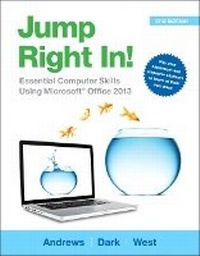
Jump Right In
Essential Computer Skills Using Microsoft Office 2013
2nd Edition
Published on 24. April 2014
Book
Paperback/Softback
768 pages
978-0-13-342550-5 (ISBN)
Description
Intended primarily for courses in Computer Concepts and Office Applications, this text also provides practical content to current and aspiring industry professionals.
A computer literacy approach designed for the needs of today's readers!
Jump Right In!, by best-selling author and expert teacher, Jean Andrews, combines proven and innovative educational research with cutting edge technology. The content, design, and approach compel readers to engage proactively in learning essential computer skills and applications including Office 2013 and Windows 8 (or Windows 7). The teach-yourself approach of Jump Right In! provides multiple learning paths based on the needs of different types of learners.
Break through to improved results with MyITLab (R) for Jump Right In! -a fully integrated learning system that includes Grader projects, training and assessment simulations, the Pearson eText, and all of the student and instructor resources in one place! MyITLab personalizes learning to help your students better prepare for class, quizzes, and exams-resulting in more dynamic experiences in the classroom and improved performance in the course.
Note: You are purchasing a standalone product; MyITLab does not come packaged with this content. If you would like to purchase both the physical text and MyITLab, contact your Pearson representative.
MyITLab is not a self-paced technology and should only be purchased when required by an instructor.
A computer literacy approach designed for the needs of today's readers!
Jump Right In!, by best-selling author and expert teacher, Jean Andrews, combines proven and innovative educational research with cutting edge technology. The content, design, and approach compel readers to engage proactively in learning essential computer skills and applications including Office 2013 and Windows 8 (or Windows 7). The teach-yourself approach of Jump Right In! provides multiple learning paths based on the needs of different types of learners.
Break through to improved results with MyITLab (R) for Jump Right In! -a fully integrated learning system that includes Grader projects, training and assessment simulations, the Pearson eText, and all of the student and instructor resources in one place! MyITLab personalizes learning to help your students better prepare for class, quizzes, and exams-resulting in more dynamic experiences in the classroom and improved performance in the course.
Note: You are purchasing a standalone product; MyITLab does not come packaged with this content. If you would like to purchase both the physical text and MyITLab, contact your Pearson representative.
MyITLab is not a self-paced technology and should only be purchased when required by an instructor.
More details
Edition
2nd edition
Language
English
Place of publication
United States
Publishing group
Pearson Education (US)
Target group
College/higher education
Professional and scholarly
Dimensions
Height: 276 mm
Width: 215 mm
Thickness: 24 mm
Weight
1460 gr
ISBN-13
978-0-13-342550-5 (9780133425505)
Copyright in bibliographic data and cover images is held by Nielsen Book Services Limited or by the publishers or by their respective licensors: all rights reserved.
Schweitzer Classification
Other editions
Previous edition
Book
02/2012
Pearson
€115.29
Article exhausted; check for reprint
Persons
Jean Andrews is a well-known, best-selling author whose books include A+ Guide to Managing and Maintaining your PC (Cengage). Andrews has 30+ years of experience in the computer industry, including more than 13 years teaching in college classrooms and three years teaching in public schools. She has worked in a wide variety of businesses and corporations designing, writing, and supporting applications software; managing a PC repair help desk; and troubleshooting networks.
Content
Chapter 1: Using Windows 8 to Manage Applications and Data (alternate version for Windows 7)
Chapter 2: Finding and Using Information on the Web (alternate versions for Windows 7 and Windows 8)
Chapter 3: Creating Documents with Microsoft Word
Chapter 4: Using OneNote to Research Online
Chapter 5: Writing Research Papers Using Word Templates
Chapter 6: Communicating with Others Using the Internet
Chapter 7: Finding a Job Using the Web, a Resume, and a Business Letter
Chapter 8: Using PowerPoint to Give a Presentation
Chapter 9: Adding Action and Sound to a PowerPoint Presentation
Chapter 10: Managing Numbers and Text Using Excel
Chapter 11: Organizing Data Using Excel
Chapter 12: Connecting to the Internet and Securing a Computer
Chapter 13: Maintaining a Computer and Fixing Computer Problems
Chapter 14: Buying Your Own Personal Computer
Chapter 15: Creating and Using Databases with Microsoft Access
Chapter 16: Authoring Your Own Website
Chapter 2: Finding and Using Information on the Web (alternate versions for Windows 7 and Windows 8)
Chapter 3: Creating Documents with Microsoft Word
Chapter 4: Using OneNote to Research Online
Chapter 5: Writing Research Papers Using Word Templates
Chapter 6: Communicating with Others Using the Internet
Chapter 7: Finding a Job Using the Web, a Resume, and a Business Letter
Chapter 8: Using PowerPoint to Give a Presentation
Chapter 9: Adding Action and Sound to a PowerPoint Presentation
Chapter 10: Managing Numbers and Text Using Excel
Chapter 11: Organizing Data Using Excel
Chapter 12: Connecting to the Internet and Securing a Computer
Chapter 13: Maintaining a Computer and Fixing Computer Problems
Chapter 14: Buying Your Own Personal Computer
Chapter 15: Creating and Using Databases with Microsoft Access
Chapter 16: Authoring Your Own Website