

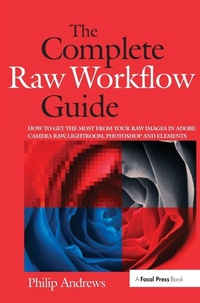
The Complete Raw Workflow Guide
How to get the most from your raw images in Adobe Camera Raw, Lightroom, Photoshop, and Elements
1st Edition
Published on 26. July 2017
Book
Hardback
368 pages
978-1-138-41799-1 (ISBN)
Description
One of the most important technologies a photographer can master is shooting and working with raw images. However, figuring out the best way to work with raw files can be confusing and overwhelming. What's the advantage to working in raw? How do you manage, organize, and store raw files? What's the best way to process your files to meet your photographic needs? How do Photoshop, Lightroom and Adobe Camera Raw work together? Is it possible to keep your photos in the raw format and still enhance them extensively? Philip Andrews answers these questions and more in his all-new essential raw workflow guide. Whether you are a beginner just starting to explore the intricacies of shooting raw, or a seasoned pro looking for a better workflow, this book provides all of the information you need to know to create stunning images from your raw files. As well as covering the most popular raw software packages such as Adobe Camera Raw and Lightroom, it provides general information that you will find useful no matter which software you prefer. Clear, precise step-by-step instructions will help you get from start to finish with essential tips and tricks along the way. Packed with inspirational images and clearly marked screenshots pointing out the exact information you need, you'll be on your way to creating a better, faster, and more efficient raw workflow in no time.
Reviews / Votes
Quotes from Amazon reviews of Andrews et al./RAW Workflow from Capture to Archives:"I am not an expert, but as someone trying to improve my skills with Raw, this book definitely covers the waterfront. I am very pleased. It has a very nice mix of text pictures and examples. Very easy to follow, and offers a wide choice of options for editors, setting up a workflow and covering the subject."
"You'll take all your pix in RAW after reading this. This excellent book presents a thorough, in-depth discussion of capturing, processing and manipulating images from digital cameras...the book is very well written, and makes both the camera and computer concepts and techniques accessible to a wide spectrum of readers, including experienced file photographers new to digital photography, casual digital photographers wanting to improve their camera and/or software skills, and Photoshop users who want to learn more about digital photography."
More details
Language
English
Place of publication
London
United Kingdom
Publishing group
Taylor & Francis Ltd
Target group
Professional and scholarly
General and Professional Practice & Development
Dimensions
Height: 250 mm
Width: 175 mm
Thickness: 24 mm
Weight
817 gr
ISBN-13
978-1-138-41799-1 (9781138417991)
Copyright in bibliographic data and cover images is held by Nielsen Book Services Limited or by the publishers or by their respective licensors: all rights reserved.
Schweitzer Classification
Other editions
Additional editions
Philip Andrews
The Complete Raw Workflow Guide
How to get the most from your raw images in Adobe Camera Raw, Lightroom, Photoshop, and Elements
E-Book
11/2012
1st Edition
Routledge
€58.99
Available for download
Philip Andrews
The Complete Raw Workflow Guide
How to get the most from your raw images in Adobe Camera Raw, Lightroom, Photoshop, and Elements
E-Book
11/2012
1st Edition
Routledge
€59.49
Available for download
Philip Andrews
The Complete Raw Workflow Guide
How to get the most from your raw images in Adobe Camera Raw, Lightroom, Photoshop, and Elements
Book
10/2007
1st Edition
Focal Press
€55.70
Shipment within 15-20 days
Person
Philip Andrews is Adobe Australia's official Photoshop and Elements Ambassador. He is an experienced photographer, author, magazine editor and online course creator. He was previously a lecturer at the Queensland School of Printing and Graphic Arts, Australia and Nescot, England. He is a beta tester for Photoshop, an alpha tester for Photoshop Elements and a Photoshop specialist demonstrator for Adobe Australia. Contributing numerous articles and videos to AdobeTV and the inspirational browser, Philip is a leading source in adobe information and instruction.
Philip is also co-founder of photo-college.com an online photography training college. He's a regular contributor to several magazines including Shutterbug, Amateur Photographer, Australian Photography and Better Photography, he is senior contributing editor for Better Digital, columnist for What Digital Camera and Co-editor and publisher of Better Photoshop Techniques magazine.
Philip is also co-founder of photo-college.com an online photography training college. He's a regular contributor to several magazines including Shutterbug, Amateur Photographer, Australian Photography and Better Photography, he is senior contributing editor for Better Digital, columnist for What Digital Camera and Co-editor and publisher of Better Photoshop Techniques magazine.
Content
Introduction; Section 1 - Raw Basics: Raw School 101; Establishing a Raw Workflow; Shooting in Raw; Downloading to Computer; Section 2 - Core Processing: Camera Based Converters; Raw with Photoshop Elements; ACR, Photoshop and Bridge; Photoshop Lightroom;
Section 3 - Advanced Editing/Enhancing: Beyond ACR Basics; Lossless Image Enhancement;
Raw Editing in Photoshop; Creative Raw; Section 4 - Managing Raw Files: Organizing Raw Assets; Protecting Raw files; Index
Section 3 - Advanced Editing/Enhancing: Beyond ACR Basics; Lossless Image Enhancement;
Raw Editing in Photoshop; Creative Raw; Section 4 - Managing Raw Files: Organizing Raw Assets; Protecting Raw files; Index