

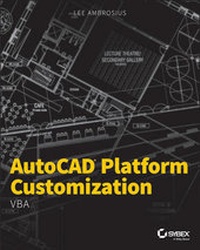
AutoCAD Platform Customization
VBA
1st Edition
Published on 4. May 2015
Book
Paperback/Softback
456 pages
978-1-118-79893-5 (ISBN)
Description
Boost productivity and streamline your workflow with expert AutoCAD: VBA programming instruction AutoCAD Platform Customization: VBA is the definitive guide to personalizing AutoCAD and the various programs that run on the AutoCAD platform, including AutoCAD Architecture, Civil 3D, Plant 3D, and more. Written by an Autodesk insider with years of customization and programming experience, this book features detailed discussions backed by real-world examples and easy-to-follow tutorials that illustrate each step in the personalization process. Readers gain expert guidance toward managing layouts and external references, changing the menu and other interface items, creating forms, and communicating with Office applications-all designed to streamline the workspace and improve productivity. An additional resources appendix, downloadable datasets, and customization examples provide extra information and tools that allow users to implement the most advanced customizations.
Autodesk's AutoCAD platform is the basis for much of the software that is integral to the modern design and engineering processes. VBA allows users to customize the AutoCAD interface and other features to increase screen real estate, create macros, validate drawing information, and more, leaving less repetition, fewer distractions, and more time for design. AutoCAD Platform Customization: VBA walks readers through the many options available, teaching them to:
Create, modify, annotate, and view drawing objects
Interact comfortably with the application, open documents, and the user
Manage external data, communicate with other applications, and define user forms
Debug custom programs and handle errors
Customization allows users to keep their favorite tools at their fingertips, and put away the ones they don't need. For AutoCAD users looking to streamline their workflow, AutoCAD Platform Customization: VBA provides expert instruction and insider advice.
Autodesk's AutoCAD platform is the basis for much of the software that is integral to the modern design and engineering processes. VBA allows users to customize the AutoCAD interface and other features to increase screen real estate, create macros, validate drawing information, and more, leaving less repetition, fewer distractions, and more time for design. AutoCAD Platform Customization: VBA walks readers through the many options available, teaching them to:
Create, modify, annotate, and view drawing objects
Interact comfortably with the application, open documents, and the user
Manage external data, communicate with other applications, and define user forms
Debug custom programs and handle errors
Customization allows users to keep their favorite tools at their fingertips, and put away the ones they don't need. For AutoCAD users looking to streamline their workflow, AutoCAD Platform Customization: VBA provides expert instruction and insider advice.
More details
Language
English
Place of publication
New York
United States
Publishing group
John Wiley & Sons Inc
Dimensions
Height: 235 mm
Width: 188 mm
Thickness: 23 mm
Weight
785 gr
ISBN-13
978-1-118-79893-5 (9781118798935)
Copyright in bibliographic data and cover images is held by Nielsen Book Services Limited or by the publishers or by their respective licensors: all rights reserved.
Schweitzer Classification
Other editions
Additional editions
E-Book
04/2015
Sybex Inc.,U.S.
€16.99
Available for download
Person
Content
Introduction xxi
Chapter 1 * Understanding the AutoCAD VBA Environment 1
Chapter 2 * Understanding Visual Basic for Applications 21
Chapter 3 * Interacting with the Application and Documents Objects 57
Chapter 4 * Creating and Modifying Drawing Objects 83
Chapter 5 * Interacting with the User and Controlling the Current View 113
Chapter 6 * Annotating Objects 151
Chapter 7 * Working with Blocks and External References 175
Chapter 8 * Outputting Drawings 221
Chapter 9 * Storing and Retrieving Custom Data 247
Chapter 10 * Modifying the Application and Working with Events 279
Chapter 11 * Creating and Displaying User Forms 309
Chapter 12 * Communicating with Other Applications 339
Chapter 13 * Handling Errors and Deploying VBA Projects 375
Index 409
Chapter 1 * Understanding the AutoCAD VBA Environment 1
Chapter 2 * Understanding Visual Basic for Applications 21
Chapter 3 * Interacting with the Application and Documents Objects 57
Chapter 4 * Creating and Modifying Drawing Objects 83
Chapter 5 * Interacting with the User and Controlling the Current View 113
Chapter 6 * Annotating Objects 151
Chapter 7 * Working with Blocks and External References 175
Chapter 8 * Outputting Drawings 221
Chapter 9 * Storing and Retrieving Custom Data 247
Chapter 10 * Modifying the Application and Working with Events 279
Chapter 11 * Creating and Displaying User Forms 309
Chapter 12 * Communicating with Other Applications 339
Chapter 13 * Handling Errors and Deploying VBA Projects 375
Index 409