

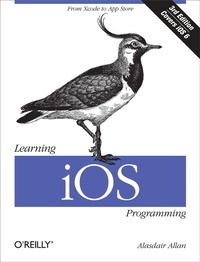
Learning iOS Programming
From Xcode to App Store
3rd Edition
Published on 23. April 2013
Book
450 pages
978-1-4493-5934-8 (ISBN)
Description
Get a rapid introduction to iPhone, iPad, and iPod touch programming. With this easy-to-follow guide, you'll learn how to develop your first marketable iOS application, from opening Xcode to submitting your product to the App Store. Whether you're a developer new to Mac programming or an experienced Mac developer ready to tackle iOS, this is your book.
You'll learn about Objective-C and the core frameworks hands-on by writing several sample iOS applications, giving you the basic skills for building your own applications independently. Packed with code samples, this book is refreshed and updated for iOS 6 and Xcode 4.
* Discover the advantages of building native iOS apps
* Get started with Objective-C and the Cocoa Touch frameworks
* Dive deep into the table view classes for building user interfaces
* Handle data input, parse XML and JSON documents, and store data on SQLite
* Use iOS sensors, including the accelerometer, magnetometer, camera, and GPS
* Build apps that use the Core Location and MapKit frameworks
* Integrate Apple's iCloud service into your applications
* Walk through the process of distributing your polished app to the App Store
More details
Other editions
Additional editions
E-Book
03/2013
O'Reilly
€29.49
Available for download
E-Book
03/2013
O'Reilly
€22.49
Available for download
Previous edition

Book
05/2012
2nd Edition
O'Reilly
€29.00
Article exhausted; check for reprint
Person
Alasdair Allan is a senior research fellow in Astronomy at the University of Exeter, where he is building an autonomous, distributed peer-to-peer network of telescopes that reactively schedule observations of time-critical events. He also runs a small technology consulting business writing bespoke software and building open hardware, and is currently developing a series of iPhone applications to monitor and manage cloud-based services and distributed sensor networks.
Content
Preface;
Third Edition;
Notes from the Second Edition;
Who Should Read This Book?;
What Should You Already Know?;
What Will You Learn?;
What's in This Book?;
Conventions Used in This Book;
Using Code Examples;
How to Contact Us;
Safari® Books Online;
Acknowledgments;
Chapter 1: Why Go Native?;
1.1 The Pros and Cons;
1.2 The Release Cycle;
1.3 Build It and They Will Come;
Chapter 2: Becoming a Developer;
2.1 Registering as an iOS Developer;
2.2 Enrolling in the iOS Developer Program;
2.3 The Mac Developer Program;
2.4 Installing the iOS SDK;
2.5 Preparing Your iOS Device;
Chapter 3: Your First iOS App;
3.1 Objective-C Basics;
3.2 Creating a Project;
Chapter 4: Coding in Objective-C;
4.1 Declaring and Defining Classes;
4.2 Memory Management;
4.3 Fundamental iOS Design Patterns;
4.4 Conclusion;
Chapter 5: Table View-Based Applications;
5.1 Creating the Project;
5.2 Creating a Table View;
5.3 Populating the Table View;
5.4 Building a Model;
5.5 Connecting the Controller to the Model;
5.6 Adding Navigation Controls to the Application;
5.7 Adding a City View;
5.8 Edit Mode;
Chapter 6: Other View Controllers;
6.1 Utility Applications;
6.2 Tab Bar Applications;
6.3 Combining View Controllers;
6.4 Modal View Controllers;
6.5 The Image Picker View Controller;
6.6 Master-Detail Applications;
6.7 Popover Controllers;
Chapter 7: Connecting to the Network;
7.1 Detecting Network Status;
7.2 Embedding a Web Browser in Your App;
7.3 Sending Email;
7.4 Getting Data from the Internet;
Chapter 8: Handling Data;
8.1 Data Entry;
8.2 Parsing XML;
8.3 Parsing JSON;
8.4 Regular Expressions;
8.5 Storing Data;
Chapter 9: Using Sensors;
9.1 Hardware Support;
9.2 Setting Required Hardware Capabilities;
9.3 Differences Between iPhone and iPad;
9.4 Using the Camera;
9.5 The Core Motion Framework;
9.6 Accessing the Proximity Sensor;
9.7 Using Vibration;
Chapter 10: Geolocation and Mapping;
10.1 The Core Location Framework;
10.2 Location-Dependent Weather;
10.3 User Location and MapKit;
10.4 Annotating Maps;
Chapter 11: Introduction to iCloud;
11.1 How Can I Use iCloud?;
11.2 Using Key-Value Storage;
11.3 Wrapping Up;
Chapter 12: Integrating Your Application;
12.1 Application Preferences;
12.2 The Accounts Framework;
12.3 The Social Framework;
12.4 Custom URL Schemes;
12.5 Media Playback;
12.6 Using the Address Book;
12.7 Sending Text Messages;
Chapter 13: Distributing Your Application;
13.1 Adding Missing Features;
13.2 Building and Signing;
13.3 Submitting to the App Store;
13.4 Reasons for Rejection;
Chapter 14: Going Further;
14.1 Cocoa and Objective-C;
14.2 Web Applications;
14.3 Core Data;
14.4 In-App Purchase;
14.5 Core Animation;
14.6 Game Kit;
14.7 Writing Games;
14.8 Look and Feel;
14.9 Hardware Accessories;
Index;
Colophon;