

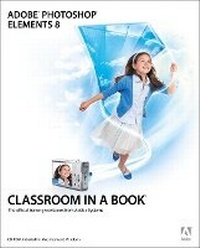
Adobe Photoshop Elements 8 Classroom in a Book
Published on 11. December 2009
Book
Mixed media product
448 pages
978-0-321-66032-9 (ISBN)
Description
Adobe Photoshop Elements 8 Classroom in a Book is the most thorough and comprehensive way for you to master all the new features in Adobe's consumer-targeted image editing software. Each chapter in this step-by-step, project-based guide contains a project that builds on your growing knowledge of the program, while end-of-chapter review questions reinforce each lesson. You will learn the basics of editing your images with Photoshop Elements and will learn how best to use the program's many new features. In this new cross-platform (Mac and Windows) version of the book you will receive complete coverage of all of the new features of Adobe Photoshop 8. Use People Recognition to automatically identify people in your photos, Auto-Analyzer to find your most interesting and highest quality shots, recompose photos to any size or to fit a specific layout without distortion, perform one-step color and lighting adjustments, create perfectly lit shots with Photomerge Exposure, manage your photo library in a single catalog that's automatically synched across multiple computers, and much more.
More details
Language
English
Place of publication
Indianapolis
United States
Publishing group
Pearson Education (US)
Target group
Professional and scholarly
Dimensions
Height: 231 mm
Width: 189 mm
Thickness: 21 mm
Weight
900 gr
ISBN-13
978-0-321-66032-9 (9780321660329)
Copyright in bibliographic data and cover images is held by Nielsen Book Services Limited or by the publishers or by their respective licensors: all rights reserved.
Schweitzer Classification
Other editions
New editions
.. Adobe Creative Team
Adobe Photoshop Elements 9 Classroom in a Book
Book
12/2010
Adobe Press,U.S.
€34.03
Article is exhausted; no reprint
Content
Getting Started
ch 1: A Quick Tour of Photoshop Elements
ch 2: Basic Organizing on Windows
ch 3: Basic Organizing on Mac OS
ch 4: Advanced Organizing on Windows
ch 5: Advanced Organizing on Mac OS
ch 6: Creating Projects
ch 7: Printing, Sharing, and Exporting
ch 8: Adjusting Color in Images
ch 9: Fixing Exposure Problems
ch 10: Repairing and Retouching Images
ch 11: Working with Text
ch 12: Combining Multiple Images
ch 13: Advanced Editing Techniques
ch 1: A Quick Tour of Photoshop Elements
ch 2: Basic Organizing on Windows
ch 3: Basic Organizing on Mac OS
ch 4: Advanced Organizing on Windows
ch 5: Advanced Organizing on Mac OS
ch 6: Creating Projects
ch 7: Printing, Sharing, and Exporting
ch 8: Adjusting Color in Images
ch 9: Fixing Exposure Problems
ch 10: Repairing and Retouching Images
ch 11: Working with Text
ch 12: Combining Multiple Images
ch 13: Advanced Editing Techniques