

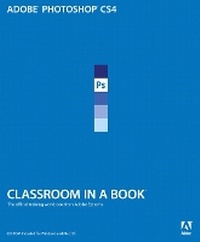
Adobe Photoshop CS4 Classroom in a Book
Published on 20. November 2008
Book
Mixed media product
464 pages
978-0-321-57379-7 (ISBN)
Description
The fastest, easiest, most comprehensive way to learn Adobe Photoshop CS4
Fourteen lessons in Adobe Photoshop CS4 Classroom in a Book cover basic and advanced techniques in Adobe Photoshop, the world's best image-editing software. Learn how to retouch digital photos, work with layers and masks, navigate the workspace, prepare images print, and explore the latest features. Tips, extra-credit exercises, and step-by-step lessons help you become more productive using Photoshop.
Learn to correct and enhance digital photos, create image composites, transform images in perspective, and prepare images for print and the web. Combine images for extended depth of field, and try out the new 3D features in Adobe Photoshop CS4 Extended.
"The Classroom in a Book series is by far the best training material on the market. Everything you need to master the software is included: clear explanations of each lesson, step-by-step instructions, and the project files for the students." -Barbara Binder, Adobe Certified Instructor, Rocky Mountain Training
Classroom in a Book (R), the best-selling series of hands-on software training workbooks, helps you learn the features of Adobe software quickly and easily. Classroom in a Book offers what no other book or training program does-an official training series from Adobe Systems Incorporated, developed with the support of Adobe product experts.
Fourteen lessons in Adobe Photoshop CS4 Classroom in a Book cover basic and advanced techniques in Adobe Photoshop, the world's best image-editing software. Learn how to retouch digital photos, work with layers and masks, navigate the workspace, prepare images print, and explore the latest features. Tips, extra-credit exercises, and step-by-step lessons help you become more productive using Photoshop.
Learn to correct and enhance digital photos, create image composites, transform images in perspective, and prepare images for print and the web. Combine images for extended depth of field, and try out the new 3D features in Adobe Photoshop CS4 Extended.
"The Classroom in a Book series is by far the best training material on the market. Everything you need to master the software is included: clear explanations of each lesson, step-by-step instructions, and the project files for the students." -Barbara Binder, Adobe Certified Instructor, Rocky Mountain Training
Classroom in a Book (R), the best-selling series of hands-on software training workbooks, helps you learn the features of Adobe software quickly and easily. Classroom in a Book offers what no other book or training program does-an official training series from Adobe Systems Incorporated, developed with the support of Adobe product experts.
More details
Language
English
Place of publication
Indianapolis
United States
Publishing group
Pearson Education (US)
Target group
Professional and scholarly
Dimensions
Height: 233 mm
Width: 190 mm
Thickness: 22 mm
Weight
940 gr
ISBN-13
978-0-321-57379-7 (9780321573797)
Copyright in bibliographic data and cover images is held by Nielsen Book Services Limited or by the publishers or by their respective licensors: all rights reserved.
Schweitzer Classification
Other editions
New editions
.. Adobe Creative Team
Adobe Photoshop CS5 Classroom in a Book
Book
06/2010
Adobe Press,U.S.
€41.25
Article exhausted; check for reprint
Previous edition
.. Adobe Creative Team
Adobe Photoshop CS3 Classroom in a Book
Book
05/2007
Adobe Press,U.S.
€50.10
Article exhausted; check for reprint
Person
The Adobe Creative Team is made up of designers, writers, and editors who have extensive, real-world knowledge of and expertise in using Adobe products. They work closely with the Adobe product development teams and Adobe's Instructional Communications team to come up with creative, challenging, and visually appealing projects to help both new and more experienced users get up to speed quickly on Adobe software products.
Content
Getting Started
1 Getting to Know the Work Area
2 Basic photo corrections
3 Working with Selections
4 Layer basics
5 Masks and channels
6 Correcting and enhancing digital photographs
7 Typographic design
8 Vector drawing techniques
9 Advanced layering
10 Advanced compositing
11 Preparing files for the web
12 Working with 3d images
13 Working with Scientific Images
14 Producing and Printing Consistent color
1 Getting to Know the Work Area
2 Basic photo corrections
3 Working with Selections
4 Layer basics
5 Masks and channels
6 Correcting and enhancing digital photographs
7 Typographic design
8 Vector drawing techniques
9 Advanced layering
10 Advanced compositing
11 Preparing files for the web
12 Working with 3d images
13 Working with Scientific Images
14 Producing and Printing Consistent color