

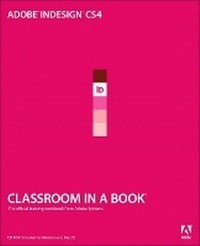
Adobe InDesign CS4 Classroom in a Book
Published on 6. November 2008
Book
Mixed media product
432 pages
978-0-321-57380-3 (ISBN)
Description
The fastest, easiest, most comprehensive way to learn Adobe InDesign CS4
Adobe InDesign CS4 Classroom in a Book contains 14 lessons. The book covers the basics of learning page layout with Adobe InDesign and provides countless tips and techniques to help you become more productive with the program. Explore typography and color, and learn more about creating tables and using styles. You can follow the book from start to finish or choose only those lessons that interest you.
Create layouts for magazines, newsletters, and brochures. Learn how to make Adobe PDF files and rich interactive documents. Prepare files for high-resolution printing and the Web.
"Adobe InDesign Classroom in a Book is the best way to learn hands-on with real-world examples. You'll gain exposure to good print design as well as efficient workflow techniques." -Michael Witherell, Adobe Certified Expert, Publishing, Training, and Consulting
Classroom in a Book (R), the best-selling series of hands-on software training workbooks, helps you learn the features of Adobe software quickly and easily. Classroom in a Book offers what no other book or training program does-an official training Incorporated, developed with the support of Adobe product experts.
Adobe InDesign CS4 Classroom in a Book contains 14 lessons. The book covers the basics of learning page layout with Adobe InDesign and provides countless tips and techniques to help you become more productive with the program. Explore typography and color, and learn more about creating tables and using styles. You can follow the book from start to finish or choose only those lessons that interest you.
Create layouts for magazines, newsletters, and brochures. Learn how to make Adobe PDF files and rich interactive documents. Prepare files for high-resolution printing and the Web.
"Adobe InDesign Classroom in a Book is the best way to learn hands-on with real-world examples. You'll gain exposure to good print design as well as efficient workflow techniques." -Michael Witherell, Adobe Certified Expert, Publishing, Training, and Consulting
Classroom in a Book (R), the best-selling series of hands-on software training workbooks, helps you learn the features of Adobe software quickly and easily. Classroom in a Book offers what no other book or training program does-an official training Incorporated, developed with the support of Adobe product experts.
More details
Language
English
Place of publication
Indianapolis
United States
Publishing group
Pearson Education (US)
Target group
Professional and scholarly
Dimensions
Height: 188 mm
Width: 233 mm
Thickness: 20 mm
Weight
862 gr
ISBN-13
978-0-321-57380-3 (9780321573803)
Copyright in bibliographic data and cover images is held by Nielsen Book Services Limited or by the publishers or by their respective licensors: all rights reserved.
Schweitzer Classification
Other editions
New editions
Adobe Creative Team
Adobe InDesign CS5 Classroom in a Book
Book
06/2010
Adobe Press,U.S.
€50.10
Article exhausted; check for reprint
Previous edition
.. Adobe Creative Team
Adobe InDesign CS3 Classroom in a Book
Book
04/2007
Adobe Press,U.S.
€48.54
Article exhausted; check for reprint
Content
Getting Started
1. Introducing the Work Area
2. Getting to Know InDesign
3. Setting Up a Document and Working with Pages
4. Working with Frames
5. Importing and Editing Text
6. Working with Typography
7. Working with Color
8. Working with Styles
9. Importing and Modifying Graphics
10. Creating Tables
11. Working with Transparency
12. Working with Long Documents
13. Output and Exporting
14. Creating Rich Interactive Documents
1. Introducing the Work Area
2. Getting to Know InDesign
3. Setting Up a Document and Working with Pages
4. Working with Frames
5. Importing and Editing Text
6. Working with Typography
7. Working with Color
8. Working with Styles
9. Importing and Modifying Graphics
10. Creating Tables
11. Working with Transparency
12. Working with Long Documents
13. Output and Exporting
14. Creating Rich Interactive Documents