

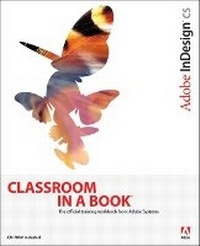
Adobe InDesign CS Classroom in a Book
Published on 13. November 2003
Book
Mixed media product
544 pages
978-0-321-19377-3 (ISBN)
Description
With its ever tightening integration with Adobe's full suite of creative products and its own increasingly sophisticated feature set, InDesign is winning legions of Quark and Framemaker converts. If you're among them--or if you've decided to sidestep those programs altogether--you need this book! In these pages, the Adobe Creative Team uses a series of project-based lessons, tested in the company's own classrooms and labs, to provide a thorough grounding in the InDesign school of page design. You'll find step-by-step lessons in InDesign CS fundamentals plus plenty of the advanced tips and techniques you need to take your page designs to the next level. The workbook-style format includes self-paced lessons followed by review questions to reinforce the knowledge and a CD with all of the files required to complete the book's projects. Throughout, special focus is given to the features new to InDesign CS: an updated Story Editor, nested styles, separation previews, the Package for GoLive command, and more.
More details
Language
English
Place of publication
Indianapolis
United States
Publishing group
Pearson Education (US)
Target group
College/higher education
Dimensions
Height: 231 mm
Width: 189 mm
Thickness: 26 mm
Weight
1076 gr
ISBN-13
978-0-321-19377-3 (9780321193773)
Copyright in bibliographic data and cover images is held by Nielsen Book Services Limited or by the publishers or by their respective licensors: all rights reserved.
Schweitzer Classification
Other editions
New editions
Adobe Creative Team
Adobe InDesign CS5 Classroom in a Book
Book
06/2010
Adobe Press,U.S.
€50.10
Article exhausted; check for reprint
.. Adobe Creative Team
Adobe InDesign CS2 Classroom in a Book
Book
07/2005
Adobe Press,U.S.
€43.68
Article exhausted; check for reprint
Person
The Adobe Creative Team is made up of designers, writers, and editors who have extensive, real-world knowledge of and expertise in using Adobe products. They work closely with the Adobe product development teams and Adobe's Instructional Communications team to come up with creative, challenging, and visually appealing projects to help both new and more experienced users get up to speed quickly on Adobe software products.
Content
Getting Started.
A Quick Tour of Adobe InDesign.
Lesson 1: Getting to Know the Work Area.
Lesson 2: Setting Up Your Document.
Lesson 3: Working with Frames.
Lesson 4: Importing and Editing Text.
Lesson 5: Working with Typography.
Lesson 6: Working with Color.
Lesson 7: Importing and Linking Graphics.
Lesson 8: Creating Tables.
Lesson 9: Drawing Vector Graphics.
Lesson 10: Working with Transparency.
Lesson 11: Creating Interactive Documents.
Lesson 12: Combining Files into Books.
Lesson 13: Printing & Print Preparation.
Lesson 14: Exporting to PDF.
Lesson 15: Ensuring Consistent Color.
Working with Version Cue.
Index.
A Quick Tour of Adobe InDesign.
Lesson 1: Getting to Know the Work Area.
Lesson 2: Setting Up Your Document.
Lesson 3: Working with Frames.
Lesson 4: Importing and Editing Text.
Lesson 5: Working with Typography.
Lesson 6: Working with Color.
Lesson 7: Importing and Linking Graphics.
Lesson 8: Creating Tables.
Lesson 9: Drawing Vector Graphics.
Lesson 10: Working with Transparency.
Lesson 11: Creating Interactive Documents.
Lesson 12: Combining Files into Books.
Lesson 13: Printing & Print Preparation.
Lesson 14: Exporting to PDF.
Lesson 15: Ensuring Consistent Color.
Working with Version Cue.
Index.