

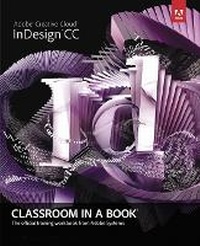
Adobe InDesign CC Classroom in a Book
Published on 18. July 2013
Book
Mixed media product
432 pages
978-0-321-92697-5 (ISBN)
Description
The fastest, easiest, most comprehensive way to learn Adobe InDesign CC
Classroom in a Book (R), the best-selling series of hands-on software training workbooks, offers what no other book or training program does-an official training series from Adobe Systems Incorporated, developed with the support
of Adobe product experts.
Adobe InDesign CC Classroom in a Book contains 16 lessons that cover the basics, providing countless tips and techniques to help you become more productive with the program. You can follow the book from start to finish or choose only those lessons that interest you.
Purchasing this book gives you access to the downloadable lesson files you need to work through the projects in the book, and to electronic book updates covering new features that Adobe releases for Creative Cloud customers. For access, go to www.peachpit.com/redeem and redeem the unique code provided inside this book.
"The Classroom in a Book series is by far the best training material on the market. Everything you need to master the software is included: clear explanations of each lesson, step-bystep instructions, and the project files for the students."
Barbara Binder,
Adobe Certified Instructor
Rocky Mountain Training
Classroom in a Book (R), the best-selling series of hands-on software training workbooks, offers what no other book or training program does-an official training series from Adobe Systems Incorporated, developed with the support
of Adobe product experts.
Adobe InDesign CC Classroom in a Book contains 16 lessons that cover the basics, providing countless tips and techniques to help you become more productive with the program. You can follow the book from start to finish or choose only those lessons that interest you.
Purchasing this book gives you access to the downloadable lesson files you need to work through the projects in the book, and to electronic book updates covering new features that Adobe releases for Creative Cloud customers. For access, go to www.peachpit.com/redeem and redeem the unique code provided inside this book.
"The Classroom in a Book series is by far the best training material on the market. Everything you need to master the software is included: clear explanations of each lesson, step-bystep instructions, and the project files for the students."
Barbara Binder,
Adobe Certified Instructor
Rocky Mountain Training
More details
Other editions
New editions
Kelly Kordes Anton | John Cruise
Adobe InDesign CC Classroom in a Book (2014 release)
Book
07/2014
Adobe Press,U.S.
€55.05
Article is exhausted; no reprint
Previous edition
Person
The Adobe Creative Team of designers, writers, and editors has extensive, real-world knowledge of Adobe products. They work closely with the Adobe product development teams and Adobe's Instructional Communications team to come up with creative, challenging, and visually appealing projects to help both new and experienced users get up to speed quickly on Adobe software products. And they teach InDesign and produce flawless documents in the real world.
Content
Getting Started
1 Introducing the Workspace
2 Getting to Know InDesign
3 Setting Up a Document and Working with Pages
4 Working with Objects
5 Flowing Text
6 Editing Text
7 Working with Typography
8 Working with Color
9 Working with Styles
10 Importing and Modifying Graphics
11 Creating Tables
12 Working with Transparency
13 Printing and Exporting
14 Creating Adobe PDF Files with Form Fields
15 Creating and Exporting an Ebook
16 Working with Long Documents
BONUS 17 (online download): Creating an iPad Publication
1 Introducing the Workspace
2 Getting to Know InDesign
3 Setting Up a Document and Working with Pages
4 Working with Objects
5 Flowing Text
6 Editing Text
7 Working with Typography
8 Working with Color
9 Working with Styles
10 Importing and Modifying Graphics
11 Creating Tables
12 Working with Transparency
13 Printing and Exporting
14 Creating Adobe PDF Files with Form Fields
15 Creating and Exporting an Ebook
16 Working with Long Documents
BONUS 17 (online download): Creating an iPad Publication