

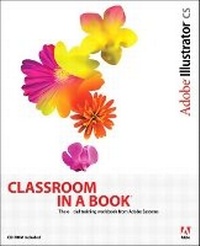
Adobe Illustrator CS Classroom in a Book
Published on 13. November 2003
Book
Mixed media product
592 pages
978-0-321-19380-3 (ISBN)
Description
How often have you wished you had access to the team behind your favorite software--in this case, Adobe Illustrator--so that you could really pick their brains about all of its coolest features? With this book, you do. In these pages the Adobe Creative Team gives you a guided tour of the graphics powerhouse, Illustrator CS. Best of all, it does so at your pace. Whether your beautifully designed graphics end up in print, the Web, broadcast video, or even cell phone displays, this book shows you how to get them there--easily, elegantly, and efficiently. You'll find step-by-step, project-based lessons in all of Illustrator's key features, including those that are new to CS: powerful new type tools, the Scribble Effect, hundreds of professionally designed templates, support for 3D graphics, and more. Each chapter contains a project that builds on your growing knowledge of the program, and a companion CD includes all the files needed to complete the book's lessons.
More details
Language
English
Place of publication
Indianapolis
United States
Publishing group
Pearson Education (US)
Target group
College/higher education
Dimensions
Height: 187 mm
Width: 229 mm
Thickness: 28 mm
Weight
1175 gr
ISBN-13
978-0-321-19380-3 (9780321193803)
Copyright in bibliographic data and cover images is held by Nielsen Book Services Limited or by the publishers or by their respective licensors: all rights reserved.
Schweitzer Classification
Other editions
New editions
.. Adobe Creative Team
Adobe Illustrator CS2 Classroom in a Book
Book
07/2005
Adobe Press,U.S.
€44.89
Article exhausted; check for reprint
Previous edition

.. Adobe Creative Team
Adobe Illustrator 10 Classroom in a Book
Book
03/2002
Adobe Press,U.S.
€41.25
Article exhausted; check for reprint
Person
The Adobe Creative Team is made up of designers, writers, and editors who have extensive, real-world knowledge of and expertise in using Adobe products. They work closely with the Adobe product development teams and Adobe's Instructional Communications team to come up with creative, challenging, and visually appealing projects to help both new and more experienced users get up to speed quickly on Adobe software products.
Content
Getting Started.
A Quick Tour of Adobe Illustrator.
1. Getting to Know the Work Area.
2. Selection Basics.
3. Creating Basic Shapes.
4. Drawing with the Pen Tool.
5. Painting.
6. Applying Transparency and Blending Modes.
7. Working with Layers.
8. Transforming Objects.
9. Working with Placement and Order of Objects.
10. Applying Appearance Attributes, Styles, and Effects.
11. Working with Type.
12. Blending Shapes and Colors.
13. Working with Symbols.
14. Working with Brushes and Scribbles.
15. Creating Airbrush Effects.
16. Using the 3D Effect.
17. Printing Artwork and Producing Color Separations.
18. Combining Illustrator Graphics and Photoshop Images.
19. Creating a Web Publication.
Working with Version Cue.
Index.
A Quick Tour of Adobe Illustrator.
1. Getting to Know the Work Area.
2. Selection Basics.
3. Creating Basic Shapes.
4. Drawing with the Pen Tool.
5. Painting.
6. Applying Transparency and Blending Modes.
7. Working with Layers.
8. Transforming Objects.
9. Working with Placement and Order of Objects.
10. Applying Appearance Attributes, Styles, and Effects.
11. Working with Type.
12. Blending Shapes and Colors.
13. Working with Symbols.
14. Working with Brushes and Scribbles.
15. Creating Airbrush Effects.
16. Using the 3D Effect.
17. Printing Artwork and Producing Color Separations.
18. Combining Illustrator Graphics and Photoshop Images.
19. Creating a Web Publication.
Working with Version Cue.
Index.