

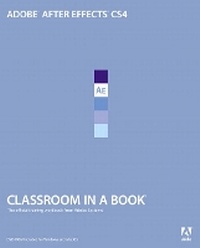
Adobe After Effects CS4 Classroom in a Book
Published on 5. January 2009
Book
Mixed media product
400 pages
978-0-321-57383-4 (ISBN)
Description
Visual effects and motion graphics pros of all stripes - from broadcast professionals to VFX supervisors to Web designers who need to produce occasional video segments - will welcome the dramatically accelerated features provided in the brand-new After Effects CS4. This best-selling book has been revised to cover all that's new in this upgrade: the ability to import 3D layers from Photoshop; the Cartoon effect that converts live-action footage into stylized imagery; Adobe Device Central CS4, which lets you preview and test animations for mobile devices, and more. Designed around a single complex project that's broken down into manageable lessons, this book-and-DVD package mimics a real-world workflow - but one that readers tackle at their own pace. The DVD contains all the lesson files and footage readers need to complete the lessons.
More details
Language
English
Place of publication
Indianapolis
United States
Publishing group
Pearson Education (US)
Target group
College/higher education
Dimensions
Height: 189 mm
Width: 229 mm
Thickness: 19 mm
Weight
804 gr
ISBN-13
978-0-321-57383-4 (9780321573834)
Copyright in bibliographic data and cover images is held by Nielsen Book Services Limited or by the publishers or by their respective licensors: all rights reserved.
Schweitzer Classification
Other editions
New editions
.. Adobe Creative Team
Adobe After Effects CS5 Classroom in a Book
Book
06/2010
Adobe Press,U.S.
€55.05
Article exhausted; check for reprint
Previous edition
.. Adobe Creative Team
Adobe After Effects CS3 Professional Classroom in a Book
Book
08/2007
Adobe Press,U.S.
€48.54
Article exhausted; check for reprint
Person
The Adobe Creative Team of designers, writers, and editors has extensive, real-world knowledge of Adobe products. They work closely with the Adobe product development teams and Adobe's Instructional Communications team to come up with creative, challenging, and visually appealing projects to help both new and experienced users get up to speed quickly on Adobe software products.
Content
Getting Started
1) Getting to Know the Workflow
2) Creating a Basic Animation Using Effects and Presets
3) Animating Text
4) Working with Shape Layers
5) Animating a Multimedia Presentation
6) Animating Layers
7) Working with Masks
8) Distorting Objects with the Puppet Tools
9) Keying
10) Performing Color Correction
11) Building 3D Objects
12) Using 3D Features
13) Advanced Editing Techniques
1) Getting to Know the Workflow
2) Creating a Basic Animation Using Effects and Presets
3) Animating Text
4) Working with Shape Layers
5) Animating a Multimedia Presentation
6) Animating Layers
7) Working with Masks
8) Distorting Objects with the Puppet Tools
9) Keying
10) Performing Color Correction
11) Building 3D Objects
12) Using 3D Features
13) Advanced Editing Techniques