

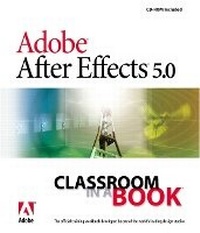
Adobe After Effects 5.0
Classroom in a Book
Published on 31. August 2001
Book
Mixed media product
376 pages
978-0-201-74131-5 (ISBN)
Description
You can sink the Titanic with it, but you don't have to. Filmmakers andTV-commercial directors have turned to Adobe After Effects for years tocreate sophisticated visual effects, but its fan club is rapidly expandingto include graphic designers who want to add motion graphics to their Websites. Adobe After Effects 5.0 Classroom in a Book takes theintimidation factor out of this moviemaking program without diminishing itspowerful potential. Developed by the experts at Adobe, this project-basedguide walks you through easy-to-follow lessons tested in the company's ownclassrooms.
Not assuming any prior After Effects knowledge, Adobe After Effects 5.0Classroom in a Book takes a building-block approach. The book isdesigned around one large and complex project that is broken down intomanageable lessons, each of which builds on topics covered in previoussections. The task-oriented format mimics a real-world work flow: Features,functions, and subjects are introduced as they come up during the course ofthe project. This edition of the book covers what's new and exciting inAfter Effects 5.0: 3D compositing, hierarchical layering, and powerfulanimation and masking enhancements. The accompanying cross-platform CDincludes all the files you need to complete the projects.
Not assuming any prior After Effects knowledge, Adobe After Effects 5.0Classroom in a Book takes a building-block approach. The book isdesigned around one large and complex project that is broken down intomanageable lessons, each of which builds on topics covered in previoussections. The task-oriented format mimics a real-world work flow: Features,functions, and subjects are introduced as they come up during the course ofthe project. This edition of the book covers what's new and exciting inAfter Effects 5.0: 3D compositing, hierarchical layering, and powerfulanimation and masking enhancements. The accompanying cross-platform CDincludes all the files you need to complete the projects.
More details
Language
English
Place of publication
Indianapolis
United States
Publishing group
Pearson Education (US)
Target group
College/higher education
Dimensions
Height: 231 mm
Width: 189 mm
Thickness: 17 mm
Weight
779 gr
ISBN-13
978-0-201-74131-5 (9780201741315)
Copyright in bibliographic data and cover images is held by Nielsen Book Services Limited or by the publishers or by their respective licensors: all rights reserved.
Schweitzer Classification
Other editions
New editions

.. Adobe Creative Team
Adobe After Effects 6.0 Classroom in a Book
Book
10/2003
Adobe Press,U.S.
€41.32
Article exhausted; check for reprint
Previous edition
.. Adobe Creative Team
Adobe (R) After Effects (R) 4.0 Classroom in a Book
Book
11/1999
Adobe Press,U.S.
€41.43
Article exhausted; check for reprint
Person
The Adobe Creative Team is made up of members of Adobe's User Education Group. They take their expertise in training users to work with Adobe products, combine it with the creative talents of the Adobe After Effects team, and add the valuable content of the CD-ROM to make a unique learning package from Adobe Systems.
Content
Getting Started.
Lesson 1. Creating 2D Elements from Hexagons.
Lesson 2. Building Elements from Squares.
Lesson 3. Animating Circles.
Lesson 4. Building Star-like Elements.
Lesson 5. Working with Text and Numbers.
Lesson 6. Building 3D Hexagon Elements.
Lesson 7. Combining 2D Elements in a Composite.
Lesson 8. Beginning the 3D Composite.
Lesson 9. Finishing the 3D Composite.
Lesson 10. Building the Final Animation.
Lesson 11. The Render Queue and Output Formats.
Index.
Lesson 1. Creating 2D Elements from Hexagons.
Lesson 2. Building Elements from Squares.
Lesson 3. Animating Circles.
Lesson 4. Building Star-like Elements.
Lesson 5. Working with Text and Numbers.
Lesson 6. Building 3D Hexagon Elements.
Lesson 7. Combining 2D Elements in a Composite.
Lesson 8. Beginning the 3D Composite.
Lesson 9. Finishing the 3D Composite.
Lesson 10. Building the Final Animation.
Lesson 11. The Render Queue and Output Formats.
Index.