

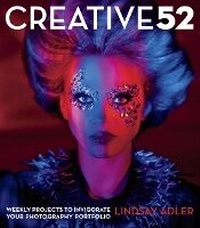
Creative 52
Weekly Projects to Invigorate Your Photography Portfolio
Will be published approx. on 7. November 2013
Book
Paperback/Softback
216 pages
978-0-321-93491-8 (ISBN)
Description
A powerful portfolio involves so much more than just a strong grasp of the technical aspects of photography-it's a complex mix of style, techniques, and intriguing ideas. Many photographers struggle to achieve a high-impactportfolio, feeling that they lack the creative spark to invigorate them andmove their work forward.
Creative 52 is that spark-and your guide to a new and more creative portfolio in just one year! A remedy for that "average" portfolio, this collection of innovative projects will help portrait, wedding, and fashion photographers build a portfolio that draws the attention of editors and clients-leaving the competition behind. While other how-to books often use bland imagery simply to prove a technical point, and many fine art books are filled with beautiful imagery but contain minimal (if any) educational insights to help working photographers, this book blends both: inspiration and knowledge that you can use to create images that attract potential clients.
Divided into three parts-concept, technique, and post-processing-author Lindsay Adler's 52 challenges each contain a description of the project, potential inspiration and suggestions of other artists to check out, and her own unique solution to the challenge-all to push you beyond your comfort zone to explore new ideas and approaches to your work.
Includes a year's worth of weekly projects that motivate you to experiment with new concepts, techniques, and software tools like Adobe Photoshop to achieve more eye-catching images
Offers the cure for "expected" imagery, showing how to produce memorable photographs that are distinct from the competition, enabling you to reach new clients
Empowers you with the encouragement and expertise necessary to create spectacular images
Creative 52 is that spark-and your guide to a new and more creative portfolio in just one year! A remedy for that "average" portfolio, this collection of innovative projects will help portrait, wedding, and fashion photographers build a portfolio that draws the attention of editors and clients-leaving the competition behind. While other how-to books often use bland imagery simply to prove a technical point, and many fine art books are filled with beautiful imagery but contain minimal (if any) educational insights to help working photographers, this book blends both: inspiration and knowledge that you can use to create images that attract potential clients.
Divided into three parts-concept, technique, and post-processing-author Lindsay Adler's 52 challenges each contain a description of the project, potential inspiration and suggestions of other artists to check out, and her own unique solution to the challenge-all to push you beyond your comfort zone to explore new ideas and approaches to your work.
Includes a year's worth of weekly projects that motivate you to experiment with new concepts, techniques, and software tools like Adobe Photoshop to achieve more eye-catching images
Offers the cure for "expected" imagery, showing how to produce memorable photographs that are distinct from the competition, enabling you to reach new clients
Empowers you with the encouragement and expertise necessary to create spectacular images
More details
Person
Lindsay Adler is a portrait and fashion photographer based in New York City. Her fashion editorials have been featured in dozens of publications internationally and her images have appeared in advertising campaigns and billboards throughout the country. An author of three books, you can find her as a platform speaker at events like WPPI, Photo Plus, Imaging USA, Photoshop World, and online at creativeLIVE, Kelby Training, and many more. She is the coauthor of Shooting in Sh*tty Light: The Top Ten Worst Photography Lighting Situations and How to Conquer Them. Learn more about Lindsay at lindsayadlerphotography.com.
Content
Part 1: Concepts
1. Portrait without a face
2. Tell a Story
3. Use Sparklers or Fire
4. Fantasy, Fairytale
5. Make an image about 1 color
6. Remake a famous photo or artwork in your own way
7. Take the art beyond the digital image (paint on it, special product)
8. Make a Mess
9. Defy Gravity
10. Project onto Subject
11. Voyeur
12. Person in frame multiple times
13. Represent change or time
14. Opposites
15. Subject mimic background
16. Underwater
17. Environmental portrait
18. Remake a photo from childhood
19. Movement
20. Humor
Part 2: Techniques
21. Paint with Light
22. Lensflare in camera
23. Lensflare tools
24. Crystal
25. Negative space
26. Lensbaby, Tilt Shift, Selective Focus
27. Shoot an out of focus portrait, well
28. Frame within a Frame
29. High Key
30. Low Key
31. Reflections
32. Pattern
33. Silhoutte
34. Use a Gel
35. Graphic Location
36. Unusual Angle
37. Through glass
38. Break a Lighting Rule
39. UV Portrait
Part 3: Photoshop
40. Lensflare Photoshop
41. Add a Texture
42. Selective Color
43. Go grunge
44. HDR Portrait
45. Aged Photo
46. Mirrored Image
47. Porcelain Skin
48. 3D Image
49. Composite
50. Collage
51. Layered Images
52. Remake a movie poster
1. Portrait without a face
2. Tell a Story
3. Use Sparklers or Fire
4. Fantasy, Fairytale
5. Make an image about 1 color
6. Remake a famous photo or artwork in your own way
7. Take the art beyond the digital image (paint on it, special product)
8. Make a Mess
9. Defy Gravity
10. Project onto Subject
11. Voyeur
12. Person in frame multiple times
13. Represent change or time
14. Opposites
15. Subject mimic background
16. Underwater
17. Environmental portrait
18. Remake a photo from childhood
19. Movement
20. Humor
Part 2: Techniques
21. Paint with Light
22. Lensflare in camera
23. Lensflare tools
24. Crystal
25. Negative space
26. Lensbaby, Tilt Shift, Selective Focus
27. Shoot an out of focus portrait, well
28. Frame within a Frame
29. High Key
30. Low Key
31. Reflections
32. Pattern
33. Silhoutte
34. Use a Gel
35. Graphic Location
36. Unusual Angle
37. Through glass
38. Break a Lighting Rule
39. UV Portrait
Part 3: Photoshop
40. Lensflare Photoshop
41. Add a Texture
42. Selective Color
43. Go grunge
44. HDR Portrait
45. Aged Photo
46. Mirrored Image
47. Porcelain Skin
48. 3D Image
49. Composite
50. Collage
51. Layered Images
52. Remake a movie poster